How to submit a Spark job to YARN
Apache Spark can hand an application to YARN when the job needs Hadoop-managed cluster capacity instead of a local or standalone Spark master. The spark-submit command sends the packaged job to the YARN ResourceManager and returns an application ID that operators can follow through scheduling, execution, and completion.
In YARN mode, --master is always yarn. Spark finds the ResourceManager and HDFS settings from the Hadoop client configuration in HADOOP_CONF_DIR or YARN_CONF_DIR, so the submit shell must load the same client files used by the cluster edge node.
Cluster deploy mode fits repeatable batch submissions because the driver runs under YARN after the client hands off the application. Spark 4 applications also need a Java 17 or newer runtime inside YARN containers, which may be separate from the JDK used by Hadoop daemons.
Related: How to submit an Apache Spark job
Related: How to submit a Spark job to Kubernetes
Steps to submit a Spark job to YARN:
- Set the Hadoop client configuration directory for the submit shell.
$ export HADOOP_CONF_DIR=/etc/hadoop/conf
Use YARN_CONF_DIR instead when the cluster provides a YARN-only client configuration directory. The directory must include client-side files such as yarn-site.xml and core-site.xml so Spark can find the ResourceManager and HDFS.
- Check that the YARN client can reach the cluster.
$ yarn node -list Total Nodes:1 Node-Id Node-State Node-Http-Address Number-of-Running-Containers worker-01.example.net:45454 RUNNING worker-01.example.net:8042 0 - Check that the application JAR is visible from the cluster.
$ hdfs dfs -ls hdfs:///apps/spark/spark-examples.jar
-rw-r--r--   3 spark analytics 2551040 2026-07-06 09:18 hdfs:///apps/spark/spark-examples.jar
Use HDFS, another shared URI, or a local path that exists on every worker. In cluster deploy mode, a file that exists only on the submit host is not enough for the driver and executors.
- Submit the Spark job to YARN in cluster deploy mode.
$ spark-submit \
  --master yarn \
  --deploy-mode cluster \
  --name sg-spark-pi-yarn \
  --queue analytics \
  --class org.apache.spark.examples.SparkPi \
  --executor-memory 2g \
  --executor-cores 1 \
  hdfs:///apps/spark/spark-examples.jar \
  10
INFO yarn.Client: Application report for application_1736200100000_0042 (state: ACCEPTED)
##### snipped #####
INFO yarn.Client: Application report for application_1736200100000_0042 (state: FINISHED)
INFO yarn.Client: final status: SUCCEEDED
Use a queue name, resource size, and application artifact that match the target cluster. Add dependencies with --jars or --packages only when the job needs libraries that are not already available to the driver and executors.
Related: How to add packages to a Spark job - Check the final YARN application state.
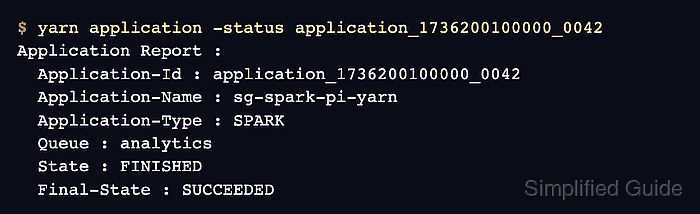
$ yarn application -status application_1736200100000_0042
Application Report :
  Application-Id : application_1736200100000_0042
  Application-Name : sg-spark-pi-yarn
  Application-Type : SPARK
  User : dataeng
  Queue : analytics
  State : FINISHED
  Final-State : SUCCEEDED
  Progress : 100%
FINISHED with SUCCEEDED confirms that YARN accepted the application and Spark completed without reporting a failed final state.
Related: How to check Spark application status - Fetch the application logs for the Spark result.
$ yarn logs -applicationId application_1736200100000_0042
##### snipped #####
Pi is roughly 3.141851570742146
##### snipped #####
YARN log aggregation must be enabled for yarn logs to retrieve completed application logs from any client node. When aggregation is disabled, use the Spark UI, Spark history server, or the NodeManager host that retained the container logs.
Related: How to view Apache Spark logs