Spark applications often need connectors or data-source modules that are not part of the runtime classpath. Supplying a Maven coordinate at submission keeps that dependency with one application instead of changing the shared Spark installation on every cluster node.
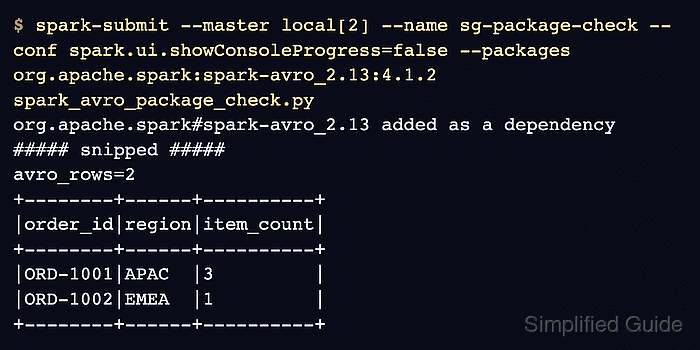
The --packages option resolves a group:artifact:version coordinate and its transitive dependencies before the driver starts. The artifact's Spark release and Scala binary suffix must match the runtime, because a package can download successfully and still fail later with incompatible classes.
The external spark-avro module makes the classpath change observable. A job that writes and reads Avro data proves that Spark loaded the submitted package, while the same format operation fails when the module is absent or incompatible.
Steps to add a package to an Apache Spark job:
- Choose the spark-avro coordinate that matches the Spark and Scala versions on the submission host.
Spark runtime: 4.1.2
Scala binary version: 2.13
Package: org.apache.spark:spark-avro_2.13:4.1.2
The Spark release supplies the package version, while the runtime's Scala binary version supplies the artifact suffix. The coordinates shown here match the current Spark 4.1.2 distribution.
- Create spark_avro_package_check.py with the imports and Avro output path.
- spark_avro_package_check.py
from pathlib import Path

from pyspark.sql import SparkSession


output_path = Path("/tmp/spark-package-check/orders-avro")
- Add the local Spark session below output_path.
- spark_avro_package_check.py
spark = (
    SparkSession.builder.master("local[2]")
    .appName("spark-package-check")
    .getOrCreate()
)
spark.sparkContext.setLogLevel("ERROR")
A cluster submission can supply its own master instead of the local[2] value used for this self-contained check.
- Define the sample order rows after the log-level setting.
- spark_avro_package_check.py
orders = spark.createDataFrame(
    [
        ("ORD-1001", "APAC", 3),
        ("ORD-1002", "EMEA", 1),
    ],
    "order_id string, region string, item_count int",
)
- Append the Avro write below the orders DataFrame.
- spark_avro_package_check.py
orders.write.format("avro").mode("overwrite").save(str(output_path))
The avro provider lookup occurs at this point and fails when spark-avro is missing or incompatible.
Related: How to read and write Avro files with Spark - Load the written Avro dataset below the write operation.
- spark_avro_package_check.py
loaded = spark.read.format("avro").load(str(output_path))
- Add the row and data-file checks below the Avro read.
- spark_avro_package_check.py
expected = [
    ("ORD-1001", "APAC", 3),
    ("ORD-1002", "EMEA", 1),
]
actual = [tuple(row) for row in loaded.orderBy("order_id").collect()]
assert actual == expected, actual

avro_files = list(output_path.glob("part-*.avro"))
assert avro_files, "No Avro data files were written"

print("Package-backed Avro rows:")
loaded.orderBy("order_id").show(truncate=False)
print(f"Avro data files: {len(avro_files)}")
- Stop the Spark session after the result output.
- spark_avro_package_check.py
spark.stop()
- Compare the assembled file with the complete package-check program.
- spark_avro_package_check.py
from pathlib import Path

from pyspark.sql import SparkSession


output_path = Path("/tmp/spark-package-check/orders-avro")

spark = (
    SparkSession.builder.master("local[2]")
    .appName("spark-package-check")
    .getOrCreate()
)
spark.sparkContext.setLogLevel("ERROR")

orders = spark.createDataFrame(
    [
        ("ORD-1001", "APAC", 3),
        ("ORD-1002", "EMEA", 1),
    ],
    "order_id string, region string, item_count int",
)

orders.write.format("avro").mode("overwrite").save(str(output_path))
loaded = spark.read.format("avro").load(str(output_path))

expected = [
    ("ORD-1001", "APAC", 3),
    ("ORD-1002", "EMEA", 1),
]
actual = [tuple(row) for row in loaded.orderBy("order_id").collect()]
assert actual == expected, actual

avro_files = list(output_path.glob("part-*.avro"))
assert avro_files, "No Avro data files were written"

print("Package-backed Avro rows:")
loaded.orderBy("order_id").show(truncate=False)
print(f"Avro data files: {len(avro_files)}")

spark.stop()
- Submit the completed job with the matching Avro package.
$ spark-submit \
  --master local[2] \
  --name spark-package-check \
  --conf spark.ui.showConsoleProgress=false \
  --packages org.apache.spark:spark-avro_2.13:4.1.2 \
  spark_avro_package_check.py
org.apache.spark#spark-avro_2.13 added as a dependency
##### snipped #####
Package-backed Avro rows:
+--------+------+----------+
|order_id|region|item_count|
+--------+------+----------+
|ORD-1001|APAC  |3         |
|ORD-1002|EMEA  |1         |
+--------+------+----------+

Avro data files: 2
A successful row comparison and a nonzero Avro file count prove that the submitted package supplied the external data source. --packages accepts comma-separated coordinates when one job needs several artifacts; use --repositories only for artifacts outside the default repositories, and never place repository credentials in a command that may enter shell history.
- Remove the generated Avro output from the first package-backed run.
$ rm -r /tmp/spark-package-check
- Re-submit spark_avro_package_check.py after cleanup to confirm the package-backed job remains runnable.
$ spark-submit \
  --master local[2] \
  --name spark-package-check \
  --conf spark.ui.showConsoleProgress=false \
  --packages org.apache.spark:spark-avro_2.13:4.1.2 \
  spark_avro_package_check.py
org.apache.spark#spark-avro_2.13 added as a dependency
##### snipped #####
Package-backed Avro rows:
+--------+------+----------+
|order_id|region|item_count|
+--------+------+----------+
|ORD-1001|APAC  |3         |
|ORD-1002|EMEA  |1         |
+--------+------+----------+

Avro data files: 2

Mohd Shakir Zakaria is a cloud architect with deep roots in software development and open-source advocacy. Certified in AWS, Red Hat, VMware, ITIL, and Linux, he specializes in designing and managing robust cloud and on-premises infrastructures.


