A bulk WHOIS pass helps audit a short domain list before a renewal, transfer, DNS migration, or registrar handoff without losing which lookup produced which evidence. Saving each response separately keeps thin records, rate-limit messages, and full registry output available for review after the network queries finish.
A small shell loop can read one bare domain per line, query each name, pause between requests, and write raw output files named after the input domains. A separate summary step can extract registrar, expiry, status, and nameserver lines for quick review while leaving the raw files available for fields that use different labels.
Public registration data can include contact clues, account relationships, role mailboxes, and timestamps that should not be pasted into public reports without review. Keep the raw directory private, slow the batch when a registry starts returning quota text, and treat missing summary fields as records that need manual inspection rather than successful negatives.
Related: How to query a domain with whois
Related: How to check a domain expiration date with whois
Related: How to handle whois rate limits
Steps to check domains in bulk with whois:
- Put one bare domain per line in domains.txt.
example.org
iana.org
icann.org
Replace the sample names with domains that are in scope for the audit. Do not include URLs, paths, or comments in the list unless the loop is adjusted to ignore them.
- Create a directory for the raw WHOIS records.
$ mkdir -p whois-audit/raw
- Query each domain slowly and save the output separately.
$ while IFS= read -r domain; do
>   [ -n "$domain" ] || continue
>   whois "$domain" > "whois-audit/raw/$domain.whois"
>   sleep 3
> done < domains.txt
Do not remove the delay to force more queries through a registry. Rate limits can block the source address or return incomplete records that look like lookup failures.
Related: How to handle whois rate limits
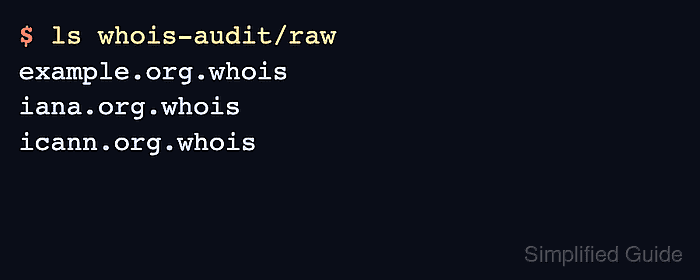
- Confirm that the batch created one raw file per input domain.
$ ls whois-audit/raw
example.org.whois
iana.org.whois
icann.org.whois
- Build a review summary from common registration fields.
$ grep -Ei '^(Domain Name|Registrar|Registry Expiry Date|Expiration Date|Domain Status|Name Server):' whois-audit/raw/*.whois > whois-audit/summary.txt
The summary is a review aid, not the complete record. Keep the raw files for referrals, registry-specific labels, disclaimers, and fields that the pattern does not capture.
- Review the summary before using it for renewal, transfer, or delegation work.
$ cat whois-audit/summary.txt
whois-audit/raw/example.org.whois:Domain Name: example.org
whois-audit/raw/example.org.whois:Registry Expiry Date: 2026-08-30T04:00:00Z
whois-audit/raw/example.org.whois:Registrar: ICANN
whois-audit/raw/example.org.whois:Domain Status: serverTransferProhibited https://icann.org/epp#serverTransferProhibited
whois-audit/raw/example.org.whois:Name Server: katelyn.ns.cloudflare.com
whois-audit/raw/iana.org.whois:Domain Name: iana.org
whois-audit/raw/iana.org.whois:Registry Expiry Date: 2027-12-08T17:00:53Z
whois-audit/raw/iana.org.whois:Registrar: CSC Corporate Domains, Inc.
##### snipped #####
- Find raw files that did not include the expected review fields.
$ grep -L -Ei 'Registrar|Expiry|Expiration|Name Server|Domain Status' whois-audit/raw/*.whois
No output means each raw file matched at least one review field. Any filename printed here needs manual inspection because it may be a thin record, a registry-specific format, a referral-only answer, or a rate-limit response.
- Check a missing or ambiguous record with a single-domain query before acting on it.
$ whois example.org
Related: How to query a domain with whois
Related: How to query RDAP for a domain
Related: How to follow a WHOIS referral server - Sanitize the raw files or summary before sharing them outside the team.
Related: How to sanitize whois contact data

Mohd Shakir Zakaria is a cloud architect with deep roots in software development and open-source advocacy. Certified in AWS, Red Hat, VMware, ITIL, and Linux, he specializes in designing and managing robust cloud and on-premises infrastructures.


