Search engines can discover a staging hostname through shared links, sitemaps, analytics, or external references before launch. A server-side password challenge keeps unfinished pages behind authentication and prevents unauthenticated crawlers from retrieving the site.
This method applies Nginx HTTP Basic Authentication at the server-block level, so every inherited location on staging.example.com returns an authentication challenge until valid credentials are supplied. The password database stays outside the document root with read access limited to root and the Nginx worker group.
Basic Authentication encodes credentials without encrypting them, so the staging hostname must already use HTTPS. Google documents robots.txt as crawl management rather than a way to keep pages out of search; a public staging site that cannot require authentication needs a crawlable noindex rule instead.
Related: Nginx Basic Authentication
Related: How to manage noindex pages for your website
Related: How to create a robots.txt file for your website
Related: website-migration-run-search-cutover
Steps to block a staging site from search with Nginx:
- Install the htpasswd utility on the Ubuntu Nginx host.
$ sudo apt install --assume-yes apache2-utils
- Inspect the current /etc/nginx/.htpasswd path.
$ sudo ls -l /etc/nginx/.htpasswd
ls: cannot access '/etc/nginx/.htpasswd': No such file or directory
The -c option rewrites and truncates an existing file, deleting every stored reviewer entry. The creation branch applies only when this check reports No such file or directory; the established-file branch applies when ls shows the file.
- Create a bcrypt password database for the first staging reviewer only when /etc/nginx/.htpasswd does not exist.
$ sudo htpasswd -c -B /etc/nginx/.htpasswd reviewer
New password:
Re-type new password:
Adding password for user reviewer
- Store the reviewer account in an established bcrypt password database without -c.
$ sudo htpasswd -B /etc/nginx/.htpasswd reviewer
New password:
Re-type new password:
Updating password for user reviewer
- Set the password-file ownership to root plus Ubuntu's www-data Nginx group.
$ sudo chown root:www-data /etc/nginx/.htpasswd
The Ubuntu package normally declares www-data in /etc/nginx/nginx.conf. A host with a different active user directive needs that worker group instead.
- Restrict password-file access to root plus the Nginx worker group.
$ sudo chmod 0640 /etc/nginx/.htpasswd
- Open the Nginx server block that serves staging.example.com.
$ sudoedit /etc/nginx/sites-available/staging.example.com
Some packaged layouts store active server blocks under /etc/nginx/conf.d/ or another directory included by /etc/nginx/nginx.conf.
- Add Basic Authentication directives at server level for host-wide inheritance.
auth_basic "Staging";
auth_basic_user_file /etc/nginx/.htpasswd;
Both directives belong directly inside the existing server { } block. A child location containing auth_basic off; remains public and requires an intentional exception.
- Test the Nginx configuration syntax.
$ sudo nginx -t
nginx: the configuration file /etc/nginx/nginx.conf syntax is ok
nginx: configuration file /etc/nginx/nginx.conf test is successful
Related: Test Nginx configuration
- Reload Nginx to activate the staging challenge.
$ sudo nginx -s reload
Related: Manage the Nginx service
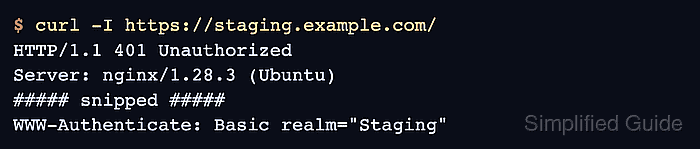
- Request the staging home page without credentials.
$ curl -I https://staging.example.com/
HTTP/1.1 401 Unauthorized
Server: nginx/1.28.3 (Ubuntu)
##### snipped #####
WWW-Authenticate: Basic realm="Staging"
The 401 Unauthorized status plus the WWW-Authenticate header proves that the request stops at the password challenge instead of returning the staging page.
- Request the staging home page with the reviewer account.
$ curl -I --user reviewer https://staging.example.com/
Enter host password for user 'reviewer':
HTTP/1.1 200 OK
Server: nginx/1.28.3 (Ubuntu)
##### snipped #####
Leaving the password out of the command keeps it out of shell history while confirming that authorized reviewers can still reach the site.
- Check one real deep staging URL without credentials for the inherited challenge.
$ curl -I https://staging.example.com/products/widget-a/
HTTP/1.1 401 Unauthorized
Server: nginx/1.28.3 (Ubuntu)
##### snipped #####
WWW-Authenticate: Basic realm="Staging"
The sample path represents a route that returns content after authentication. A 401 Unauthorized response here catches a child location that bypasses the server-level gate.

Mohd Shakir Zakaria is a cloud architect with deep roots in software development and open-source advocacy. Certified in AWS, Red Hat, VMware, ITIL, and Linux, he specializes in designing and managing robust cloud and on-premises infrastructures.


