Search visibility should match the purpose of each public URL. A noindex rule keeps a reachable HTML page out of supporting search engines after their crawlers fetch the page, which suits confirmation pages, internal lookup screens, and expired landing pages that must remain available to visitors.
HTML pages carry the rule in a robots meta tag inside the document head. PDFs, images, and other non-HTML resources need an X-Robots-Tag response header instead, while the URL must remain crawlable so the crawler can read either directive.
Noindex is not access control, a redirect, or a canonical signal. Protect private content with authentication, redirect a retired URL to its replacement, and use a canonical URL when duplicate pages should consolidate under one searchable address; removal from existing search results still waits for the next crawl.
Steps to manage noindex pages for your website:
- Select a public HTML URL that should remain available to visitors but should leave search results.
- Add one robots meta tag to the page's HTML head.
<meta name="robots" content="noindex">The name=“robots” rule applies to every supporting search engine, while name=“googlebot” limits the rule to Google.
- Publish the updated page at its crawlable public URL.
A /robots.txt block or login prevents crawlers from fetching the page and reading its noindex rule.
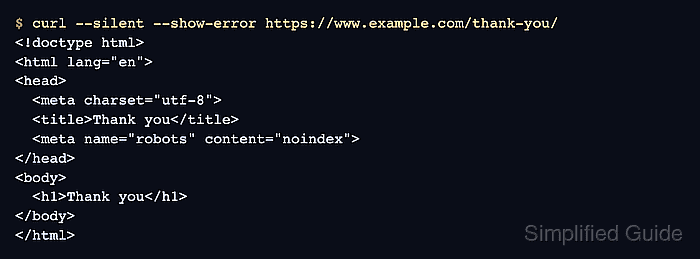
- Fetch the live HTML from the managed URL to confirm the public response contains the noindex tag.
$ curl --silent --show-error https://www.example.com/thank-you/
<!doctype html>
<html lang="en">
<head>
  <meta charset="utf-8">
  <title>Thank you</title>
  <meta name="robots" content="noindex">
</head>
<body>
  <h1>Thank you</h1>
</body>
</html>
The sample URL represents the page being managed. Google may retain an older indexed state until it crawls the changed page; URL Inspection shows the indexed version and can test the current live response.

Mohd Shakir Zakaria is a cloud architect with deep roots in software development and open-source advocacy. Certified in AWS, Red Hat, VMware, ITIL, and Linux, he specializes in designing and managing robust cloud and on-premises infrastructures.


