Configuring object storage for Tempo stores trace blocks in a durable backend instead of local pod storage. Production Tempo deployments need object storage so ingesters, compactors, queriers, and query frontends can share trace data across pod replacements and scale-out events.
Tempo supports object storage backends such as Amazon S3, Google Cloud Storage, Azure Blob Storage, and compatible systems. The full proof is not only that Tempo starts, but that it accepts a trace, writes trace block data, and returns the trace by ID.
Keep trace buckets separate from log and metric buckets unless the storage platform enforces safe prefix isolation. Use workload identity or Kubernetes secrets for credentials and avoid placing access keys directly in Helm values.
Steps to configure object storage for Tempo:
- Create or confirm the Tempo bucket.
$ aws s3api create-bucket \ --bucket lgtm-tempo-prod \ --region us-east-1 { "Location": "/lgtm-tempo-prod" } - Create the credential secret when the cluster does not use workload identity.
$ kubectl create secret generic tempo-object-storage \
  --namespace monitoring \
  --from-literal=AWS_ACCESS_KEY_ID='<access-key-id>' \
  --from-literal=AWS_SECRET_ACCESS_KEY='<secret-access-key>'
secret/tempo-object-storage created
- Add the object storage backend to the Tempo values file.
- tempo-storage.yaml
tempo:
  storage:
    trace:
      backend: s3
      s3:
        bucket: lgtm-tempo-prod
        endpoint: s3.us-east-1.amazonaws.com
        region: us-east-1
- Reference the credential secret from the Tempo pods.
- tempo-storage.yaml
global:
  extraEnvFrom:
    - secretRef:
        name: tempo-object-storage
Chart keys can differ by version. Render the chart and confirm the secret reference appears on the Tempo pods before applying the release.
- Render the Tempo release.
$ helm template tempo grafana/tempo-distributed \
  --namespace monitoring \
  --values tempo-storage.yaml
##### snipped #####
backend: s3
bucket: lgtm-tempo-prod
- Upgrade Tempo.
$ helm upgrade --install tempo grafana/tempo-distributed \
  --namespace monitoring \
  --values tempo-storage.yaml \
  --wait --timeout 15m
Release "tempo" has been upgraded. Happy Helming!
- Check Tempo readiness.
$ curl --silent https://traces.example.com/ready
ready
- Send a trace through the OTLP endpoint.
$ curl --silent --show-error --include --request POST \
  https://otel.example.com/v1/traces \
  --header 'Content-Type: application/json' \
  --data @trace.json
HTTP/2 200
content-type: application/json
- Query the trace by ID.
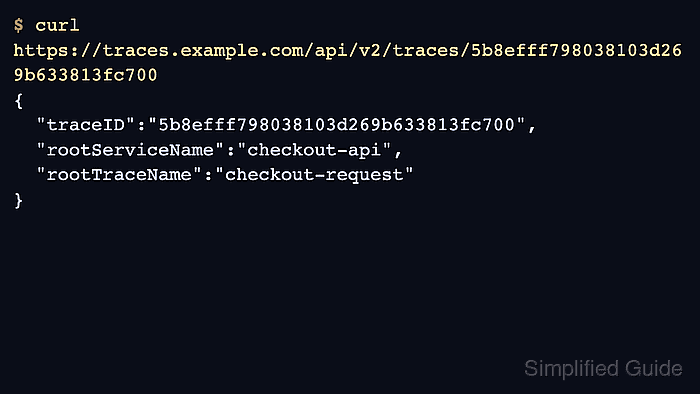
$ curl --silent https://traces.example.com/api/v2/traces/<trace-id> { "traceID": "<trace-id>", "rootServiceName": "checkout-api", "rootTraceName": "checkout-request" } - Check the bucket for trace block data.
$ aws s3 ls s3://lgtm-tempo-prod/ --recursive
2026-06-21 09:10:00      2048 single-tenant/01JY9ABCD/meta.json
2026-06-21 09:10:00     32768 single-tenant/01JY9ABCD/data.parquet

Mohd Shakir Zakaria is a cloud architect with deep roots in software development and open-source advocacy. Certified in AWS, Red Hat, VMware, ITIL, and Linux, he specializes in designing and managing robust cloud and on-premises infrastructures.


