Listing installed systemd unit files shows which services, timers, sockets, paths, mounts, targets, and other units exist on disk together with their current unit-file state. That is useful before enabling, disabling, masking, or editing a unit because it confirms the exact unit name that systemd can load.
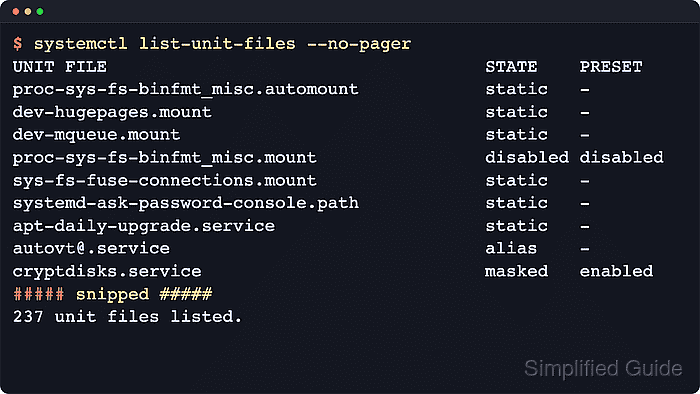
The systemctl list-unit-files subcommand reports the enablement state for each discovered unit file by the same model used by systemctl is-enabled. Unlike systemctl list-units, it is not limited to units that are already loaded into memory, so template units such as getty@.service also appear in the inventory.
The inventory comes from the active unit search path, so system units are read from locations such as /etc/systemd/system, /run/systemd/system, and /usr/lib/systemd/system, while --user switches to the separate per-user path under /~/.config/systemd/user and the XDG user-unit directories. The command is read-only and usually does not require sudo, but the PRESET column reflects vendor default policy rather than any local administrative change that was applied later.
Related: How to list systemd services using systemctl
Related: How to list systemd timers
Related: How to list systemd targets
Steps to list systemd unit files using systemctl:
- List the full installed unit-file inventory from the current system manager.
$ systemctl list-unit-files --no-pager
UNIT FILE                                    STATE    PRESET
apt-daily-upgrade.service                    static   -
apt-daily.service                            static   -
autovt@.service                              alias    -
console-getty.service                        disabled disabled
container-getty@.service                     static   -
cryptdisks-early.service                     masked   enabled
cryptdisks.service                           masked   enabled
dbus-org.freedesktop.hostname1.service       alias    -
dbus-org.freedesktop.locale1.service         alias    -
##### snipped #####

126 unit files listed.
STATE is the current unit-file state, and PRESET is the vendor default policy that package installation or preset rules would apply without local overrides.
- Limit the inventory to one unit type when the full list is too broad.
$ systemctl list-unit-files --type=timer --no-pager
UNIT FILE                      STATE    PRESET
apt-daily-upgrade.timer        enabled  enabled
apt-daily.timer                enabled  enabled
dpkg-db-backup.timer           enabled  enabled
e2scrub_all.timer              enabled  enabled
fstrim.timer                   enabled  enabled
motd-news.timer                enabled  enabled
systemd-sysupdate-reboot.timer disabled enabled
systemd-sysupdate.timer        disabled enabled
systemd-tmpfiles-clean.timer   static   -

9 unit files listed.
Common values for --type= include service, timer, socket, path, mount, automount, and target.
- Filter by unit-file state when only enabled, disabled, masked, or similar entries matter.
$ systemctl list-unit-files --type=service --state=enabled,masked --no-pager --no-legend
cryptdisks-early.service    masked  enabled
cryptdisks.service          masked  enabled
e2scrub_reap.service        enabled enabled
getty@.service              enabled enabled
hwclock.service             masked  enabled
networkd-dispatcher.service enabled enabled
systemd-pstore.service      enabled enabled
systemd-resolved.service    enabled enabled
systemd-timesyncd.service   enabled enabled
x11-common.service          masked  enabled
The printed states follow the same model as systemctl is-enabled, so other common results include disabled, static, alias, indirect, generated, and transient. Related: How to check whether a service is enabled using systemctl
- Query only the units that matter when the exact service names are already known.
$ systemctl list-unit-files dbus.service systemd-resolved.service --no-pager --no-legend
dbus.service             static  -
systemd-resolved.service enabled enabled
Pass one or more exact unit names to narrow the result immediately, or quote a glob pattern such as systemd-*.service when the family name is known. Related: How to edit a systemd unit override
- Switch to the user manager when the unit file belongs to a login session instead of the system instance.
$ systemctl --user list-unit-files --type=service --no-pager
UNIT FILE                      STATE    PRESET
systemd-exit.service           static   -
systemd-tmpfiles-clean.service static   -
systemd-tmpfiles-setup.service disabled enabled

3 unit files listed.
--user reads the separate user unit-file search path, beginning with /~/.config/systemd/user and continuing through the XDG and distribution user-unit directories.

Mohd Shakir Zakaria is a cloud architect with deep roots in software development and open-source advocacy. Certified in AWS, Red Hat, VMware, ITIL, and Linux, he specializes in designing and managing robust cloud and on-premises infrastructures.


