Checking whether a service is enabled shows whether systemd is configured to pull that unit in automatically at boot or through another activation path. It is a quick read-only check before a reboot, after package installation, or while confirming whether a daemon should return without a manual start command.
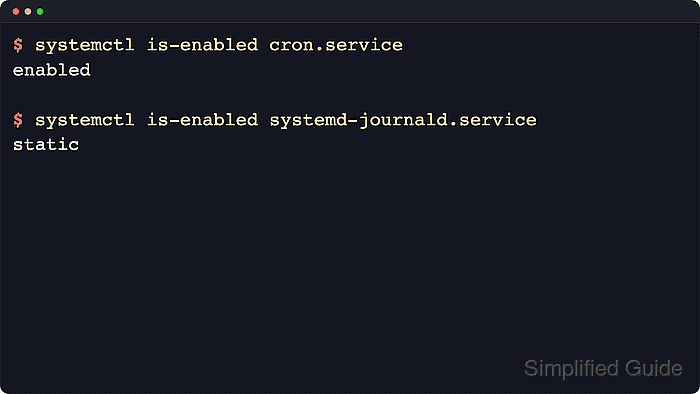
The systemctl is-enabled subcommand prints the unit file's install state, not the current runtime state. The answer comes from the unit's enablement symlinks and [Install] rules, so common results include enabled, disabled, static, masked, and not-found instead of a simple yes-or-no value.
Examples below use Ubuntu Server 24.04 with cron.service as the verified enabled unit and systemd-journald.service as the verified static unit. Other distributions can use different unit names for the same software, such as crond.service instead of cron.service, and an enabled service can still be inactive until something actually starts it.
Steps to check whether a service is enabled using systemctl:
- Confirm the exact unit name when the package uses different service names across distributions.
$ systemctl list-unit-files --type=service cron.service crond.service
UNIT FILE    STATE   PRESET
cron.service enabled enabled

1 unit files listed.
Use the unit name that actually exists on the host. The STATE column is the current install state, while PRESET is the distribution's default policy.
- Check the unit's install state with systemctl is-enabled.
$ systemctl is-enabled cron.service
enabled
Use the full unit name when possible so the result is unambiguous.
- Treat enabled or enabled-runtime as confirmation that systemd has install links for the unit.
enabled persists through reboot because the symlinks live under /etc/systemd/system/. enabled-runtime is stored under /run/systemd/system/ and disappears after reboot.
- Read static and other non-enabled states before deciding what to change.
$ systemctl is-enabled systemd-journald.service
static
static means the unit has no [Install] rules of its own and is usually started by another unit, socket, path, or timer. Current upstream systemd documentation still treats static as exit status 0, so read the printed state instead of assuming a successful exit means boot-enabled.
- Check the runtime state separately when the service must already be running.
$ systemctl is-active cron.service
active
is-enabled answers whether the unit is configured to start automatically. is-active answers whether it is running right now, and the two states are intentionally independent.
- Treat not-found as a unit-name or package problem rather than a disabled service.
$ systemctl is-enabled not-a-real-service.service
not-found
Current upstream systemd documentation returns exit status 4 for not-found. Recheck the unit name or install the package that provides it before assuming the service only needs systemctl enable.

Mohd Shakir Zakaria is a cloud architect with deep roots in software development and open-source advocacy. Certified in AWS, Red Hat, VMware, ITIL, and Linux, he specializes in designing and managing robust cloud and on-premises infrastructures.


