Stopping a service with systemctl takes a daemon fully offline for maintenance, troubleshooting, or a controlled cutover instead of leaving it reachable while changes are still in progress. That matters when a process must stop accepting connections, stop writing data, or release a port before the next action can happen safely.
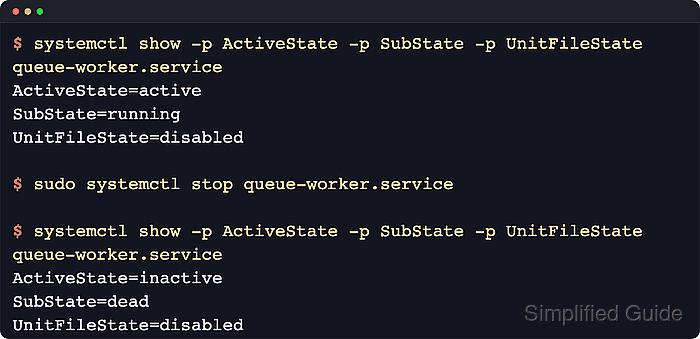
On a systemd host, systemctl stop unit.service asks the manager to run the unit's stop path and move its runtime state from active to inactive. That runtime state is separate from the unit-file state, so stopping a service does not enable or disable it for future boots. Current upstream behavior also treats a manual stop as an intentional shutdown, so a service that uses Restart=always does not immediately restart just because the command was issued.
Examples below use queue-worker.service as a stand-in unit name to keep the flow readable. Replace it with the real service on the host, add sudo for system services, use systemctl --user stop for per-user units, and remember that some units can reject manual stops through RefuseManualStop=yes or return later if an active socket, timer, path, or dependent unit can trigger them again.
Steps to stop a service using systemctl:
- Open a terminal on the Linux host that runs systemd.
Add sudo to the service-control commands below unless the target is a per-user unit managed with systemctl --user.
- Check the current runtime state before stopping the unit.
$ systemctl status --no-pager --full queue-worker.service
● queue-worker.service - Queue Worker Service
     Loaded: loaded (/etc/systemd/system/queue-worker.service; disabled; preset: enabled)
     Active: active (running) since Wed 2026-04-22 02:41:37 UTC; 12ms ago
   Main PID: 117 (sleep)
      Tasks: 1 (limit: 28491)
     Memory: 228.0K (peak: 320.0K)
        CPU: 3ms
##### snipped #####
Replace queue-worker.service with the actual unit name, such as nginx.service, ssh.service, docker.service, or postgresql.service. The status view confirms that the service is running now and shows the loaded unit path before anything is changed.
- Confirm that the unit accepts a direct stop request when the service is policy-managed or generated by another tool.
$ systemctl show -p CanStop -p RefuseManualStop queue-worker.service
CanStop=yes
RefuseManualStop=no
CanStop=yes means the manager has a usable stop path for the unit. If RefuseManualStop=yes, current upstream systemctl behavior rejects a manual stop request even though the unit might still stop during dependency handling or system shutdown.
- Stop the service.
$ sudo systemctl stop queue-worker.service
Stopping a remote-access, proxy, database, or queue service can disconnect active clients immediately, so keep console or other out-of-band access available before stopping anything that could cut off the current session.
A manual stop keeps the service down even when the unit file uses Restart=always, and the command still exits successfully when the unit is already inactive, which makes it safe in automation that only needs a stopped end state.
- Verify that the service is now inactive while its boot-time state stays the same.
$ systemctl show -p ActiveState -p SubState -p UnitFileState queue-worker.service
ActiveState=inactive
SubState=dead
UnitFileState=disabled
stop changes the runtime state only. A unit can be inactive now while remaining enabled, disabled, or static for later boots.
- Read the recent unit journal when the stop hangs, fails, or the service returns unexpectedly.
$ sudo journalctl -u queue-worker.service -n 6 --no-pager
Apr 22 02:41:37 server systemd[1]: Started queue-worker.service - Queue Worker Service.
Apr 22 02:41:37 server sh[117]: queue-worker started
Apr 22 02:41:37 server systemd[1]: Stopping queue-worker.service - Queue Worker Service...
Apr 22 02:41:37 server sh[121]: queue-worker stopping
Apr 22 02:41:37 server systemd[1]: queue-worker.service: Deactivated successfully.
Apr 22 02:41:37 server systemd[1]: Stopped queue-worker.service - Queue Worker Service.
journalctl -u shows whether the unit ran its stop commands cleanly, hit a timeout, or had to be terminated forcefully. If the service comes back later, check for active socket, timer, path, or dependent units that can trigger it again.

Mohd Shakir Zakaria is a cloud architect with deep roots in software development and open-source advocacy. Certified in AWS, Red Hat, VMware, ITIL, and Linux, he specializes in designing and managing robust cloud and on-premises infrastructures.


