Symfony event subscribers let application code react when the framework dispatches request, response, exception, console, or custom events. They fit behavior that should run around controllers and services, such as adding response headers, checking request state, or centralizing exception handling.
A subscriber implements EventSubscriberInterface and declares its event map in getSubscribedEvents(). In a default Symfony Flex project, classes under src/ are loaded as services and autoconfiguration tags subscriber classes for the event dispatcher without a manual services.yaml entry.
Start from a project root that contains bin/console and at least one route that can be requested locally. The subscriber listens to kernel.response, adds an X-Catalog-Subscriber header, and can be proven through both debug:event-dispatcher and an HTTP response.
Related: How to create a Symfony project
Related: How to debug the Symfony service container
Related: How to create a Symfony controller
Steps to create a Symfony event subscriber:
- Open a terminal in the Symfony project root that contains bin/console.
- Create the subscriber namespace directory.
$ mkdir -p src/EventSubscriber
- Open the subscriber class file.
$ vi src/EventSubscriber/CatalogResponseSubscriber.php
- Add the event subscriber implementation.
- CatalogResponseSubscriber.php
<?php

namespace App\EventSubscriber;

use Symfony\Component\EventDispatcher\EventSubscriberInterface;
use Symfony\Component\HttpKernel\Event\ResponseEvent;
use Symfony\Component\HttpKernel\KernelEvents;

final class CatalogResponseSubscriber implements EventSubscriberInterface
{
    public function onKernelResponse(ResponseEvent $event): void
    {
        if (!$event->isMainRequest()) {
            return;
        }

        $event->getResponse()->headers->set('X-Catalog-Subscriber', 'active');
    }

    public static function getSubscribedEvents(): array
    {
        return [
            KernelEvents::RESPONSE => 'onKernelResponse',
        ];
    }
}
KernelEvents::RESPONSE maps to the kernel.response event. Use KernelEvents::REQUEST, KernelEvents::EXCEPTION, or a custom event class when the subscriber belongs to a different dispatch point.
- Refresh the development cache.
$ php bin/console cache:clear

 // Clearing the cache for the dev environment with debug true

 [OK] Cache for the "dev" environment (debug=true) was successfully cleared.
Default development projects usually rebuild automatically, but clearing the cache removes stale compiled container metadata before inspecting the dispatcher.
Related: How to clear Symfony cache - Confirm that Symfony registered the subscriber for kernel.response.
$ php bin/console debug:event-dispatcher kernel.response

Registered Listeners for "kernel.response" Event
================================================

 ------- -------------------------------------------------------------------------------------------- ----------
  Order   Callable                                                                                     Priority
 ------- -------------------------------------------------------------------------------------------- ----------
##### snipped #####
  #5      App\EventSubscriber\CatalogResponseSubscriber::onKernelResponse()                            0
##### snipped #####
 ------- -------------------------------------------------------------------------------------------- ----------
To run before lower-priority response listeners, return KernelEvents::RESPONSE ⇒ ['onKernelResponse', 20] from getSubscribedEvents().
- Start the local Symfony web server.
$ symfony server:start --no-tls --port=8000 -d

[OK] Web server listening
     http://127.0.0.1:8000
Use another free port when 8000 already belongs to a local project.
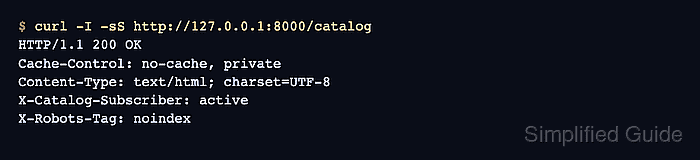
Related: How to run a Symfony project locally - Request an application route and confirm the subscriber header.
$ curl -I -sS http://127.0.0.1:8000/catalog
HTTP/1.1 200 OK
Cache-Control: no-cache, private
Content-Type: text/html; charset=UTF-8
X-Catalog-Subscriber: active
X-Robots-Tag: noindex
Replace /catalog with a route your application already serves. The X-Catalog-Subscriber header confirms that onKernelResponse() changed the response.
- Stop the local web server after the smoke test.
$ symfony server:stop
[OK] Stopped 2 process(es) successfully

Mohd Shakir Zakaria is a cloud architect with deep roots in software development and open-source advocacy. Certified in AWS, Red Hat, VMware, ITIL, and Linux, he specializes in designing and managing robust cloud and on-premises infrastructures.


