A new Symfony project starts as a Composer-managed directory with the framework kernel, configuration tree, public front controller, and development tooling that later features build on. Creating the project with the Symfony CLI is the shortest current path when a developer wants a full web application skeleton rather than only the minimal framework package.
The --webapp option installs the common web application dependencies during creation, including routing, Twig, forms, Doctrine, Messenger, Mailer, and development bundles used by typical Symfony applications. Use the latest stable release for new feature work, or pass a version option only when a project has an explicit LTS or compatibility requirement.
The local smoke check uses a temporary controller so the created project proves both the console bootstrap and the HTTP request path. Remove the smoke controller after the check, then create the real controllers and routes that belong to the application.
Related: How to install the Symfony CLI
Related: How to run a Symfony project locally
Steps to create a Symfony project:
- Open a terminal in the parent directory where the project folder should be created.
- Create the Symfony web application project.
$ symfony new acme-app --webapp --no-git
* Creating a new Symfony project with Composer

 [OK] Your project is now ready in /srv/acme-app
Omit --no-git when the new project should be initialized as a Git repository. Use a project name that matches the real application directory.
- Enter the project directory.
$ cd acme-app
- Confirm the generated project boots through Symfony Console.
$ php bin/console about
 -------------------- ---------------------------------
  Symfony
 -------------------- ---------------------------------
  Version              v8.1.0
  Long-Term Support    No
  Environment          dev
  Debug                true
 -------------------- ---------------------------------
  PHP
 -------------------- ---------------------------------
  Version              8.5.4
  OPcache              Enabled
 -------------------- ---------------------------------
The exact Symfony and PHP versions depend on the installed runtime and the currently stable release.
- Create a temporary smoke controller for the HTTP check.
- ProjectSmokeController.php
<?php

namespace App\Controller;

use Symfony\Component\HttpFoundation\Response;
use Symfony\Component\Routing\Attribute\Route;

final class ProjectSmokeController
{
    #[Route('/project-smoke', name: 'project_smoke')]
    public function __invoke(): Response
    {
        return new Response('Symfony project is running.');
    }
}
Save this file as src/Controller/ProjectSmokeController.php. Permanent page and endpoint controllers belong in their own application-specific classes.
Related: How to create a Symfony controller
Related: How to create a Symfony route - Confirm the temporary route is registered.
$ php bin/console debug:router project_smoke
+--------------+---------------------------------------------------------+
| Property     | Value                                                   |
+--------------+---------------------------------------------------------+
| Route Name   | project_smoke                                           |
| Path         | /project-smoke                                          |
| Defaults     | _controller: App\Controller\ProjectSmokeController()    |
+--------------+---------------------------------------------------------+
- Start the local Symfony web server in the background.
$ symfony server:start --no-tls --port=8000 -d

 [WARNING] The local web server is optimized for local development and MUST never be used in a production setup.

 [OK] Web server listening
      The Web server is using PHP CLI 8.5.4
      http://127.0.0.1:8000
The Symfony local server is for development only. Do not expose it as a production web server.
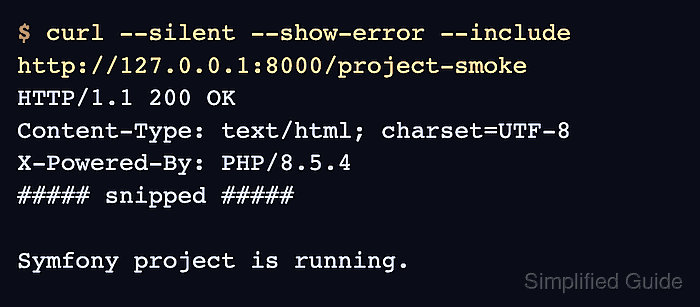
- Request the smoke route.
$ curl --silent --show-error --include http://127.0.0.1:8000/project-smoke
HTTP/1.1 200 OK
Content-Type: text/html; charset=UTF-8
X-Powered-By: PHP/8.5.4
##### snipped #####

Symfony project is running.
HTTP 200 OK and the response text confirm the project can handle a request through the Symfony kernel.
- Stop the local server.
$ symfony server:stop
Stopping PHP
Stopping Web Server

 [OK] Stopped 2 process(es) successfully
- Remove the temporary smoke controller.
$ rm src/Controller/ProjectSmokeController.php
Keep the project directory and generated dependencies; only the temporary proof controller is removed.

Mohd Shakir Zakaria is a cloud architect with deep roots in software development and open-source advocacy. Certified in AWS, Red Hat, VMware, ITIL, and Linux, he specializes in designing and managing robust cloud and on-premises infrastructures.


