Suricata signatures sometimes alert on traffic that is expected for one environment, such as a recurring scanner, internal application, or accepted policy exception. A suppression entry mutes alert output for a specific signature ID without removing the rule from the ruleset.
Suppressions live in Suricata's threshold file, commonly /etc/suricata/threshold.config on packaged Ubuntu systems. The alert ID format in fast.log is [gen_id:sig_id:rev], and most normal rules use gen_id 1 with the rule's sid value as the signature ID.
Use a full-SID suppression only for alerts that are already confirmed false positives or accepted noise. If the rule should stop loading entirely, disable the rule instead; if only one host or network is noisy, scope the suppression with track and ip so other sources still alert.
Related: How to configure Suricata alert thresholds
Related: How to disable a Suricata rule
Steps to suppress a Suricata signature ID:
- Search for the noisy alert message in fast.log.
$ sudo grep -F 'SG SID suppress test' /var/log/suricata/fast.log
06/25/2026-07:18:10.000000  [**] [1:1000001:1] SG SID suppress test [**] [Classification: (null)] [Priority: 3] {UDP} 192.0.2.10:49152 -> 198.51.100.20:53
The bracketed value is [gen_id:sig_id:rev]. This alert uses gen_id 1 and sig_id 1000001. Replace the quoted message with text from the alert being suppressed.
Related: How to view Suricata alert logs
- Open the Suricata threshold file.
$ sudo vi /etc/suricata/threshold.config
The default threshold-file path in Suricata configuration is /etc/suricata/threshold.config. Edit the path named by /etc/suricata/suricata.yaml when your deployment overrides it.
- Add a suppress entry for the signature ID.
suppress gen_id 1, sig_id 1000001
This form suppresses every alert from SID 1000001. Use suppress gen_id 1, sig_id 1000001, track by_src, ip 192.0.2.10 when only one source host is accepted noise.
- Test the Suricata configuration.
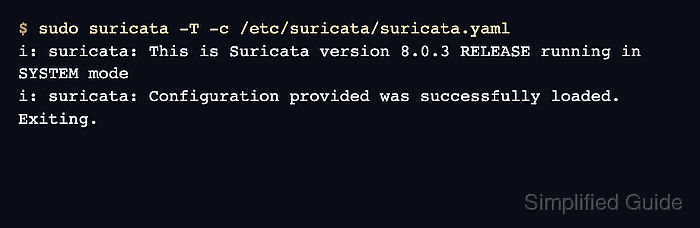
$ sudo suricata -T -c /etc/suricata/suricata.yaml
i: suricata: This is Suricata version 8.0.3 RELEASE running in SYSTEM mode
i: suricata: Configuration provided was successfully loaded. Exiting.
If Suricata reports an unknown SID for the suppress entry, the rule is not loaded from the active rule files. Update the ruleset or correct the SID before restarting.
Related: How to test Suricata configuration
- Restart Suricata to load the suppression entry.
$ sudo systemctl restart suricata
Restarting a live sensor can briefly interrupt inspection. Use your site's reload method when it is already validated for Suricata rule and threshold changes.
Related: How to manage the Suricata service
- Replay a packet capture that previously triggered the SID.
$ sudo suricata -r /tmp/sid-test.pcap -c /etc/suricata/suricata.yaml -l /tmp/suricata-after
i: suricata: This is Suricata version 8.0.3 RELEASE running in USER mode
i: threads: Threads created -> RX: 1 W: 8 FM: 1 FR: 1   Engine started.
i: suricata: Signal Received.  Stopping engine.
i: pcap: read 1 file, 1 packets, 47 bytes
Use a capture that produced the alert before the suppress entry. On a live sensor, check the normal fast.log or eve.json output after the same traffic appears again.
- Confirm the replay log has no alert line for the suppressed SID.
$ sudo cat /tmp/suricata-after/fast.log
(no output)
No output from the replay log means the matching packet still ran through Suricata, but SID 1000001 did not create a visible alert.
- Remove the temporary replay log directory.
$ sudo rm -rf /tmp/suricata-after

Mohd Shakir Zakaria is a cloud architect with deep roots in software development and open-source advocacy. Certified in AWS, Red Hat, VMware, ITIL, and Linux, he specializes in designing and managing robust cloud and on-premises infrastructures.


