Suricata signatures can be too noisy, irrelevant to a sensor role, or unsuitable for a local detection policy. Disabling one rule through suricata-update keeps the upstream ruleset intact while removing that signature from the active rules file that Suricata loads.
Suricata Update reads rule filter files such as /etc/suricata/disable.conf when it rebuilds /var/lib/suricata/rules/suricata.rules. A plain signature ID disables one rule, while group: and re: selectors can disable whole rule files or pattern matches.
The running sensor keeps using its current rules until the generated rules are rebuilt and Suricata is restarted or reloaded. Check the update summary and run suricata -T before applying the service change so a rule filter mistake does not become a failed sensor restart.
Steps to disable a Suricata rule:
- Copy the sid value for the rule being disabled.
In fast.log and many alert views, the middle value in [1:2404300:7066] is the signature ID. Suppress the SID instead when the rule should still detect traffic but stop alerting for an accepted source or condition.
Related: How to view Suricata alert logs
Related: How to suppress a Suricata signature ID - Build the current ruleset once before adding the disable entry.
$ sudo suricata-update
25/6/2026 -- 07:55:24 - <Info> -- Writing rules to /var/lib/suricata/rules/suricata.rules: total: 66793; enabled: 50866; added: 66793; removed 0; modified: 0
25/6/2026 -- 07:55:24 - <Info> -- Testing with suricata -T.
25/6/2026 -- 07:55:30 - <Info> -- Done.
The enabled count is the baseline for the next run. Rule totals vary by source, package version, and local filters.
Related: How to update Suricata rules - Open the Suricata Update disable file.
$ sudo vi /etc/suricata/disable.conf
- Add the signature ID on its own line.
2404300 # ET CNC Feodo Tracker Reported CnC Server group 1
Use one selector per line. A plain number disables one SID. Selectors such as group:emerging-info.rules and re:heartbleed can disable many signatures, so review the update summary before restarting a live sensor.
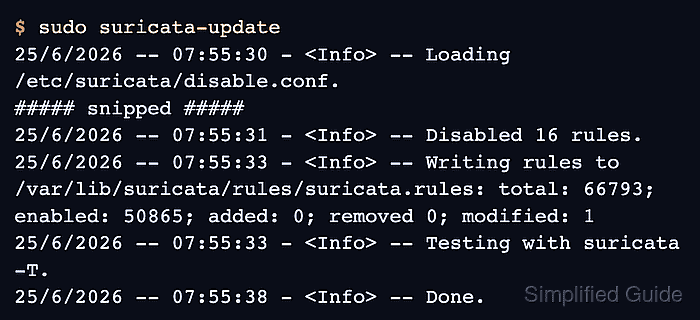
- Rebuild the ruleset.
$ sudo suricata-update
25/6/2026 -- 07:55:30 - <Info> -- Loading /etc/suricata/disable.conf.
##### snipped #####
25/6/2026 -- 07:55:31 - <Info> -- Disabled 16 rules.
25/6/2026 -- 07:55:33 - <Info> -- Writing rules to /var/lib/suricata/rules/suricata.rules: total: 66793; enabled: 50865; added: 0; removed 0; modified: 1
25/6/2026 -- 07:55:33 - <Info> -- Testing with suricata -T.
25/6/2026 -- 07:55:38 - <Info> -- Done.
The disabled count includes package defaults. For a single SID change, the enabled rule count should drop by one from the baseline run.
- Test the Suricata configuration against the rebuilt rules.
$ sudo suricata -T -c /etc/suricata/suricata.yaml -v
Notice: suricata: This is Suricata version 8.0.3 RELEASE running in SYSTEM mode
Info: suricata: Running suricata under test mode
Info: detect: 1 rule files processed. 50865 rules successfully loaded, 0 rules failed, 0 rules skipped
Notice: suricata: Configuration provided was successfully loaded. Exiting.
Do not restart the service after a failed test. Fix the disable entry, rule source, or YAML configuration first.
Related: How to test Suricata configuration - Restart Suricata to load the rebuilt rules.
$ sudo systemctl restart suricata
Restarting a live sensor briefly stops packet inspection. Use a validated rule-reload method instead only when that path is already part of the deployment.
Related: How to manage the Suricata service
- Confirm that the Suricata service is running again.
$ sudo systemctl is-active suricata
active

Mohd Shakir Zakaria is a cloud architect with deep roots in software development and open-source advocacy. Certified in AWS, Red Hat, VMware, ITIL, and Linux, he specializes in designing and managing robust cloud and on-premises infrastructures.


