Suricata thresholding reduces repeated alerts from noisy signatures without turning the detection off. It belongs in alert-tuning work when one signature still matters, but repeated matches from the same host, destination, rule, pair, or flow are hiding other events that analysts need to see.
Global threshold entries live in /etc/suricata/threshold.config unless the active /etc/suricata/suricata.yaml names another threshold-file. Each entry targets a generator ID and signature ID, and type limit caps how many alerts Suricata writes during the chosen time window.
Use a threshold when the signature should continue to alert at a controlled rate. Use suppression only when a known false-positive SID or traffic scope should stop producing visible alerts entirely.
Steps to configure Suricata alert thresholds:
- Identify the noisy signature ID from a recent alert.
$ sudo cat /var/log/suricata/fast.log
06/25/2026-09:14:33.128421  [**] [1:9001001:1] SG threshold test packet [**] [Classification: Misc activity] [Priority: 3] {UDP} 10.10.10.10:44444 -> 10.10.10.20:5555
The alert ID format is [generator_id:signature_id:revision]. Most normal rule alerts use generator ID 1, but use the value shown by the alert or the rule.
Related: How to view Suricata alert logs
- Back up the threshold file before editing it.
$ sudo cp /etc/suricata/threshold.config /etc/suricata/threshold.config.bak
If /etc/suricata/suricata.yaml sets threshold-file to another path, back up that file instead.
- Open the active threshold file.
$ sudoedit /etc/suricata/threshold.config
- Add a limit threshold for the selected signature ID.
threshold gen_id 1, sig_id 9001001, type limit, track by_src, count 2, seconds 60
type limit writes no more than count alerts for each tracked key during seconds. track by_src keeps a separate counter for each source address.
- Test the Suricata configuration.
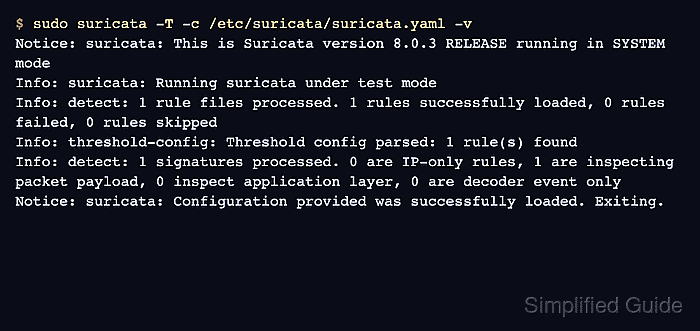
$ sudo suricata -T -c /etc/suricata/suricata.yaml -v
Notice: suricata: This is Suricata version 8.0.3 RELEASE running in SYSTEM mode
Info: suricata: Running suricata under test mode
Info: detect: 1 rule files processed. 1 rules successfully loaded, 0 rules failed, 0 rules skipped
Info: threshold-config: Threshold config parsed: 1 rule(s) found
Info: detect: 1 signatures processed. 0 are IP-only rules, 1 are inspecting packet payload, 0 inspect application layer, 0 are decoder event only
Notice: suricata: Configuration provided was successfully loaded. Exiting.
Related: How to test Suricata configuration
- Replay matching traffic into a temporary log directory.
$ sudo suricata -r threshold-test.pcap -c /etc/suricata/suricata.yaml -k none -l /tmp/suricata-threshold-test
i: suricata: This is Suricata version 8.0.3 RELEASE running in USER mode
i: threads: Threads created -> RX: 1 W: 8 FM: 1 FR: 1   Engine started.
i: suricata: Signal Received.  Stopping engine.
i: pcap: read 1 file, 5 packets, 365 bytes
Use a pcap or maintenance-window traffic sample that matches the tuned SID. The temporary log directory keeps the threshold check separate from production logs.
- Check the replay alert log.
$ sudo cat /tmp/suricata-threshold-test/fast.log
06/25/2026-09:14:33.000000  [**] [1:9001001:1] SG threshold test packet [**] [Classification: Misc activity] [Priority: 3] {UDP} 10.10.10.10:44444 -> 10.10.10.20:5555
06/25/2026-09:14:33.100000  [**] [1:9001001:1] SG threshold test packet [**] [Classification: Misc activity] [Priority: 3] {UDP} 10.10.10.10:44444 -> 10.10.10.20:5555
Five matching packets from the same source produced two alert lines because the threshold entry limits that source to two alerts per 60 seconds.
Related: How to view Suricata alert logs
- Restart the Suricata service to apply the threshold to the running sensor.
$ sudo systemctl restart suricata
Related: How to manage the Suricata service
- Remove the temporary replay logs.
$ sudo rm -rf /tmp/suricata-threshold-test

Mohd Shakir Zakaria is a cloud architect with deep roots in software development and open-source advocacy. Certified in AWS, Red Hat, VMware, ITIL, and Linux, he specializes in designing and managing robust cloud and on-premises infrastructures.


