Suricata ruleset sources control which maintained signature collections suricata-update can merge into the sensor rule file. Enabling an additional source is useful when the default Emerging Threats Open coverage does not match the sensor role, such as adding OISF Traffic ID rules for protocol labeling.
suricata-update keeps source selections under /var/lib/suricata/update and writes the compiled rule output to /var/lib/suricata/rules/suricata.rules. Refresh the source index first so the local host knows the available source names, then enable the chosen source before rebuilding the merged rules file.
Use a free source for the first pass unless a commercial subscription token is already approved for the host. Sources that list parameters may prompt during enablement or accept provider-specific key=value arguments, and those values should stay out of shared transcripts, screenshots, and runbooks.
Related: How to disable a Suricata rule
Related: How to fix SC_ERR_NO_RULES in Suricata
Steps to enable a Suricata ruleset source:
- Refresh the suricata-update source index.
$ sudo suricata-update update-sources
<Info> -- Downloading https://www.openinfosecfoundation.org/rules/index.yaml
<Info> -- Adding all sources
<Info> -- Saved /var/lib/suricata/update/cache/index.yaml
- List the available ruleset sources.
$ sudo suricata-update list-sources
Name: et/open
  Vendor: Proofpoint
  Summary: Emerging Threats Open Ruleset
  License: MIT
##### snipped #####
Name: oisf/trafficid
  Vendor: OISF
  Summary: Suricata Traffic ID ruleset
  License: MIT
##### snipped #####
The source name has the form vendor/source for indexed sources such as oisf/trafficid. Commercial sources usually list required parameters in this output.
- Enable the selected ruleset source.
$ sudo suricata-update enable-source oisf/trafficid
<Info> -- Creating directory /var/lib/suricata/update/sources
<Info> -- Enabling default source et/open
<Info> -- Source oisf/trafficid enabled
Do not paste real subscription tokens into shared terminals or saved transcripts. Use the provider's documented parameter names only on the secured host that owns the subscription.
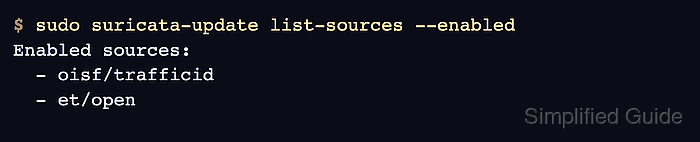
- Confirm that the new source is enabled.
$ sudo suricata-update list-sources --enabled
Enabled sources:
  - oisf/trafficid
  - et/open
- Rebuild the merged Suricata rules file.
$ sudo suricata-update
<Info> -- Fetching https://openinfosecfoundation.org/rules/trafficid/trafficid.rules.
<Info> -- Fetching https://rules.emergingthreats.net/open/suricata-8.0.3/emerging.rules.tar.gz.
##### snipped #####
<Info> -- Loaded 66827 rules.
<Info> -- Writing rules to /var/lib/suricata/rules/suricata.rules: total: 66827; enabled: 50900; added: 66827; removed 0; modified: 0
<Info> -- Testing with suricata -T.
<Info> -- Done.
suricata-update merges enabled sources with the default source set and writes the single rule file that the packaged Suricata configuration loads.
Related: How to update Suricata rules - Test Suricata against the rebuilt rules file.
$ sudo suricata -T -c /etc/suricata/suricata.yaml -v
Notice: suricata: This is Suricata version 8.0.3 RELEASE running in SYSTEM mode
Info: suricata: Running suricata under test mode
Info: detect: 1 rule files processed. 50900 rules successfully loaded, 0 rules failed, 0 rules skipped
Info: detect: 50905 signatures processed. 1285 are IP-only rules, 4505 are inspecting packet payload, 44879 inspect application layer, 110 are decoder event only
Notice: suricata: Configuration provided was successfully loaded. Exiting.
Rule counts vary by source, Suricata version, and local enable or disable filters. The check should show zero failed rules before the running sensor is restarted or reloaded.
Related: How to test Suricata configuration - Restart the Suricata service on a systemd host.
$ sudo systemctl restart suricata
A full restart briefly stops packet inspection. Use a live rule reload only when the deployment is already configured for it.
Related: How to manage the Suricata service
Related: How to reload Suricata rules - Confirm that the systemd service is active after the restart.
$ sudo systemctl is-active suricata
active

Mohd Shakir Zakaria is a cloud architect with deep roots in software development and open-source advocacy. Certified in AWS, Red Hat, VMware, ITIL, and Linux, he specializes in designing and managing robust cloud and on-premises infrastructures.


