Suricata needs rule files on disk before its detection engine can load signatures. The SC_ERR_NO_RULES condition appears when the active YAML file points at a rule filename that is missing, often after a fresh package install, a copied configuration, or a failed rules update.
Current Suricata packages commonly use /var/lib/suricata/rules as default-rule-path and suricata.rules as the compiled rule file. The official suricata-update tool writes that file for the default Emerging Threats Open ruleset and tests the result with suricata -T.
A YAML parse success is not enough for this failure. Treat No rule files match the pattern as the same missing-rules state, and keep working until the retest reports one rule file processed, loaded rules, and zero rule failures.
Related: How to test Suricata configuration
Related: How to update Suricata rules
Related: How to manage the Suricata service
Steps to fix SC_ERR_NO_RULES in Suricata:
- Reproduce the missing-rules warning against the active configuration.
$ sudo suricata -T -c /etc/suricata/suricata.yaml -v
Notice: suricata: This is Suricata version 8.0.3 RELEASE running in SYSTEM mode
Info: suricata: Running suricata under test mode
Warning: detect: No rule files match the pattern /var/lib/suricata/rules/suricata.rules
SC_ERR_NO_RULES may appear as an error code in service logs or older output, while current packages may print the missing-pattern warning. The cause is still that the configured rule file was not found.
- Open the rule-file section in /etc/suricata/suricata.yaml.
$ sudo vi /etc/suricata/suricata.yaml
- Match the default rule path to the rule file that suricata-update writes.
- /etc/suricata/suricata.yaml
default-rule-path: /var/lib/suricata/rules
rule-files:
  - suricata.rules
A base name such as suricata.rules is searched under default-rule-path. Use an absolute path only for extra local rule files that live outside that directory.
- Rebuild the compiled rules file with suricata-update.
$ sudo suricata-update
25/6/2026 -- 07:26:59 - <Info> -- No sources configured, will use Emerging Threats Open
25/6/2026 -- 07:26:59 - <Info> -- Fetching https://rules.emergingthreats.net/open/suricata-8.0.3/emerging.rules.tar.gz.
##### snipped #####
25/6/2026 -- 07:27:08 - <Info> -- Writing rules to /var/lib/suricata/rules/suricata.rules: total: 66793; enabled: 50866; added: 66793; removed 0; modified: 0
25/6/2026 -- 07:27:08 - <Info> -- Testing with suricata -T.
25/6/2026 -- 07:27:15 - <Info> -- Done.
Rule counts and the ruleset URL vary by Suricata version and enabled sources. The important output is the write to the same file named in rule-files.
Related: How to update Suricata rules - Confirm that the compiled rules file exists at the configured path.
$ sudo ls -l /var/lib/suricata/rules/suricata.rules
-rw-r--r-- 1 root root 44185461 Jun 25 07:27 /var/lib/suricata/rules/suricata.rules
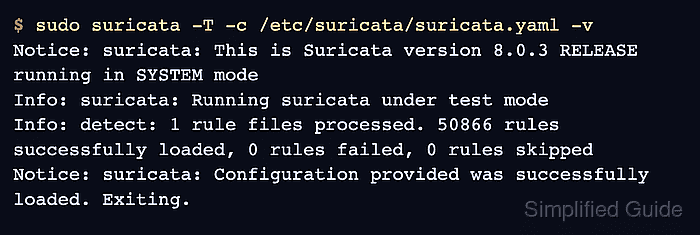
- Retest the configuration and confirm that rules load.
$ sudo suricata -T -c /etc/suricata/suricata.yaml -v
Notice: suricata: This is Suricata version 8.0.3 RELEASE running in SYSTEM mode
Info: suricata: Running suricata under test mode
Info: detect: 1 rule files processed. 50866 rules successfully loaded, 0 rules failed, 0 rules skipped
Notice: suricata: Configuration provided was successfully loaded. Exiting.
Restart or reload Suricata only after this retest no longer reports missing rule files.
Related: How to test Suricata configuration
Related: How to manage the Suricata service

Mohd Shakir Zakaria is a cloud architect with deep roots in software development and open-source advocacy. Certified in AWS, Red Hat, VMware, ITIL, and Linux, he specializes in designing and managing robust cloud and on-premises infrastructures.


