Snort rules use network variables to decide which side of a packet belongs to the protected environment. Setting HOME_NET in snort.lua keeps inbound, outbound, and local rules aligned with the networks the sensor is meant to defend instead of treating every address as protected.
In Snort 3 source installs, HOME_NET and EXTERNAL_NET are set near the top of /usr/local/etc/snort/snort.lua before snort_defaults.lua is included. The default ips policy then exposes those values through default_variables so rule headers using $HOME_NET and $EXTERNAL_NET can compile.
Use CIDR blocks owned or monitored by the sensor. A single protected network can be written directly, while multiple networks need a bracketed list; EXTERNAL_NET can stay broad or exclude HOME_NET depending on whether local and east-west sources should remain in scope.
Related: How to test Snort configuration
Related: How to enable a Snort ruleset
Steps to configure Snort HOME_NET:
- Open the main Snort Lua configuration.
$ sudoedit /usr/local/etc/snort/snort.lua
- Find the default network variables before snort_defaults.lua is included.
-- HOME_NET and EXTERNAL_NET must be set now
HOME_NET = 'any'

-- set up the external network addresses.
-- (leave as "any" in most situations)
EXTERNAL_NET = 'any'

include 'snort_defaults.lua'
- Set HOME_NET to the protected CIDR block and choose the EXTERNAL_NET boundary.
HOME_NET = '192.0.2.0/24'

-- set up the external network addresses.
-- (leave as "any" in most situations)
EXTERNAL_NET = '!$HOME_NET'

include 'snort_defaults.lua'
Replace 192.0.2.0/24 with the network this sensor protects. Use HOME_NET = '[192.0.2.0/24,198.51.100.0/24]' when one sensor protects multiple routed networks. Keep EXTERNAL_NET = 'any' when internal or east-west sources should still match rules.
- Confirm the ips policy still uses default_variables.
ips =
{
    variables = default_variables
}
Leave any existing include entry in the same table when the ruleset is already enabled. Removing variables = default_variables can make rules that reference $HOME_NET or $EXTERNAL_NET fail to compile.
- Test the edited Snort configuration.
$ sudo snort -c /usr/local/etc/snort/snort.lua -T
--------------------------------------------------
o")~   Snort++ 3.12.2.0
--------------------------------------------------
Loading /usr/local/etc/snort/snort.lua:
##### snipped #####
pcap DAQ configured to passive.

Snort successfully validated the configuration (with 0 warnings).
o")~   Snort exiting
Related: How to test Snort configuration
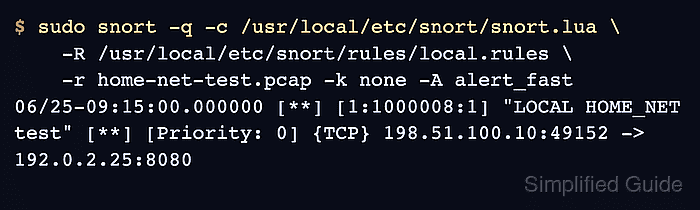
- Replay known traffic against a rule that references $HOME_NET.
$ sudo snort -q -c /usr/local/etc/snort/snort.lua \
    -R /usr/local/etc/snort/rules/local.rules \
    -r home-net-test.pcap -k none -A alert_fast
06/25-09:15:00.000000 [**] [1:1000008:1] "LOCAL HOME_NET test" [**] [Priority: 0] {TCP} 198.51.100.10:49152 -> 192.0.2.25:8080
Use a local rule and pcap that target the protected address range for the sensor. -k none is useful for lab-generated pcaps that contain checksum metadata the host did not calculate.
Related: How to create a local Snort rule
Related: How to run Snort against a packet capture - Restart the running Snort service after validation and replay checks pass.
$ sudo systemctl restart snort
Use the service name and run command from the local deployment if Snort is not managed by a snort.service unit.
Related: How to create a Snort systemd service

Mohd Shakir Zakaria is a cloud architect with deep roots in software development and open-source advocacy. Certified in AWS, Red Hat, VMware, ITIL, and Linux, he specializes in designing and managing robust cloud and on-premises infrastructures.


