A Samba file server joined to Active Directory can authorize SMB shares with domain users and groups instead of separate local Samba passwords. The join is only usable when DNS, Kerberos, Samba id mapping, NSS, and the share definition all point at the same domain member role.
Winbind is the bridge between Active Directory identities and Unix file ownership. Samba authenticates the SMB session against a domain controller, while winbindd maps the returned security identifier to a local UID or GID range so filesystem permissions and share rules can be evaluated on the Linux server.
The examples use an Ubuntu or Debian member server, the AD DNS domain example.net, the NetBIOS domain EXAMPLE, and a test share named team. Use non-overlapping idmap ranges that fit the real domain, keep this host separate from any AD domain controller role, and replace the sample domain, host, user, and group names before joining a production domain.
Steps to join a Samba file server to Active Directory:
- Update the package index.
$ sudo apt update
- Install the Samba member packages.
$ sudo apt install samba winbind libnss-winbind krb5-user smbclient bind9-host
Install samba-ad-dc only on a domain controller, not on a member file server.
- Confirm that the member server resolves AD service records through the domain DNS server.
$ host -t SRV _ldap._tcp.example.net
_ldap._tcp.example.net has SRV record 0 100 389 dc1.example.net.
_ldap._tcp.example.net has SRV record 0 100 389 dc2.example.net.
Fix DNS before joining. Kerberos and net ads join depend on AD DNS records, not only on a reachable domain controller IP address.
- Set the Kerberos default realm.
$ sudo vi /etc/krb5.conf
- /etc/krb5.conf
[libdefaults]
    default_realm = EXAMPLE.NET
    dns_lookup_realm = false
    dns_lookup_kdc = true
- Back up the current Samba configuration.
$ sudo cp /etc/samba/smb.conf /etc/samba/smb.conf.before-ad-member
- Create the share directory.
$ sudo install -d -m 0770 /srv/samba/team
- Configure Samba as an AD member file server.
$ sudo vi /etc/samba/smb.conf
- /etc/samba/smb.conf
[global]
    workgroup = EXAMPLE
    realm = EXAMPLE.NET
    security = ADS
    server role = member server

    winbind refresh tickets = yes
    template homedir = /home/%D/%U
    template shell = /bin/bash

    idmap config * : backend = tdb
    idmap config * : range = 3000-7999
    idmap config EXAMPLE : backend = rid
    idmap config EXAMPLE : range = 10000-999999

[team]
    path = /srv/samba/team
    read only = no
    valid users = @"EXAMPLE\Domain Users"
The rid backend gives repeatable Unix IDs from the domain RID without adding RFC2307 attributes to AD. Use the ad backend only when the domain already maintains Unix attributes for users and groups.
- Validate the member-server role in the Samba configuration.
$ testparm -s --parameter-name='server role'
Load smb config files from /etc/samba/smb.conf
Loaded services file OK.
Weak crypto is allowed by GnuTLS (e.g. NTLM as a compatibility fallback)

member server
- Join the server to the AD domain.
$ sudo net ads join -U Administrator
Password for [EXAMPLE\Administrator]:
Using short domain name -- EXAMPLE
Joined 'FILESERVER' to dns domain 'example.net'
The domain account must be allowed to join computers, or the computer account must already exist in the correct OU. If dynamic DNS updates are restricted, create or fix the member host DNS record through the AD DNS process used in the environment.
- Add winbind to the NSS passwd and group databases.
$ sudo vi /etc/nsswitch.conf
passwd:         files systemd winbind
group:          files systemd winbind
Keep existing local sources such as files and systemd in place, append winbind to passwd and group, and do not add winbind to the shadow line.
- Restart the member services.
$ sudo systemctl restart smbd winbind
Do not start samba.service on a member server. That service is for a Samba AD domain controller role.
Related: How to check Samba service status
- Enable the member services at boot.
$ sudo systemctl enable smbd winbind
- Confirm that the domain join is valid.
$ sudo net ads testjoin
Join is OK
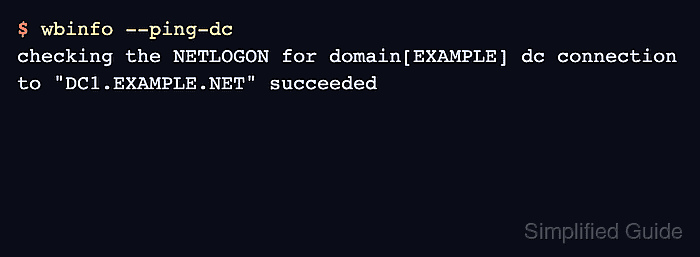
- Check that winbindd can reach a domain controller.
$ wbinfo --ping-dc
checking the NETLOGON for domain[EXAMPLE] dc connection to "DC1.EXAMPLE.NET" succeeded
- Confirm that a domain group resolves through NSS.
$ getent group 'EXAMPLE\Domain Users'
EXAMPLE\domain users:x:10000:
- Assign the share directory to the domain group.
$ sudo chgrp 'EXAMPLE\Domain Users' /srv/samba/team
- Set group-write permissions on the share directory.
$ sudo chmod 2770 /srv/samba/team
The leading 2 sets the setgid bit so new files inherit the directory group. Use ACLs when the share needs more than one domain group.
Related: How to set ACL permissions on a Samba share - Connect to the share with a domain user.
$ smbclient //fileserver.example.net/team -U 'EXAMPLE\alex'
Password for [EXAMPLE\alex]:
Try "help" to get a list of possible commands.
smb: \> ls
  .                                   D        0  Tue Jun 16 09:00:00 2026
  ..                                  D        0  Tue Jun 16 09:00:00 2026
  reports                             D        0  Tue Jun 16 09:05:00 2026

		123530212 blocks of size 1024. 107838952 blocks available
A successful listing proves the member join, winbind identity resolution, share rule, and filesystem permissions are working together for a domain account.
Related: How to browse SMB shares with smbclient

Mohd Shakir Zakaria is a cloud architect with deep roots in software development and open-source advocacy. Certified in AWS, Red Hat, VMware, ITIL, and Linux, he specializes in designing and managing robust cloud and on-premises infrastructures.


