Sentence embedding applications depend on Sentence Transformers and Hugging Face Hub loading together. In a CPU environment, a cached_download import error in Sentence Transformers can be repaired by upgrading the legacy package and its PyTorch dependencies.
Older Sentence Transformers releases import a Hub function that has since been removed. The failure happens during Python imports, before a model downloads or generates embeddings. Clearing the model cache or choosing a different model cannot restore the missing function; upgrading the package that imports it resolves the incompatibility.
The upgrade must run in the same Python environment as the failing application, with python referring to that environment's interpreter. This repair suits projects that can update Sentence Transformers and their PyTorch stack on Python 3.10 or newer; applications pinned to an older release need their dependency constraints reviewed first.
Steps to fix the cached_download import error in Sentence Transformers:
- Reproduce the failing Sentence Transformers import in the affected Python environment.
$ python -c "from sentence_transformers import SentenceTransformer; print(SentenceTransformer.__name__)"
##### snipped #####
ImportError: cannot import name 'cached_download' from 'huggingface_hub' (/home/user/project/.venv/lib/python3.12/site-packages/huggingface_hub/__init__.py). Did you mean: 'hf_hub_download'?
The traceback must name cached_download and point to a legacy Sentence Transformers import. If it points to another library, that library needs the compatible upgrade instead.
- Inspect the installed Sentence Transformers, Hugging Face Hub, PyTorch, and TorchVision versions.
$ python -m pip show sentence-transformers huggingface-hub torch torchvision
Name: sentence-transformers
Version: 2.2.2
##### snipped #####
Name: huggingface-hub
Version: 0.26.0
##### snipped #####
Name: torch
Version: 2.5.1
##### snipped #####
Name: torchvision
Version: 0.20.1
##### snipped #####
Sentence Transformers 2.2.2 imports the removed function, and Hugging Face Hub 0.26.0 removed it. A newer Hub paired with that legacy importer can therefore fail even when pip reports that its declared requirements are satisfied. An environment created by uv venv has no pip module, so use uv pip in place of python -m pip there.
- Upgrade the legacy PyTorch stack from the CPU wheel index.
These CPU wheels replace the installed PyTorch build. A GPU application needs its matching CUDA or ROCm installation instead.
$ python -m pip install --upgrade torch torchvision --index-url https://download.pytorch.org/whl/cpu
##### snipped #####
Successfully installed sympy-1.14.0 torch-2.15.0+cpu torchvision-0.29.2+cpu
Current Transformers releases require a newer PyTorch than some legacy environments contain. Updating torch and torchvision together avoids a mismatch between those packages.
- Upgrade Sentence Transformers in the affected environment.
This upgrade takes a 2.x project straight to the current major release, and moves Transformers and Hugging Face Hub to new major releases with it. Code that trains with fit() then raises an ImportError until the sentence-transformers[train] extra is installed, older imports can print deprecation warnings, and the application's own tests should run afterwards. The upstream migration guide lists the changes from 2.x, with v5 and v6 walkthroughs here. An application that must stay on 2.2.2 can install it with "huggingface-hub<0.26" instead, which also selects an older Transformers.
$ python -m pip install --upgrade sentence-transformers
##### snipped #####
Successfully installed annotated-doc-0.0.5 anyio-4.16.0 h11-0.16.0 hf-xet-1.8.0 httpcore2-2.16.0 httpx2-2.16.0 huggingface-hub-2.4.0 markdown-it-py-4.2.0 mdurl-0.1.2 pygments-2.21.0 rich-15.0.0 sentence-transformers-6.2.0 shellingham-1.5.4 tokenizers-0.23.3 transformers-5.22.2 truststore-0.10.5 typer-0.28.0
Tested with Sentence Transformers 6.2.0, Transformers 5.22.2 and PyTorch 2.15.0. A project pin or lockfile that still selects the old release can restore the import error during its next dependency install.
- Restart any running notebook kernel or application process using the affected environment.
A running process can retain modules from before the upgrade; each new python -c invocation starts a fresh interpreter.
- Check the upgraded environment for broken package requirements.
$ python -m pip check
No broken requirements found.
Dependency conflicts reported here still need resolution before the application relies on the upgraded environment.
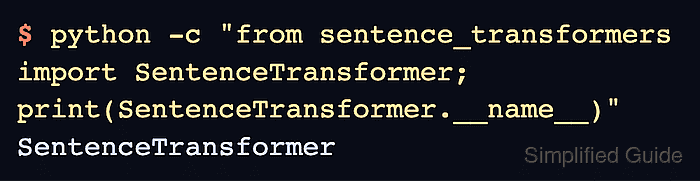
- Repeat the original Sentence Transformers import in a fresh interpreter.
$ python -c "from sentence_transformers import SentenceTransformer; print(SentenceTransformer.__name__)"
SentenceTransformer
The class name appears only after the import succeeds. A traceback means the import is still failing; this check does not download a model or test embedding quality.