A Selenium suite can pass one browser test at a time and still fail when continuous integration runs several sessions together. Running the suite with pytest-xdist sends independent tests to multiple workers while each test opens its own WebDriver session, so the run proves both test isolation and browser capacity.
A Python test runner can point pytest-xdist workers at a Selenium Grid endpoint. A local standalone Grid, a remote Grid, or a cloud WebDriver service can all work when SELENIUM_REMOTE_URL points to the endpoint that accepts new sessions.
Parallel browser tests need isolated fixtures and isolated test data. Do not share one driver object, browser profile, download directory, user account, or mutable record across workers. Start with a worker count that matches available Grid slots, then increase only after the run shows no queued sessions, timeouts, or shared-state failures.
Steps to run Selenium tests in parallel:
- Install the Python test dependencies in the active project environment.
$ python -m pip install selenium pytest pytest-xdist
Keep these packages in the same virtual environment or lock file used by the Selenium suite.
- Set the Selenium endpoint for the test run.
$ export SELENIUM_REMOTE_URL=http://localhost:4444
Use the Grid, cloud, or remote WebDriver URL that accepts new sessions for the browser workers.
- Update the driver fixture so every test gets its own remote browser session.
- tests/selenium/conftest.py
import os

import pytest
from selenium import webdriver
from selenium.webdriver.chrome.options import Options


@pytest.fixture
def driver():
    options = Options()
    options.add_argument("--headless=new")
    options.add_argument("--window-size=1280,720")

    browser = webdriver.Remote(
        command_executor=os.environ["SELENIUM_REMOTE_URL"],
        options=options,
    )
    yield browser
    browser.quit()
A session-scoped or global driver object can make workers close each other's browser sessions. Keep the fixture function-scoped unless the suite has a controlled per-worker session design.
- Run the selected Selenium tests once without xdist.
$ SELENIUM_REMOTE_URL=http://localhost:4444 pytest -q tests/selenium/test_parallel_titles.py
..                                                                       [100%]
2 passed in 2.31s
Fix ordinary WebDriver, locator, or endpoint failures before adding parallel workers.
- Run the same tests with two xdist workers.
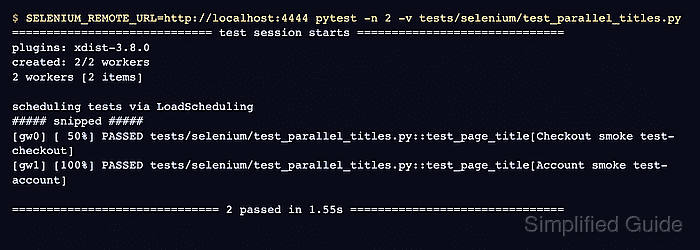
$ SELENIUM_REMOTE_URL=http://localhost:4444 pytest -n 2 -v tests/selenium/test_parallel_titles.py
============================= test session starts ==============================
platform linux -- Python 3.12.13, pytest-9.1.0, pluggy-1.6.0
plugins: xdist-3.8.0
created: 2/2 workers
2 workers [2 items]

scheduling tests via LoadScheduling

tests/selenium/test_parallel_titles.py::test_page_title[Checkout smoke test-checkout]
tests/selenium/test_parallel_titles.py::test_page_title[Account smoke test-account]
[gw0] [ 50%] PASSED tests/selenium/test_parallel_titles.py::test_page_title[Checkout smoke test-checkout]
[gw1] [100%] PASSED tests/selenium/test_parallel_titles.py::test_page_title[Account smoke test-account]

============================== 2 passed in 1.55s ===============================
-n 2 starts two worker processes. Use -n auto only when the machine and Grid have enough browser slots for the worker count pytest-xdist chooses.
- Keep stateful tests together when they cannot be made independent yet.
$ SELENIUM_REMOTE_URL=http://localhost:4444 pytest -n 2 --dist loadscope -v tests/selenium/checkout/
--dist loadscope keeps tests from the same module or class on the same worker. Use it as a transition aid while removing shared state, not as a substitute for independent Selenium tests.
- Raise the worker count only after the two-worker run passes consistently.
$ SELENIUM_REMOTE_URL=http://localhost:4444 pytest -n 4 -v tests/selenium/
More pytest workers than available browser slots can move failures from test logic into Grid queue waits, browser startup timeouts, or overloaded containers.

Mohd Shakir Zakaria is a cloud architect with deep roots in software development and open-source advocacy. Certified in AWS, Red Hat, VMware, ITIL, and Linux, he specializes in designing and managing robust cloud and on-premises infrastructures.


