Python browser tests fail before any locator or wait code runs when the Selenium binding, browser, and driver handoff are missing or mismatched. Installing Selenium in a project virtual environment gives the test code the WebDriver API and lets Selenium Manager resolve the matching browser driver on most supported desktops and CI runners.
Use python -m pip from the active virtual environment so Selenium and its dependencies land in the project instead of the system Python installation. The same environment should run the smoke test and the real test suite, otherwise an editor, shell, or CI job can import a different Selenium package than the one just installed.
Selenium still needs a browser before it can open a WebDriver session. Modern Selenium handles browser and driver discovery through Selenium Manager when the platform, browser, and network allow it, while offline runners, custom browser bundles, or unsupported architectures may still need an explicit driver path.
Steps to install Selenium WebDriver for Python:
- Open a terminal in the Python project directory.
- Check the active Python version.
$ python3 --version
Python 3.14.5
The current Selenium Python binding supports Python 3.10 and newer. Use the project interpreter that will run the test suite.
- Create a project virtual environment.
$ python3 -m venv .venv
- Activate the virtual environment.
$ . .venv/bin/activate
The remaining commands assume the shell prompt is using .venv. Use the matching activation command for Windows or another shell when the project is not on Linux or macOS.
- Upgrade pip inside the virtual environment.
$ python -m pip install --upgrade pip
- Install or upgrade Selenium.
$ python -m pip install --upgrade selenium
Collecting selenium
  Downloading selenium-4.44.0-py3-none-any.whl (9.7 MB)
##### snipped #####
Successfully installed attrs-26.1.0 certifi-2026.5.20 h11-0.16.0 idna-3.18 outcome-1.3.0.post0 pysocks-1.7.1 selenium-4.44.0 sniffio-1.3.1 sortedcontainers-2.4.0 trio-0.33.0 trio-websocket-0.12.2 typing_extensions-4.15.0 urllib3-2.7.0 websocket-client-1.9.0 wsproto-1.3.2
The exact dependency versions change as Selenium and pip resolve current packages.
- Confirm that Python imports the installed package from the active environment.
$ python -c 'import selenium; print(selenium.__version__)'
4.44.0
- Create a WebDriver smoke-test script.
$ cat > selenium-webdriver-smoke.py <<'PY'
import os

import selenium
from selenium import webdriver
from selenium.webdriver.chrome.service import Service
from selenium.webdriver.common.by import By
from selenium.webdriver.support import expected_conditions as EC
from selenium.webdriver.support.ui import WebDriverWait


options = webdriver.ChromeOptions()
options.add_argument("--headless=new")

chrome_binary = os.environ.get("SELENIUM_CHROME_BINARY")
if chrome_binary:
    options.binary_location = chrome_binary

driver_path = os.environ.get("SELENIUM_CHROMEDRIVER")
service = Service(driver_path) if driver_path else None

driver = webdriver.Chrome(service=service, options=options)
try:
    driver.get("data:text/html,<title>Selenium smoke test</title><h1>Ready</h1>")
    WebDriverWait(driver, 10).until(
        EC.presence_of_element_located((By.TAG_NAME, "h1"))
    )
    print(f"selenium={selenium.__version__}")
    print(f"browser={driver.capabilities.get('browserName')}")
    print(f"title={driver.title}")
finally:
    driver.quit()
PY
Leave SELENIUM_CHROMEDRIVER and SELENIUM_CHROME_BINARY unset when Selenium Manager can manage the browser and driver. Set them only for offline runners, pinned browser bundles, or platforms where Selenium Manager cannot resolve the driver automatically.
Related: How to configure ChromeDriver for Selenium - Run the smoke test.
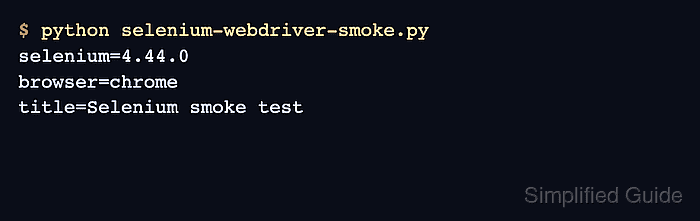
$ python selenium-webdriver-smoke.py
selenium=4.44.0
browser=chrome
title=Selenium smoke test
The title line comes from an inline test page, so this check proves the local browser session without depending on an external website.
- Remove the temporary smoke-test script.
$ rm selenium-webdriver-smoke.py

Mohd Shakir Zakaria is a cloud architect with deep roots in software development and open-source advocacy. Certified in AWS, Red Hat, VMware, ITIL, and Linux, he specializes in designing and managing robust cloud and on-premises infrastructures.


