Optimization problems reduce a set of adjustable inputs to one scalar cost, but the shape of that cost can make an algebraic solution inconvenient. SciPy exposes several numerical solvers through scipy.optimize.minimize() so a Python objective can be searched from a chosen starting point.
The BFGS method is suited to smooth unconstrained objectives. Supplying an analytic gradient through jac avoids finite-difference estimates and gives the optimizer the derivative direction for each candidate point.
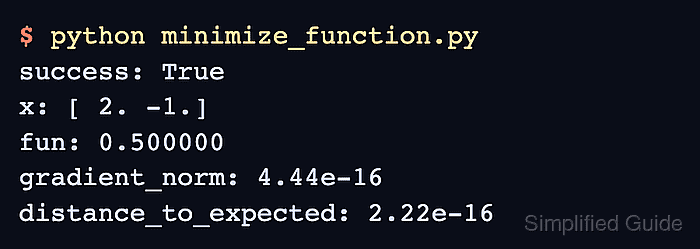
A quadratic with a known minimum separates solver use from application-specific modeling. The program exits with an error unless BFGS converges at [2, -1] with an objective value of 0.5 and a gradient norm below 1e-8.
Steps to minimize a function with SciPy:
- Create minimize_function.py with the imports and two-variable objective function.
- minimize_function.py
import numpy as np
from scipy.optimize import minimize


def objective(values):
    x, y = values
    return (x - 2.0) ** 2 + (y + 1.0) ** 2 + 0.5
- Add the analytic gradient below the objective function.
- minimize_function.py
def gradient(values):
    x, y = values
    return np.array([2.0 * (x - 2.0), 2.0 * (y + 1.0)])
The gradient returns one partial derivative for each element of the input vector.
Related: How to compute a numerical derivative with SciPy - Append the starting point and BFGS call below the gradient function.
- minimize_function.py
start = np.array([0.0, 0.0])
result = minimize(
    objective,
    start,
    method="BFGS",
    jac=gradient,
    options={"gtol": 1e-10},
)
BFGS searches for a local minimum without bounds or constraints. Bounded or constrained inputs require a compatible method; linear objectives with linear constraints belong to scipy.optimize.linprog().
Related: How to solve a linear programming problem with SciPy - Append the known-answer checks and result output below the optimizer call.
- minimize_function.py
expected = np.array([2.0, -1.0])
gradient_norm = np.linalg.norm(gradient(result.x))

if not result.success:
    raise RuntimeError(result.message)

np.testing.assert_allclose(result.x, expected, atol=1e-8)
np.testing.assert_allclose(result.fun, 0.5, atol=1e-12)
assert gradient_norm < 1e-8, "gradient is not near zero"

print(f"success: {result.success}")
print(f"point: [{result.x[0]:.6f}, {result.x[1]:.6f}]")
print(f"minimum: {result.fun:.6f}")
print(f"gradient norm: {gradient_norm:.2e}")
- Run minimize_function.py to verify the computed minimum and convergence checks.
$ python3 minimize_function.py
success: True
point: [2.000000, -1.000000]
minimum: 0.500000
gradient norm: 4.44e-16

Mohd Shakir Zakaria is a cloud architect with deep roots in software development and open-source advocacy. Certified in AWS, Red Hat, VMware, ITIL, and Linux, he specializes in designing and managing robust cloud and on-premises infrastructures.


