PyTorch ships a separate wheel for each accelerator, and the default package source decides which one a project receives on each platform. Installing PyTorch with uv from a named wheel index fixes that choice in pyproject.toml and locks the exact build in uv.lock, so later installs reproduce the same environment.
An index marked explicit serves only the packages that name it under tool.uv.sources. torch and torchvision therefore come from the PyTorch download server, while NumPy, Pillow, and the other dependencies stay on PyPI.
The CPU wheel index suits development machines and build runners with no GPU workload, and it keeps the CUDA libraries out of the project environment. Its locked wheels install on x86_64 or aarch64 Linux with glibc 2.28 or newer, Windows x86_64, and Apple silicon on macOS 14 or later, but not on musl distributions such as Alpine, Intel macOS, or Windows on Arm. PyTorch publishes CUDA and ROCm builds for fewer platforms and with extra dependencies, so those projects need the platform markers and package settings in uv's PyTorch guide rather than a different index address alone.
Steps to install PyTorch with uv:
- Create a uv project that requires Python 3.13 or newer.
$ uv init torch-demo --python 3.13
Initialized project `torch-demo` at `/home/user/torch-demo`
PyTorch 2.15 wheels need Python 3.11 or newer, and uv downloads a matching interpreter when the machine lacks one. A machine without uv needs it from Astral's installation guide first. uv 0.13.7 produced the output shown here.
- Change to the project directory.
$ cd torch-demo
- Open pyproject.toml in your text editor.
- Add the following lines at the end of pyproject.toml.
- pyproject.toml
[[tool.uv.index]]
name = "pytorch-cpu"
url = "https://download.pytorch.org/whl/cpu"
explicit = true

[tool.uv.sources]
torch = [{ index = "pytorch-cpu" }]
torchvision = [{ index = "pytorch-cpu" }]
The url line selects the CPU wheels, and each tool.uv.sources entry reaches that index through its name value.
- Save pyproject.toml.
- Install PyTorch and torchvision with uv add.
$ uv add torch torchvision
Using CPython 3.13.18 interpreter at: /usr/local/bin/python3.13
Creating virtual environment at: .venv
Resolved 16 packages in 519ms
##### snipped #####
Installed 14 packages in 236ms
##### snipped #####
 + torch==2.15.0+cpu
 + torch-demo==0.1.0 (from file:///home/user/torch-demo)
 + torchvision==0.29.2+cpu
 + typing-extensions==4.16.0
The +cpu suffix marks the Linux and Windows builds from the CPU index, and the macOS build from that index has no suffix. uv records both packages in pyproject.toml, writes uv.lock, and installs them into .venv.
- Confirm that uv.lock resolves torch from the PyTorch index.
$ grep -A 2 '^name = "torch"$' uv.lock
name = "torch"
version = "2.15.0"
source = { registry = "https://download.pytorch.org/whl/cpu" }
--
name = "torch"
version = "2.15.0+cpu"
source = { registry = "https://download.pytorch.org/whl/cpu" }
uv.lock keeps both builds, with the +cpu entry for Linux and Windows and the entry without a suffix for macOS. A pypi.org source here means the tool.uv.sources table did not reach torch. A Windows shell without grep can show the same lines by searching uv.lock in a text editor.
- Reinstall the project packages from uv.lock.
$ uv sync --locked --reinstall
Resolved 16 packages in 0.43ms
##### snipped #####
Uninstalled 14 packages in 162ms
Installed 14 packages in 148ms
##### snipped #####
 ~ torch==2.15.0+cpu
 ~ torch-demo==0.1.0 (from file:///home/user/torch-demo)
 ~ torchvision==0.29.2+cpu
 ~ typing-extensions==4.16.0
--locked stops with an error when uv.lock no longer matches pyproject.toml. A build job or another machine with a checkout of the whole project runs uv sync --locked to install the locked wheels for its platform.
- Run a tensor calculation through uv run.
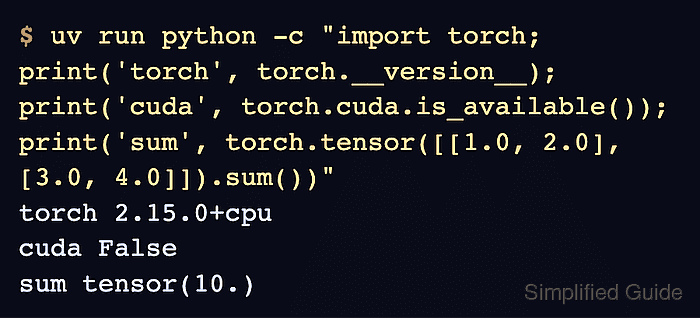
$ uv run python -c "import torch; print('torch', torch.__version__); print('cuda', torch.cuda.is_available()); print('sum', torch.tensor([[1.0, 2.0], [3.0, 4.0]]).sum())"
torch 2.15.0+cpu
cuda False
sum tensor(10.)
The first line reports the build uv installed from the lockfile, cuda False is the expected result for a CPU wheel, and tensor(10.) shows that PyTorch completed the sum.
Related: How to select a device in PyTorch