Apple Silicon Macs expose their integrated GPU to PyTorch through the Metal Performance Shaders backend. Enabling MPS means using a PyTorch build that includes the backend, checking that macOS can initialize it, and placing tensors or modules on the mps device.
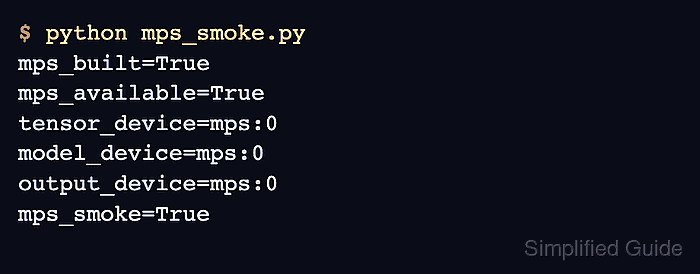
PyTorch uses torch.backends.mps for build and runtime checks. is_built() confirms that the installed wheel includes MPS support, while is_available() confirms that the current Mac and macOS runtime can use the backend.
Use a separate Python environment before changing a project install, especially when notebooks or training jobs already depend on a pinned PyTorch version. After a smoke tensor and tiny model report mps:0, copy a strict MPS check into code that should fail fast when Apple GPU acceleration is not available.
Related: How to enable CUDA in PyTorch
Related: How to enable ROCm in PyTorch
Related: How to run a training loop in PyTorch
Steps to enable MPS in PyTorch:
- Open a terminal on the Apple Silicon Mac.
- Confirm the terminal is using the native Apple Silicon architecture.
$ uname -m
arm64
If x86_64 appears on Apple Silicon, reopen the terminal and Python environment without Rosetta. An Intel Mac cannot use the MPS backend.
- Create an isolated Python environment for the MPS check.
$ python3 -m venv ~/venvs/torch-mps
- Activate the Python environment.
$ source ~/venvs/torch-mps/bin/activate
(torch-mps) $
Use the project environment instead when the application already has one. The active environment is where pip installs or replaces torch.
- Install PyTorch and NumPy in the active environment.
(torch-mps) $ python -m pip install --upgrade torch numpy
The current macOS PyTorch wheel includes MPS support on Apple Silicon. If the project needs torchvision or torchaudio, install those packages from the same active environment.
Related: How to install PyTorch with pip - Create a smoke script that checks MPS availability and runs one tensor and model operation on the backend.
- mps_smoke.py
import platform

import torch
from torch import nn


print(f"python={platform.python_version()}")
print(f"torch={torch.__version__}")
print(f"machine={platform.machine()}")
print(f"mps_built={torch.backends.mps.is_built()}")
print(f"mps_available={torch.backends.mps.is_available()}")

if not torch.backends.mps.is_available():
    if not torch.backends.mps.is_built():
        raise SystemExit("MPS support is not built into this PyTorch install")
    raise SystemExit("MPS is built, but this macOS host has no available MPS device")

device = torch.device("mps")
x = torch.ones(3, device=device)
y = x * 2
model = nn.Linear(3, 1).to(device)

with torch.no_grad():
    output = model(y)

print(f"tensor={y}")
print(f"tensor_device={y.device}")
print(f"model_device={next(model.parameters()).device}")
print(f"output_device={output.device}")
print("mps_smoke=True")
- Run the MPS smoke script.
(torch-mps) $ python mps_smoke.py
python=3.14.6
torch=2.12.1
machine=arm64
mps_built=True
mps_available=True
tensor=tensor([2., 2., 2.], device='mps:0')
tensor_device=mps:0
model_device=mps:0
output_device=mps:0
mps_smoke=True
mps_built=True comes from the installed wheel. mps_available=True plus tensor_device=mps:0 shows that the current Mac can allocate and run tensors on MPS.
- Add a strict MPS device check to code that must use the Apple GPU.
if not torch.backends.mps.is_available():
    raise RuntimeError("MPS is not available in this Python environment")

device = torch.device("mps")
Use a portable device selector instead when the same script should run on CUDA, MPS, or CPU depending on the host.
Related: How to select a device in PyTorch - Move the model and input tensors to the MPS device.
model = build_model().to(device)

for inputs, targets in train_loader:
    inputs = inputs.to(device)
    targets = targets.to(device)

    outputs = model(inputs)
    loss = loss_fn(outputs, targets)
Model parameters, inputs, targets, and losses must stay on compatible devices. Mixing CPU and MPS tensors in the same operation raises a device mismatch error.
- Print the first real run's devices while wiring the project code.
print(f"model_device={next(model.parameters()).device}")
print(f"input_device={inputs.device}")
print(f"output_device={outputs.device}")
Each line should report mps:0 before the project run is treated as MPS-enabled.
- Remove the smoke script after the project code uses the MPS device.
(torch-mps) $ rm mps_smoke.py

Mohd Shakir Zakaria is a cloud architect with deep roots in software development and open-source advocacy. Certified in AWS, Red Hat, VMware, ITIL, and Linux, he specializes in designing and managing robust cloud and on-premises infrastructures.


