Connecting Prometheus to Alertmanager gives firing alert rules a delivery target for grouping, routing, silencing, and notification handling. Configure the connection after Alertmanager is reachable and before relying on Prometheus alerts for team notifications or paging.
Prometheus owns the sending side in the active /etc/prometheus/prometheus.yml file or the file named by its --config.file startup flag. The top-level alerting section lists Alertmanager endpoints, while Alertmanager keeps its own route and receiver configuration in a separate file.
The smoke test uses a temporary always-firing alert with a test label. Send that alert to a non-paging route or a staging Alertmanager when possible, then remove the rule after Alertmanager shows it as active.
Steps to connect Prometheus to Alertmanager:
- Confirm Alertmanager is reachable from the Prometheus host.
$ curl -sS http://alertmanager.example.org:9093/-/ready
OK
Run this check from the Prometheus server or from the same network path. A reachable Alertmanager from a laptop does not prove Prometheus can reach it.
- Create a rule directory for the connection smoke test.
$ sudo install -d -m 0755 /etc/prometheus/rules
- Open the active Prometheus configuration file.
$ sudoedit /etc/prometheus/prometheus.yml
Replace /etc/prometheus/prometheus.yml with the path from the running service, container, or --config.file flag when your deployment uses another file.
- Add the Alertmanager target and the rule-file path.
alerting:
  alertmanagers:
    - static_configs:
        - targets:
            - alertmanager.example.org:9093

rule_files:
  - /etc/prometheus/rules/*.yml
Keep existing global, scrape_configs, remote_write, and rule settings in the same file. For HTTPS Alertmanager endpoints, add scheme: https under the Alertmanager entry and configure the matching TLS or authentication settings.
- Open a temporary alert rule file.
$ sudoedit /etc/prometheus/rules/alertmanager-connect-test.yml
- Add a test alert that fires immediately.
groups:
  - name: alertmanager-connect-test
    interval: 15s
    rules:
      - alert: AlertmanagerConnectionTest
        expr: vector(1)
        for: 0s
        labels:
          severity: test
          route: alertmanager-connect
        annotations:
          summary: Controlled Alertmanager connection test
          description: Temporary alert used to verify Prometheus delivery to Alertmanager.
The alert remains active until the rule is removed or changed. Use labels that route to a test receiver when the Alertmanager configuration can notify people.
- Check the Prometheus configuration before reloading.
$ promtool check config /etc/prometheus/prometheus.yml
Checking /etc/prometheus/prometheus.yml
  SUCCESS: 1 rule files found
 SUCCESS: /etc/prometheus/prometheus.yml is valid prometheus config file syntax

Checking /etc/prometheus/rules/alertmanager-connect-test.yml
  SUCCESS: 1 rules found
Related: How to test Prometheus configuration
Related: How to test Prometheus rule files - Reload Prometheus so it reads the Alertmanager target and test rule.
$ curl -sS --request POST --include http://prometheus.example.org:9090/-/reload
HTTP/1.1 200 OK
Date: Sat, 20 Jun 2026 10:30:12 GMT
Content-Length: 0
The HTTP reload endpoint requires Prometheus to run with --web.enable-lifecycle. If that flag is disabled, send SIGHUP or reload the service with the method used by the host.
Related: How to reload Prometheus configuration
Related: How to manage the Prometheus service with systemctl - Check that Prometheus discovered the Alertmanager endpoint.
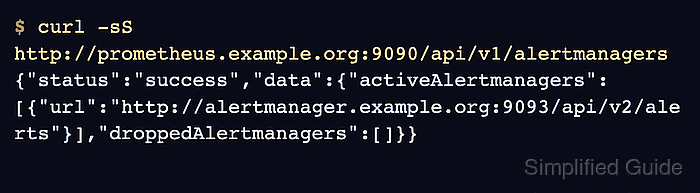
$ curl -sS http://prometheus.example.org:9090/api/v1/alertmanagers
{"status":"success","data":{"activeAlertmanagers":[{"url":"http://alertmanager.example.org:9093/api/v2/alerts"}],"droppedAlertmanagers":[]}}
activeAlertmanagers should list the Alertmanager endpoint. An empty list means Prometheus has not discovered a usable target, and entries under droppedAlertmanagers usually point to relabeling or discovery filtering.
- Check that Prometheus is firing the temporary alert.
$ curl -sS http://prometheus.example.org:9090/api/v1/alerts
{"status":"success","data":{"alerts":[{"labels":{"alertname":"AlertmanagerConnectionTest","route":"alertmanager-connect","severity":"test"},"annotations":{"description":"Temporary alert used to verify Prometheus delivery to Alertmanager.","summary":"Controlled Alertmanager connection test"},"state":"firing","activeAt":"2026-06-20T10:30:18Z","value":"1e+00"}]}}
The alert must reach state firing before Alertmanager can receive it. A pending alert has not crossed its for duration yet.
- Query Alertmanager for the delivered test alert.
$ curl -sS --get http://alertmanager.example.org:9093/api/v2/alerts \
  --data-urlencode active=true \
  --data-urlencode 'filter=alertname="AlertmanagerConnectionTest"'
[{"annotations":{"description":"Temporary alert used to verify Prometheus delivery to Alertmanager.","summary":"Controlled Alertmanager connection test"},"receivers":[{"name":"blackhole"}],"status":{"state":"active"},"labels":{"alertname":"AlertmanagerConnectionTest","route":"alertmanager-connect","severity":"test"}}]
The response should show status.state as active and list the receiver selected by the Alertmanager route.
Related: How to configure an Alertmanager notification route - Remove the temporary alert rule.
$ sudo rm /etc/prometheus/rules/alertmanager-connect-test.yml
If Prometheus rules are deployed from Git, remove the test rule from the source repository and deploy the normal rule bundle instead of deleting a generated file by hand.
- Reload Prometheus after removing the test rule.
$ curl -sS --request POST http://prometheus.example.org:9090/-/reload
- Confirm the test alert is no longer active in Alertmanager.
$ curl -sS --get http://alertmanager.example.org:9093/api/v2/alerts \
  --data-urlencode active=true \
  --data-urlencode 'filter=alertname="AlertmanagerConnectionTest"'
[]

Mohd Shakir Zakaria is a cloud architect with deep roots in software development and open-source advocacy. Certified in AWS, Red Hat, VMware, ITIL, and Linux, he specializes in designing and managing robust cloud and on-premises infrastructures.


