Relational databases often hold the authoritative copy of operational data, while pandas provides a convenient place to filter and reshape selected rows. Moving data through a DataFrame keeps that analysis inside Python without introducing an intermediate CSV export.
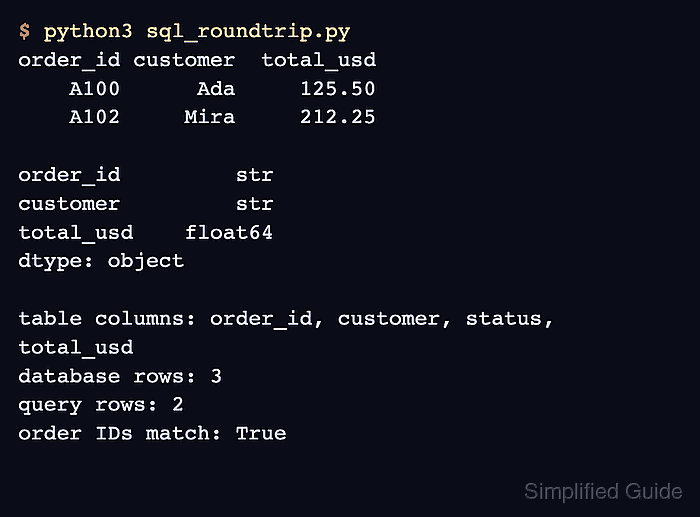
The local SQLite database used here is disposable, but the SQLAlchemy engine follows the same connection pattern that pandas uses with PostgreSQL, MySQL, and other supported databases. The script reads a filtered result, calculates tax values, and writes those values to a separate results table.
The read_sql() call accepts a table name or SQL query, and DataFrame.to_sql() writes rows according to its if_exists policy. Bound parameters keep query values separate from SQL text; table names and replacement policies must remain controlled application settings.
Related: How to read CSV files with pandas
Related: How to write a CSV file with pandas
Related: How to read and write Parquet files with pandas
Steps to read and write SQL data with pandas:
- Install SQLAlchemy in the active pandas environment.
$ python3 -m pip install SQLAlchemy
SQLite support is included with Python, while SQLAlchemy supplies a consistent database connection interface.
Related: How to install pandas with pip - Create the first section of sql_roundtrip.py to seed the local orders table.
- sql_roundtrip.py
from pathlib import Path

import pandas as pd
from sqlalchemy import create_engine, text


database = Path("orders.db")
engine = create_engine(f"sqlite:///{database}")

source_orders = pd.DataFrame(
    {
        "order_id": ["A100", "A101", "A102"],
        "customer": ["Ada", "Lin", "Mira"],
        "status": ["open", "closed", "open"],
        "total_usd": [125.50, 88.00, 212.25],
    }
)
source_orders.to_sql("orders", engine, if_exists="replace", index=False)
if_exists=“replace” drops an existing table before inserting rows. This policy is appropriate only for a disposable input table or a target that is explicitly safe to rebuild.
- Append the parameterized orders query to sql_roundtrip.py.
minimum_total = 100
query = text(
    """
    SELECT order_id, customer, total_usd
    FROM orders
    WHERE status = :status AND total_usd >= :minimum_total
    ORDER BY order_id
    """
)
open_orders = pd.read_sql(
    query,
    engine,
    params={"status": "open", "minimum_total": minimum_total},
)
Bound parameters protect values such as status and minimum_total from string interpolation. Identifiers such as table and column names must remain in reviewed application code because SQL parameters do not bind identifiers.
- Append the tax calculation to sql_roundtrip.py.
open_orders["tax_usd"] = (open_orders["total_usd"] * 0.06).round(2)
- Append the transactional results-table write to sql_roundtrip.py.
with engine.begin() as connection:
    open_orders.to_sql(
        "open_order_totals",
        connection,
        if_exists="replace",
        index=False,
    )
The engine.begin() context commits the table write when the block succeeds and rolls it back when the database reports an error.
- Append the persisted-row readback to sql_roundtrip.py.
saved_orders = pd.read_sql(
    text(
        """
        SELECT order_id, customer, total_usd, tax_usd
        FROM open_order_totals
        ORDER BY order_id
        """
    ),
    engine,
)
print(saved_orders.to_string(index=False))
engine.dispose()
- Run sql_roundtrip.py to display the rows persisted in open_order_totals.
$ python3 sql_roundtrip.py
order_id customer  total_usd  tax_usd
    A100      Ada     125.50     7.53
    A102     Mira     212.25    12.74
The two rows come from a new query against open_order_totals after the transaction has committed, so missing rows or incorrect calculations remain visible.

Mohd Shakir Zakaria is a cloud architect with deep roots in software development and open-source advocacy. Certified in AWS, Red Hat, VMware, ITIL, and Linux, he specializes in designing and managing robust cloud and on-premises infrastructures.


