JSON files often sit at the boundary between a table-oriented analysis and another application. pandas can turn record-shaped JSON into a DataFrame, preserve columns that need deliberate types, and export the transformed rows for the next consumer.
JSON Lines stores one complete JSON object on each non-blank line. That layout maps directly to rows when read_json() uses lines=True, and to_json() reproduces it when orient=“records” and lines=True are used together.
Order IDs remain textual with an explicit string dtype, while convert_dates parses the selected timestamp column. The final read uses the exported file rather than the in-memory DataFrame, so malformed output or a wrong record layout fails at the handoff boundary.
Steps to read and write JSON records with pandas:
- Create the orders.jsonl input file with one order record per line.
- orders.jsonl
{"order_id":"A100","customer":"Ada","total":125.5,"ordered_at":"2026-06-01T09:30:00Z"}
{"order_id":"A101","customer":"Lin","total":88.0,"ordered_at":"2026-06-01T10:15:00Z"}
{"order_id":"A102","customer":"Mira","total":142.25,"ordered_at":"2026-06-02T14:05:00Z"}
Each non-blank line contains one complete JSON object. The JSON Validator accepts this format through its NDJSON / JSON Lines profile.
Tool: JSON Validator - Start json_roundtrip.py with the paths and JSON Lines import.
from pathlib import Path

import pandas as pd

source = Path("orders.jsonl")
orders = pd.read_json(
    source,
    lines=True,
    dtype={"order_id": "string"},
    convert_dates=["ordered_at"],
)
The string dtype keeps identifiers as text, and the explicit date list limits timestamp conversion to ordered_at.
- Add the JSON Lines export below the read_json() call.
output = Path("orders-out.jsonl")
orders.to_json(
    output,
    orient="records",
    lines=True,
    date_format="iso",
)
orient=“records” emits each row as an object, while date_format=“iso” writes readable ISO 8601 timestamps instead of epoch numbers.
- Append the status lines after the to_json() call.
print(orders.loc[:, ["order_id", "customer", "total"]])
print(f"\nwrote {len(orders)} rows to {output}")
- Run json_roundtrip.py.
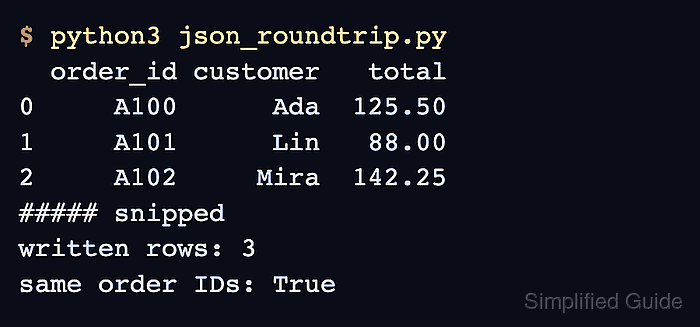
$ python3 json_roundtrip.py
  order_id customer   total
0     A100      Ada  125.50
1     A101      Lin   88.00
2     A102     Mira  142.25

wrote 3 rows to orders-out.jsonl
- Re-read orders-out.jsonl with pandas to confirm the exported record layout and values.
$ python3 -c 'import pandas as pd; print(pd.read_json("orders-out.jsonl", lines=True, dtype={"order_id": "string"}).loc[:, ["order_id", "customer", "total"]])'
  order_id customer   total
0     A100      Ada  125.50
1     A101      Lin   88.00
2     A102     Mira  142.25

Mohd Shakir Zakaria is a cloud architect with deep roots in software development and open-source advocacy. Certified in AWS, Red Hat, VMware, ITIL, and Linux, he specializes in designing and managing robust cloud and on-premises infrastructures.


