Detailed order rows often need to become one row per reporting key before they can feed a dashboard, export, or reconciliation. A grouped sales summary can calculate the order count, total sales, average sale, and total units for each region in one operation.
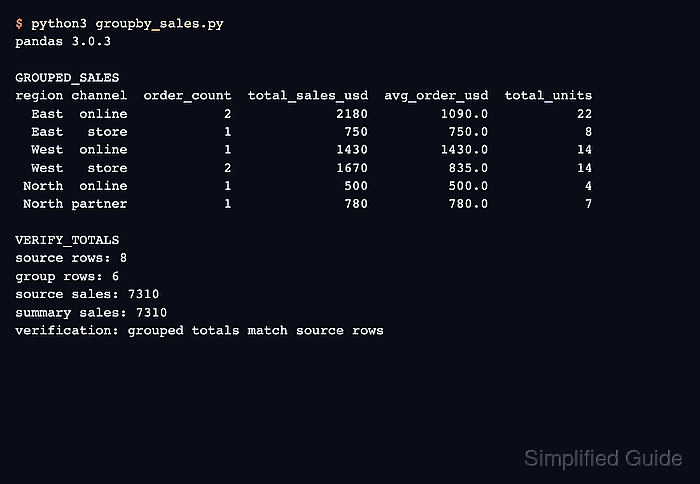
Pandas DataFrame.groupby() divides the rows by the selected key, while named aggregation assigns a clear output name to each reduction. Using as_index=False keeps region as a normal column so the result remains convenient to print, join, or export.
Pandas excludes missing region values from groups by default, so dropna=False retains them as a separate group. The completed script also compares the source sales total with the grouped total and stops with an assertion failure if the aggregation loses any sales.
Steps to aggregate data with pandas groupby:
- Create groupby_sales.py with the source order rows.
- groupby_sales.py
import pandas as pd

orders = pd.DataFrame(
    {
        "region": ["East", "East", "West", "West", "West", "North"],
        "order_id": [1001, 1002, 1003, 1004, 1005, 1006],
        "sales_usd": [1200, 750, 1430, 1020, 650, 500],
        "units": [12, 8, 14, 9, 5, 4],
    }
)
Each source row represents one order, and region supplies the grouping key.
- Add the named regional aggregations below the orders definition.
summary = orders.groupby("region", as_index=False, dropna=False).agg(
    order_count=("order_id", "count"),
    total_sales_usd=("sales_usd", "sum"),
    average_sale_usd=("sales_usd", "mean"),
    total_units=("units", "sum"),
)
summary["average_sale_usd"] = summary["average_sale_usd"].round(2)
Each named tuple identifies the source column first and its reduction second; dropna=False keeps orders whose region is missing.
- Append the result-validation section below the summary assignment.
source_total = orders["sales_usd"].sum()
summary_total = summary["total_sales_usd"].sum()
assert len(summary) == orders["region"].nunique(dropna=False)
assert summary_total == source_total

print(summary.to_string(index=False))
print(f"source sales: {source_total}")
print(f"summary sales: {summary_total}")
The first assertion checks that every distinct region has one summary row, and the second prevents a mismatched sales total from reaching the printed result.
- Run the completed groupby_sales.py script to print the grouped summary and reconciliation totals.
$ python3 groupby_sales.py
region  order_count  total_sales_usd  average_sale_usd  total_units
  East            2             1950            975.00           20
 North            1              500            500.00            4
  West            3             3100           1033.33           28
source sales: 5550
summary sales: 5550
A zero exit status confirms that both assertions passed, while the matching final totals show that the aggregation preserved all source sales.

Mohd Shakir Zakaria is a cloud architect with deep roots in software development and open-source advocacy. Certified in AWS, Red Hat, VMware, ITIL, and Linux, he specializes in designing and managing robust cloud and on-premises infrastructures.


