Column labels connect a pandas DataFrame to selections, calculations, joins, and exports. Clear labels make those operations easier to read while leaving the values and row order intact.
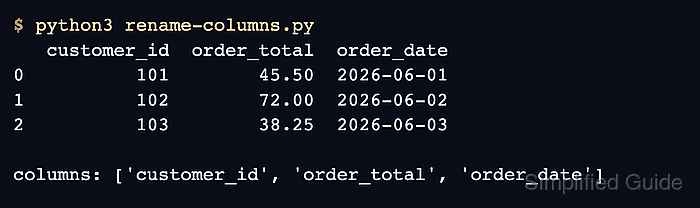
The DataFrame.rename() method accepts a columns mapping whose keys are existing labels and whose values are their replacements. Columns omitted from the mapping keep their names, which makes the method suitable for targeted changes.
The method returns a new DataFrame by default. Using errors=“raise” also turns a misspelled source label into KeyError instead of silently leaving that label unchanged.
Steps to rename pandas DataFrame columns:
- Save the sample sales data in rename-columns.py.
- rename-columns.py
import pandas as pd

sales = pd.DataFrame(
    {
        "Customer ID": [101, 102, 103],
        "Order Total": [45.50, 72.00, 38.25],
        "Order Date": ["2026-06-01", "2026-06-02", "2026-06-03"],
    }
)
- Add the old-to-new column mapping beneath the DataFrame constructor.
rename_map = {
    "Customer ID": "customer_id",
    "Order Total": "order_total",
    "Order Date": "order_date",
}
Each key must match an existing label exactly, including spaces and capitalization.
- Append the rename() call beneath the mapping.
renamed = sales.rename(columns=rename_map, errors="raise")
Without errors="raise", a missing mapping key is ignored and its original column label remains unchanged.
- Append the assertions and output section beneath the rename() call.
assert renamed.columns.tolist() == [
    "customer_id",
    "order_total",
    "order_date",
]
assert sales.columns.tolist() == [
    "Customer ID",
    "Order Total",
    "Order Date",
]
assert renamed["order_total"].sum() == sales["Order Total"].sum()

print(renamed.to_string(index=False))
print()
print("Original:", sales.columns.tolist())
print("Renamed:", renamed.columns.tolist())
The assertions stop the script if the new labels, unchanged source labels, or retained order totals differ from the expected state.
- Run the completed script to confirm the replacement labels and unchanged original labels.
$ python3 rename-columns.py
 customer_id  order_total order_date
         101        45.50 2026-06-01
         102        72.00 2026-06-02
         103        38.25 2026-06-03

Original: ['Customer ID', 'Order Total', 'Order Date']
Renamed: ['customer_id', 'order_total', 'order_date']

Mohd Shakir Zakaria is a cloud architect with deep roots in software development and open-source advocacy. Certified in AWS, Red Hat, VMware, ITIL, and Linux, he specializes in designing and managing robust cloud and on-premises infrastructures.


