Open WebUI RBAC groups organize users so an administrator can grant team-level capabilities and resource access without editing each account one by one. A group is useful when a department or project team needs the same models, knowledge bases, tools, or feature permissions and the membership changes over time.
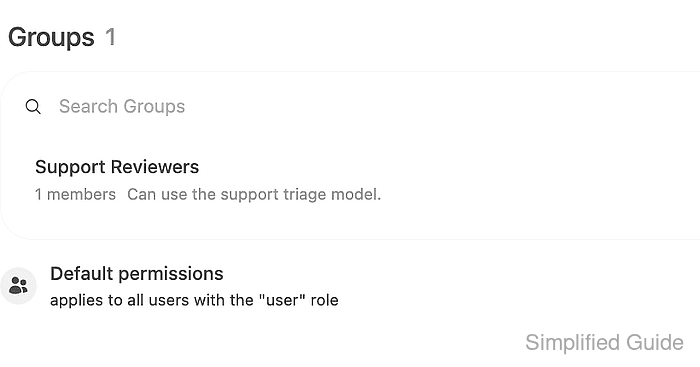
Groups sit between the system role and resource access grants. Standard User accounts remain subject to default permissions, and group membership can add feature permissions or grant read/write access to private resources.
A test resource and two standard accounts make the access boundary clear before the group is used for real work. One member account should see the restricted resource and one outside account should not, because Open WebUI group permissions are additive rather than deny rules.
Related: How to create a user in Open WebUI
Related: How to create a model preset in Open WebUI
Related: How to enable API keys in Open WebUI
Steps to create an Open WebUI RBAC group:
- Confirm the target accounts are active standard users under Admin Panel → Users.

Admin accounts bypass most access checks by default, so use User accounts when testing group-based access.
- Open Admin Panel → Users → Groups and click + New Group.
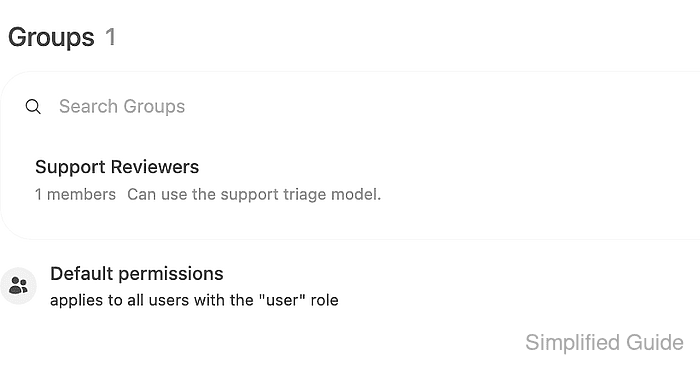
- Enter a group name and description, then save the group.
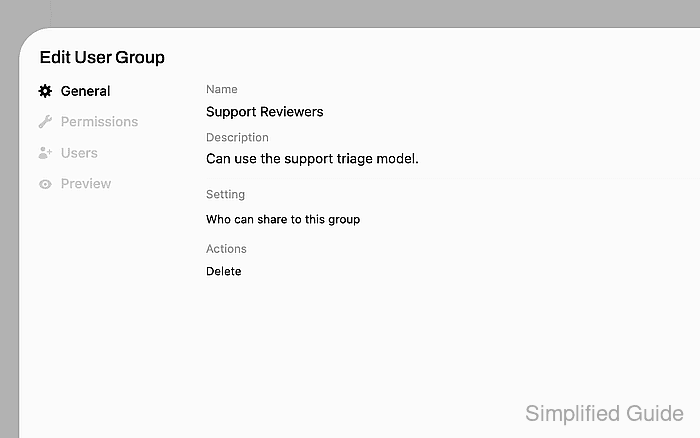
A new group grants no extra permissions until permissions, users, or resource grants are added.
- Add the intended members from the group's Users tab.
The group row should show the expected member count after saving.
- Leave feature permission toggles off unless the group should add a capability such as Workspace Models, Web Search, or Code Interpreter.
Group permissions add access; they do not remove a permission already granted by global defaults or another group.
- Open the model, knowledge base, or tool that the group should access and set its Access Control to Private.
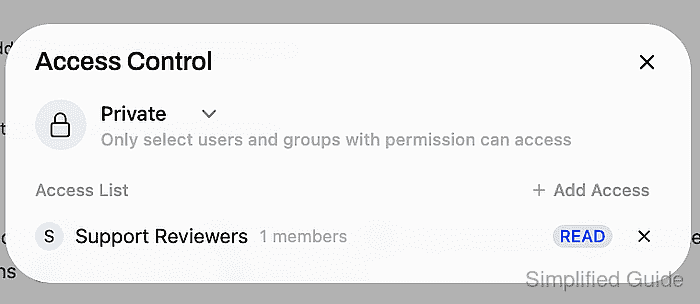
- Add the group to the resource Access List with the required permission.
Use READ when members only need to use or view the resource. Use WRITE only for users who should update or delete it.
- Preview the group access with an admin API token.
$ curl --fail-with-body --silent --show-error "https://openwebui.example.com/api/v1/groups/id/<group-id>/preview" \
  -H "Authorization: Bearer <open-webui-token>"
{
  "group": {
    "id": "<group-id>",
    "name": "Support Reviewers"
  },
  "models": {
    "items": [
      {
        "id": "support-triage-rbac",
        "name": "Support Triage RBAC Model"
      }
    ],
    "total": 1
  }
}
The preview endpoint is read-only and shows the resources the group can access.
- Preview a member account to confirm the group grant is effective.
$ curl --fail-with-body --silent --show-error "https://openwebui.example.com/api/v1/users/<member-user-id>/preview" \ -H "Authorization: Bearer <open-webui-token>" { "user": { "id": "<member-user-id>", "name": "Avery Support" }, "groups": [ { "id": "<group-id>", "name": "Support Reviewers" } ], "models": { "items": [ { "id": "support-triage-rbac", "name": "Support Triage RBAC Model" } ], "total": 1 } } - Preview an outside account to confirm the resource is not visible without membership.
$ curl --fail-with-body --silent --show-error "https://openwebui.example.com/api/v1/users/<outside-user-id>/preview" \
  -H "Authorization: Bearer <open-webui-token>"
{
  "user": {
    "id": "<outside-user-id>",
    "name": "Jordan Sales"
  },
  "groups": [],
  "models": {
    "items": [],
    "total": 1
  }
}

Mohd Shakir Zakaria is a cloud architect with deep roots in software development and open-source advocacy. Certified in AWS, Red Hat, VMware, ITIL, and Linux, he specializes in designing and managing robust cloud and on-premises infrastructures.


