Open WebUI model parameters let a workspace model carry generation defaults such as temperature, top_p, and max_tokens. Tune them when one model needs a steadier style, shorter replies, or a different sampling boundary without changing every chat on the server.
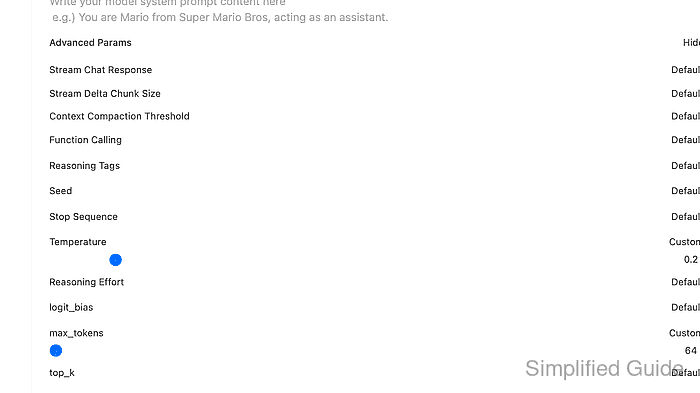
A workspace model can wrap a provider model and store its own parameter object. Open WebUI applies global defaults first, saved model parameters next, and request-level parameters last, so a chat or API request can still override the model default for a single run.
Use a noncritical workspace model or preset for the first change. Conservative values such as Temperature 0.2, top_p 0.8, and max_tokens 64 are easy to verify, but they can make normal answers shorter or less varied until the settings are adjusted again.
Steps to tune Open WebUI model parameters:
- Open Workspace → Models and choose the model or preset that should carry the tuned defaults.
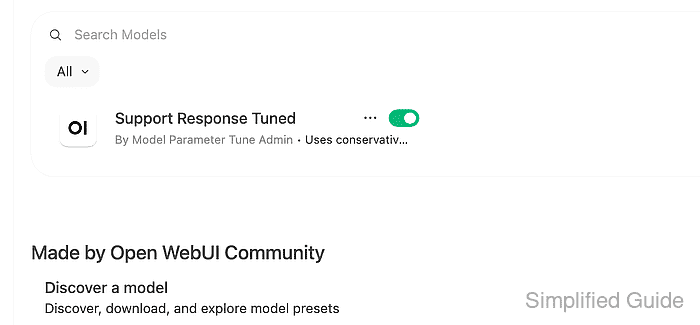
Use a workspace model when the setting should follow the model picker entry. Use chat controls instead when the change should apply only to one conversation.
- Confirm the Base Model (From) value before changing parameters.
The tuned workspace model still sends requests to this provider model. If the base model is missing, refresh the model list or fix the provider connection before tuning.
Related: How to refresh the Open WebUI model list - Open Advanced Params in the model editor.
- Set the generation values for the model.
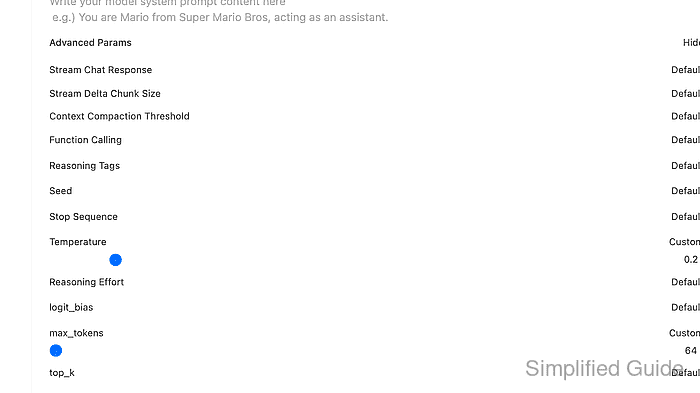
Temperature controls sampling variety, top_p narrows token sampling by cumulative probability, and max_tokens limits generated response length. Provider support varies, so keep the first test values small and reversible.
- Click Save & Update to write the model configuration.
- Confirm the saved parameters through the model API when an API token is available.
$ curl --fail-with-body --silent --show-error "https://openwebui.example.com/api/v1/models/model?id=support-response-tuned" \
  -H "Authorization: Bearer <open-webui-token>"
{
  "id": "support-response-tuned",
  "base_model_id": "sg-fixture-chat",
  "name": "Support Response Tuned",
  "params": {
    "temperature": 0.2,
    "top_p": 0.8,
    "max_tokens": 64
  },
  "is_active": true
}
Replace the model ID and token with values from the Open WebUI instance. The same saved values should appear in the model editor if API access is disabled.
Related: How to enable API keys in Open WebUI - Start a new chat with the tuned model and send a short parameter-check prompt.
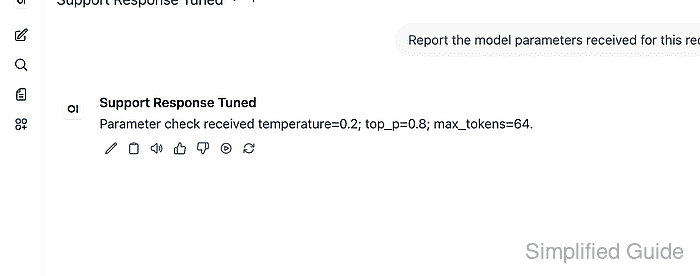
- Confirm that the tuned model sends the expected values through Open WebUI.
$ curl --fail-with-body --silent --show-error "https://openwebui.example.com/api/chat/completions" \
  -H "Authorization: Bearer <open-webui-token>" \
  -H "Content-Type: application/json" \
  --data '{"model":"support-response-tuned","messages":[{"role":"user","content":"Report the model parameters received for this request."}],"stream":false}'
{
  "model": "sg-fixture-chat",
  "content": "Parameter check received temperature=0.2; top_p=0.8; max_tokens=64.",
  "finish_reason": "stop"
}
Some providers ignore unsupported parameters or rename token-limit fields. If the model output does not change, verify that the provider accepts the parameter before changing other Open WebUI settings.

Mohd Shakir Zakaria is a cloud architect with deep roots in software development and open-source advocacy. Certified in AWS, Red Hat, VMware, ITIL, and Linux, he specializes in designing and managing robust cloud and on-premises infrastructures.


