Document search needs an embedding model even when ordinary chat already works. In a Docker installation of Open WebUI, No embedding model is loaded means the local document embedder is unavailable, so restoring that model is necessary before uploads can be indexed and searched.
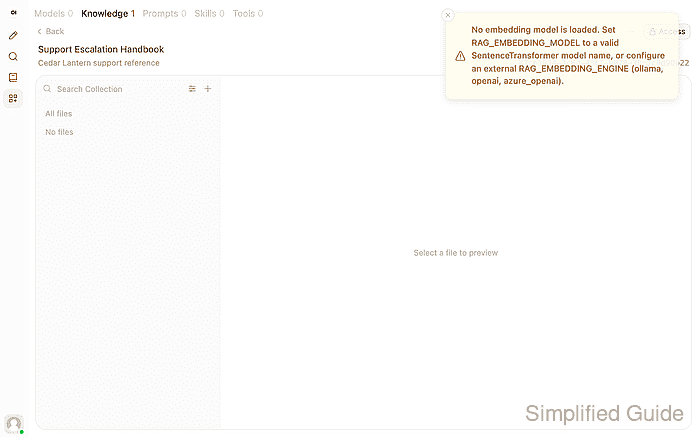
An incomplete offline migration can leave the application and chat model available while omitting the embedding cache. With OFFLINE_MODE=true, Open WebUI searches the local cache instead of downloading a missing model; a related LocalEntryNotFoundError identifies the missing cached snapshot. A mounted data directory can also hide the cache bundled in the full Docker image.
The local SentenceTransformers engine keeps its model files separately from the chat model. Restoring the same embedding model preserves the vector space used by existing documents. Downloading the missing local model requires administrator access, the full Open WebUI image, and permitted access from the container to Hugging Face for one model download; a permanently disconnected installation needs a complete cache transfer from a prepared installation instead.
Steps to fix the embedding model not loaded error in Open WebUI:
- Identify the
No embedding model is loadedmessage on the failed document upload. A file card or extracted-text preview can still appear even when indexing fails. An ordinary chat reply does not test document embeddings.
- Inspect the container logs for the missing-model error.
$ docker logs open-webui 2>&1 | grep -E 'LocalEntryNotFoundError:|ValueError: No embedding model is loaded'
huggingface_hub.errors.LocalEntryNotFoundError: Cannot find an appropriate cached snapshot folder for the specified revision on the local disk and outgoing traffic has been disabled. To enable repo look-ups and downloads online, pass 'local_files_only=False' as input.
##### snipped #####
ValueError: No embedding model is loaded. Set RAG_EMBEDDING_MODEL to a valid SentenceTransformer model name, or configure an external RAG_EMBEDDING_ENGINE (ollama, openai, azure_openai).
For a different container name, replace open-webui in the commands with your own name. The first error concerns the local model cache; it does not by itself prove a firewall blocked a request. A different startup error needs its own diagnosis.
Related: How to view Open WebUI Docker logs - Open Documents under Admin in Settings.
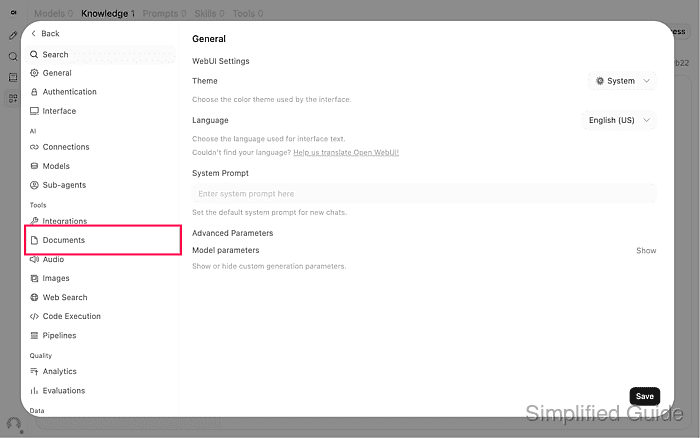
- Check the selected Embedding Model Engine and Embedding Model.
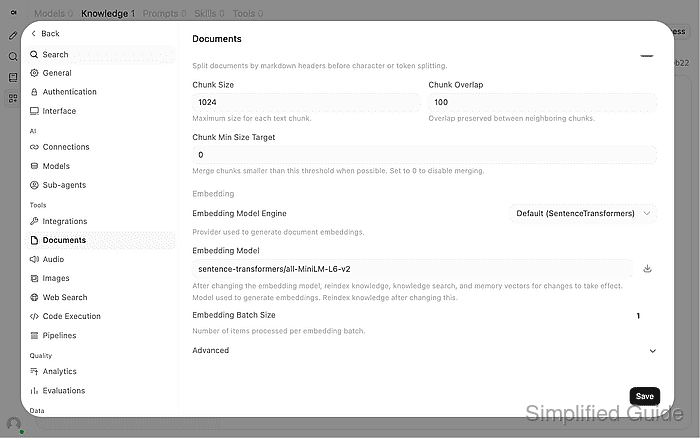
This repair applies to Default (SentenceTransformers) with sentence-transformers/all-MiniLM-L6-v2. For another local model, its exact model ID replaces that name in the download command. An Ollama or OpenAI embedding engine uses its own provider connection instead. Changing providers is not necessary to restore a missing local cache.
Related: How to tune RAG settings in Open WebUI - Read the container's embedding-cache location and offline setting.
$ docker exec open-webui printenv \
  SENTENCE_TRANSFORMERS_HOME OFFLINE_MODE
/app/backend/data/cache/embedding/models
true
The model download uses the active SENTENCE_TRANSFORMERS_HOME value. A custom cache mount must be persistent and writable by the application user. An unset OFFLINE_MODE produces no second value.
- Download the selected embedding model into the container's persistent cache.
This command permits Hugging Face access for this one Python process, even when the application uses offline mode. It does not remove a firewall or an isolated Docker network. If external access is prohibited, the cache must be transferred through the approved offline process instead.
$ docker exec -e HF_HUB_OFFLINE=0 open-webui python -c '
import os
from sentence_transformers import SentenceTransformer

SentenceTransformer(
    "sentence-transformers/all-MiniLM-L6-v2",
    cache_folder=os.environ["SENTENCE_TRANSFORMERS_HOME"],
)
'
The bundled library downloads and loads the model before returning. A download, certificate, permission, or disk-space error means the repair is incomplete. An unauthenticated Hugging Face rate-limit warning alone does not mean the download failed. A transferred cache must include configuration, tokenizer, weights, and every symlink target, including any shared blobs directory; copying only a model-named folder can leave broken links.
- Restart the existing Open WebUI container to load the cached model.
Restarting interrupts active requests. The existing container and data volume remain in place; removing the volume would delete application data and is unnecessary for this repair.
$ docker restart open-webui
open-webui
The application retains
OFFLINE_MODE=truebecause the temporary download override applied only to the previous Python process. Startup may take a short time while the local model loads. - Close Settings with Back after the application is available again.
- Save the following text as known-answer.txt using your text editor.
- known-answer.txt
Support Escalation Handbook

This is synthetic training data for the Cedar Lantern service.
The support desk is open on weekdays from 09:00 to 17:00 UTC.
The escalation owner is the Platform Support Team.
The escalation code is cedar-lantern-47.
Before escalating, collect the request timestamp and the affected service name.
- Open Add Content in the knowledge collection that rejected the upload.
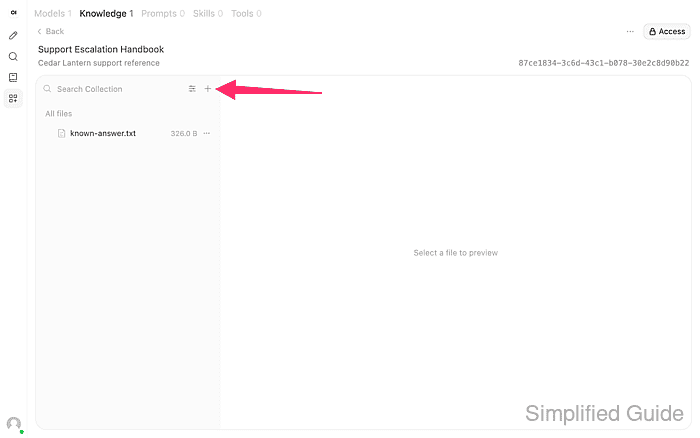
The collection shown is Support Escalation Handbook under Workspace → Knowledge. A collection and a working chat-model connection are prerequisites.
Related: How to create a knowledge base in Open WebUI
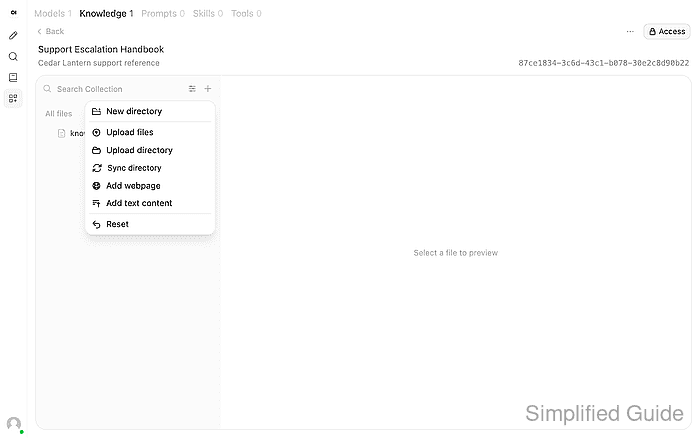
Related: How to connect Ollama to Open WebUI - Upload the newly saved known-answer.txt through Upload files.
- Confirm that known-answer.txt finishes processing and shows its file size.
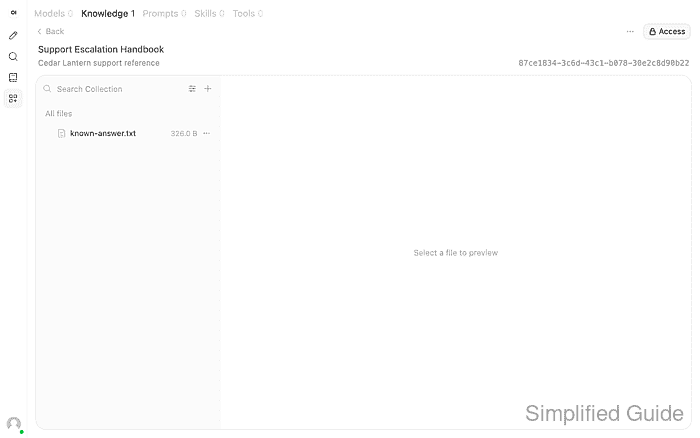
Uploading, Processing, or a failure message means the file is not ready. Retrying an old question without a new upload would not test whether indexing has recovered. If the embedding identity changed rather than being restored, existing knowledge also needs reindexing before it can be searched with the new model.
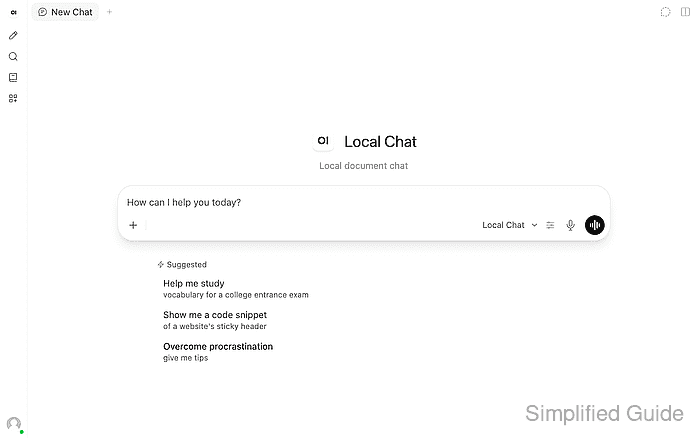
- Start a New Chat with your working document-chat model.
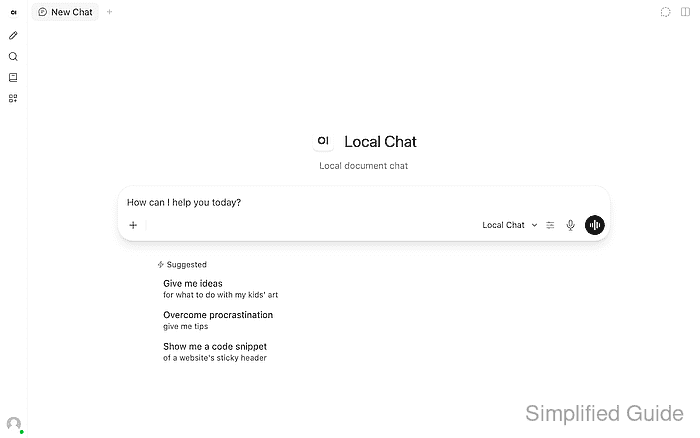
The selected model is named Local Chat here. It uses Legacy Function Calling so Open WebUI retrieves context before generation; a native-tool model must actually call its knowledge tools. A model that ignores its attachment can give an unrelated answer even when embeddings work.
- Type # in the message box to display the knowledge picker.
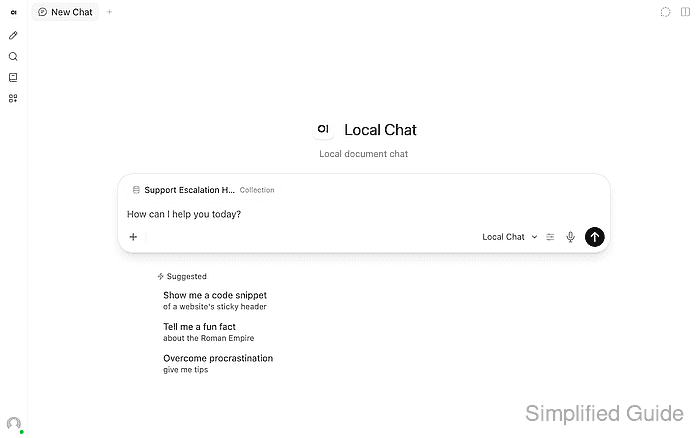
- Select the collection containing the newly indexed file under Collections.
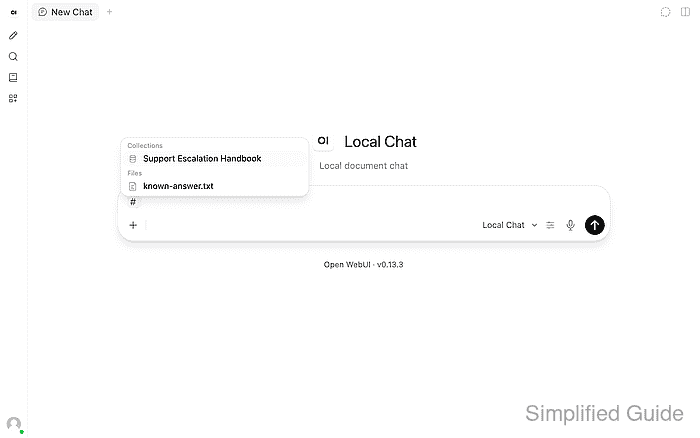
The collection's default Focused Retrieval mode searches its indexed content. Using Entire Document bypasses that retrieval test.
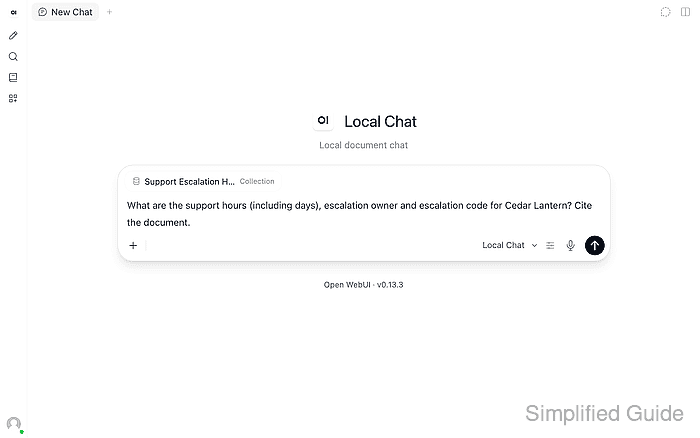
- Enter the question about the new document in the message box.
What are the support hours (including days), escalation owner and escalation code for Cedar Lantern? Cite the document.
- Send the question.
- Expand the source list beneath the completed reply.
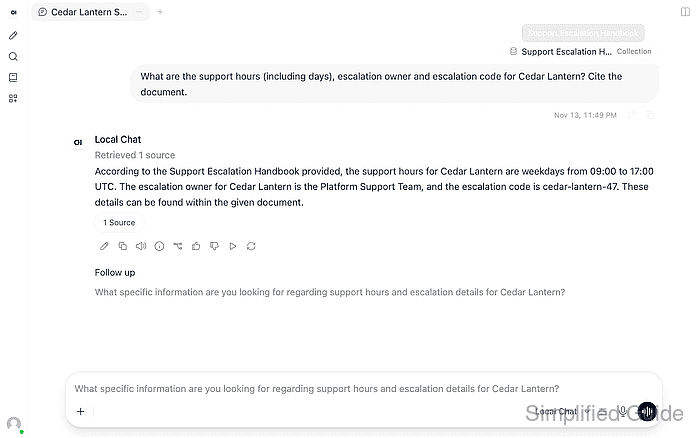
- Confirm that the completed reply gives the document's support hours, escalation owner, and escalation code with a source citation. Example output:
According to the Support Escalation Handbook provided, the support hours
for Cedar Lantern are weekdays from 09:00 to 17:00 UTC. The escalation
owner for Cedar Lantern is the Platform Support Team, and the escalation
code is cedar-lantern-47. These details can be found within the given
document.
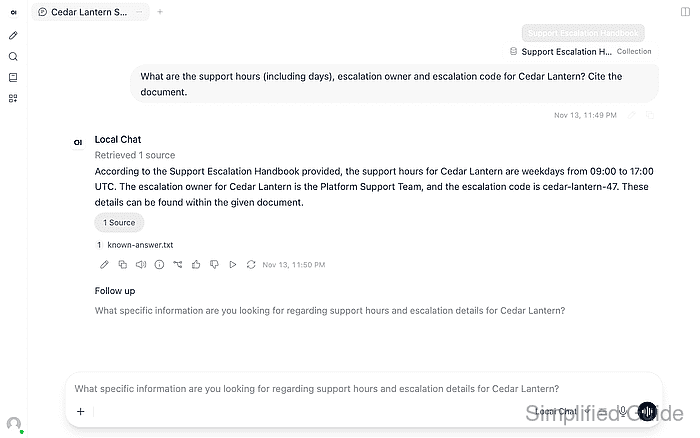
The answer must report weekdays 09:00–17:00 UTC, Platform Support Team, and cedar-lantern-47. Wording can vary. A fresh indexed upload followed by a cited answer tests both document and query embeddings.