Open WebUI writes backend startup, migration, request, and provider activity to the container's standard output and error streams. Reading those streams through Docker helps confirm that the service started, identify recent API requests, and capture warnings tied to model, login, or provider checks.
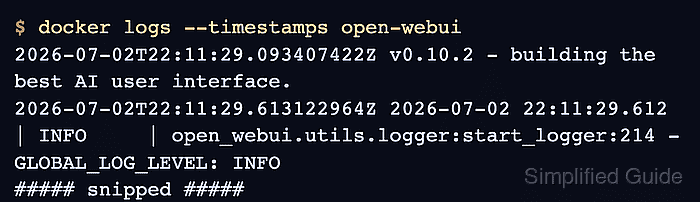
Docker exposes those streams through docker logs when the container's logging driver or local cache supports reading them. The single-container installation uses the name open-webui; Compose deployments can give the same service a longer generated container name.
Logs can contain private prompts, user identifiers, and provider URLs, so excerpts need redaction before sharing. Reading or following the log does not stop Open WebUI, and leaving the live stream with Ctrl-C ends only the log viewer.
Steps to view Open WebUI Docker logs:
- Identify the running Open WebUI container.
$ docker ps --filter 'name=^/open-webui$' --format 'table {{.Names}}\t{{.Status}}\t{{.Ports}}'
NAMES                             STATUS                   PORTS
open-webui   Up 3 minutes (healthy)   127.0.0.1:3000->8080/tcp
The name and local address match How to run Open WebUI with Docker. For a differently named installation, the filter and later container arguments need its actual name. A Compose service can have a name such as open-webui-open-webui-1.
- Read the container's logging driver.
$ docker inspect --format '{{.HostConfig.LogConfig.Type}}' open-webui
local
This focused query avoids exposing environment variables through a full inspection. The local and json-file drivers support log retrieval; remote drivers may use Docker's local logging cache. A none driver records no logs, and a driver without reading support or a readable cache can return an error.
- Print the last three timestamped log entries.
$ docker logs --tail 3 --timestamps open-webui
2026-10-27T02:38:50.491909219Z 2026-10-27 02:38:50.488 | INFO     | uvicorn.protocols.http.httptools_impl:send:482 - 192.0.2.10:64520 - "GET /api/version HTTP/1.1" 200
2026-10-27T02:38:51.659047261Z 2026-10-27 02:38:51.657 | INFO     | uvicorn.protocols.http.httptools_impl:send:482 - 192.0.2.10:64530 - "GET /api/version HTTP/1.1" 200
2026-10-27T02:39:22.822176970Z 2026-10-27 02:39:22.821 | INFO     | uvicorn.protocols.http.httptools_impl:send:482 - 192.0.2.10:55436 - "GET /api/version HTTP/1.1" 200
--tail bounds the stored history shown, and --timestamps adds the Docker timestamp before the application's own timestamp. A larger positive count gives more context around a warning or error. The log format varies with the release and logging settings.
- Follow new log entries in the current terminal.
$ docker logs --follow --tail 0 --timestamps open-webui
--tail 0 skips stored entries so the terminal initially waits for new activity. The live stream stays open until interrupted.
- Send a version request from a second terminal on the Docker host.
$ curl --fail --silent --show-error http://127.0.0.1:3000/api/version
{"version":"0.12.4","deployment_id":""}
The local address is the one shown in the container's port mapping. This read-only request should produce a line containing GET /api/version and 200 in the first terminal. Requests to /health are filtered out of the access log, so a health probe alone does not demonstrate new log activity.
- Press Ctrl-C in the terminal running docker logs.
^C$
The shell prompt returns while the application keeps running.
- Confirm the recent log window contains the version request.
$ docker logs --since 2m --tail 3 --timestamps open-webui
2026-10-27T02:38:51.659047261Z 2026-10-27 02:38:51.657 | INFO     | uvicorn.protocols.http.httptools_impl:send:482 - 192.0.2.10:64530 - "GET /api/version HTTP/1.1" 200
2026-10-27T02:39:22.822176970Z 2026-10-27 02:39:22.821 | INFO     | uvicorn.protocols.http.httptools_impl:send:482 - 192.0.2.10:55436 - "GET /api/version HTTP/1.1" 200
2026-10-27T02:39:24.274122638Z 2026-10-27 02:39:24.272 | INFO     | uvicorn.protocols.http.httptools_impl:send:482 - 192.0.2.10:55448 - "GET /api/version HTTP/1.1" 200
The final line records the new request. --since 2m selects entries from the last two minutes, and --tail 3 limits the result to three entries. An empty result means no retained entries matched that window; it does not prove that the service stopped. A busy instance may need a larger tail count to include the request.
- Check that the container remains running and healthy.
$ docker inspect --format '{{.State.Status}} {{.State.Health.Status}}' open-webui
running healthy
An exited or unhealthy state needs diagnosis; interrupting the log viewer should not change the container state.
- Confirm Open WebUI still answers its health endpoint.
$ curl --fail --silent --show-error http://127.0.0.1:3000/health
{"status":true}
The true response confirms the application still serves requests after the log session ends. Connection errors or HTTP errors fail the request; a false status does not confirm availability.