Model details show what Ollama knows about a local model, including architecture, parameter size, context length, quantization, capabilities, parameters, and license. That output helps confirm the model is suitable before running a workload.
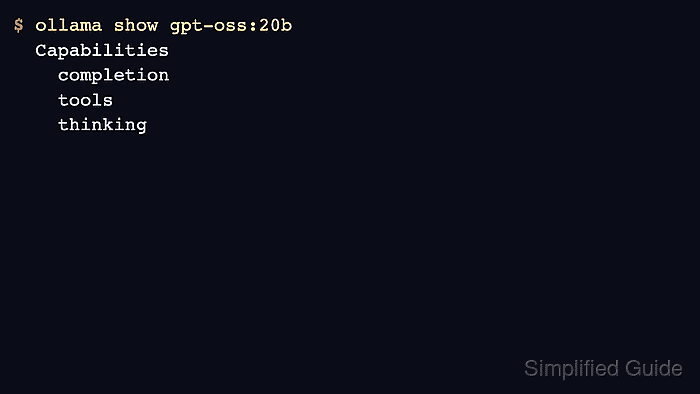
Use ollama show for terminal inspection and the api/show endpoint for automation. The output can also reveal whether a model supports tools, thinking, or embedding use cases.
Keep the full output in task evidence when model metadata changes a deployment decision. In articles and tickets, trim license or template sections that do not affect the decision.
Related: How to list Ollama models
Related: How to manage Ollama models with the API
Related: How to check Ollama GPU support
Steps to show Ollama model details:
- List the installed model name.
$ ollama list NAME ID SIZE gpt-oss:20b 17052f91a42e 13 GB - Show the model details.
$ ollama show gpt-oss:20b Model architecture gptoss parameters 20.9B context length 131072 embedding length 2880 quantization MXFP4 Capabilities completion tools thinking ##### snipped ##### - Request the same model details through the API.
$ curl -s http://localhost:11434/api/show -d '{"model":"gpt-oss:20b"}'
{"details":{"family":"gptoss","parameter_size":"20.9B","quantization_level":"MXFP4"}}
- Show the Modelfile when rebuilding or deriving a model.
$ ollama show --modelfile gpt-oss:20b
# Modelfile generated by "ollama show"
FROM /Users/example/.ollama/models/blobs/sha256-17052f91a42e
##### snipped #####
- Use the capability list to choose the right API path.
$ printf '%s\n' 'tools thinking'
tools thinking
Use an embedding model for embeddings even when another model shows an embedding length.

Mohd Shakir Zakaria is a cloud architect with deep roots in software development and open-source advocacy. Certified in AWS, Red Hat, VMware, ITIL, and Linux, he specializes in designing and managing robust cloud and on-premises infrastructures.


