An NFS server on a Red Hat-family host needs the nfs-utils package and the nfs-server systemd unit before it can serve exports. Installing the package places rpc.nfsd, exportfs, showmount, and the unit files on the host; starting the service brings up the kernel-backed server process that clients contact.
Current RHEL, CentOS Stream, Fedora, and compatible distributions install the server package with dnf. The package also includes client-side helpers, but a server still needs a running nfs-server.service and at least one entry in /etc/exports before clients can mount a shared path.
The base install is complete when rpm reports nfs-utils, systemd reports nfs-server as active, and exportfs can read the active export table without an error. Firewall rules, export definitions, directory permissions, Kerberos, and NFS version policy are follow-on checks that should be verified before handing the server to clients.
Related: Create an NFS export
Related: Allow NFS through firewalld
Related: Check NFS server status
Steps to install an NFS server on CentOS Stream, RHEL, and Fedora:
- Open a terminal with sudo privileges on the server host.
- Install the NFS server utilities.
$ sudo dnf install --assumeyes nfs-utils
Dependencies resolved.
================================================================================
 Package          Architecture  Version              Repository  Size
================================================================================
Installing:
 nfs-utils        aarch64       1:2.8.3-7.el10       baseos      489 k
##### snipped #####
Complete!
Older RHEL-family hosts that expose only yum use the same package name: sudo yum install nfs-utils.
- Confirm the installed package.
$ rpm -q nfs-utils
nfs-utils-2.8.3-7.el10.aarch64
The exact version and architecture differ by release. The package name should start with nfs-utils-.
- Confirm the server daemon installed with the package.
$ command -v rpc.nfsd
/usr/sbin/rpc.nfsd
rpc.nfsd works with the kernel NFS server module, so the service start check belongs on the installed systemd server that will host the exports.
- Enable the NFS server at boot and start it now.
$ sudo systemctl enable --now nfs-server
Created symlink '/etc/systemd/system/multi-user.target.wants/nfs-server.service' -> '/usr/lib/systemd/system/nfs-server.service'.
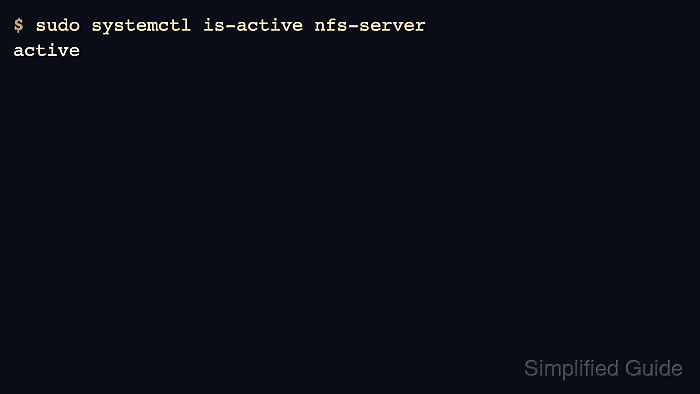
- Confirm the service is active.
$ sudo systemctl is-active nfs-server
active
If this command does not return active, inspect sudo journalctl -u nfs-server before creating exports or opening firewall rules.
Related: Check NFS server status
- Confirm the export management command is available.
$ command -v exportfs
/usr/sbin/exportfs
- Check the active export table before adding shares.
$ sudo exportfs -v
No output is expected on a newly installed server with no entries in /etc/exports. After adding an export, the same command should show the exported path, client selector, and options. Open firewalld only after choosing the export and protocol policy; NFSv4-only servers normally need the nfs service, while NFSv3 servers also need rpc-bind and mountd access.
Related: Create an NFS export
Related: List NFS exports from the server
Related: Allow NFS through firewalld
Related: Configure an NFSv4-only server

Mohd Shakir Zakaria is a cloud architect with deep roots in software development and open-source advocacy. Certified in AWS, Red Hat, VMware, ITIL, and Linux, he specializes in designing and managing robust cloud and on-premises infrastructures.


