An NFS export can be attached to Windows as a drive letter when a desktop user, application, or administrator needs files from a UNIX or Linux storage server. A manual drive-letter mount is a direct way to test that the Windows client can reach the export before a scheduled remount or application dependency is added.
Windows uses Client for NFS and the command-line mount.exe utility for NFS drive mappings. PowerShell can treat the bare word mount as an alias, so call mount.exe explicitly or run the mount command from Command Prompt.
Windows Client for NFS supports NFSv2 and NFSv3 client mounts. An NFSv4-only export needs another client platform or a server-side NFSv3 export for Windows access. The server export must also allow the Windows client host, drive-letter mount options, and security flavor used by the request.
Related: How to list NFS exports from a client
Related: How to list NFS exports on a server
Related: How to troubleshoot NFS mount timeouts
Steps to mount an NFS export on Windows:
- Open an elevated Command Prompt session on the Windows computer.
PowerShell is usable when the mount command is typed as mount.exe.
- Confirm that Client for NFS installed the mount utility.
C:\> where.exe mount.exe
C:\Windows\System32\mount.exe
If mount.exe is not found, enable Services for NFS → Client for NFS from optionalfeatures.exe on supported Windows client editions. On Windows Server, install Client for NFS with Server Manager or Install-WindowsFeature -Name NFS-Client.
- Query the server export list from the Windows client.
C:\> showmount.exe -e files.example.net
Exports list on files.example.net:
/srv/nfs/projects 192.0.2.0/24
A missing export, timeout, or RPC: Program not registered response usually points to server export rules, firewall rules, or an NFSv4-only server instead of a Windows drive-letter problem.
Related: How to list NFS exports from a client
Related: How to list NFS exports on a server - Choose an unused drive letter such as Z:.
A drive letter that is already mapped can hide the previous mapping for the current logon session.
- Mount the export to the drive letter.
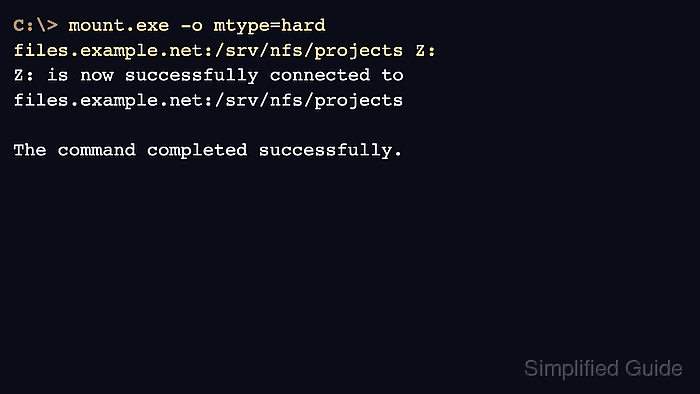
C:\> mount.exe -o mtype=hard files.example.net:/srv/nfs/projects Z:
Z: is now successfully connected to files.example.net:/srv/nfs/projects

The command completed successfully.
Windows uses soft mounts by default. mtype=hard keeps NFS I/O waiting through short server interruptions instead of timing out quickly. Add anon only when the server export is intentionally configured for anonymous access.
- List the mounted drive as the Windows user that needs access.
C:\> dir Z:\

 Directory of Z:\

06/06/2026  10:15 AM    <DIR>          releases
06/06/2026  10:16 AM                32 README.txt
               1 File(s)             32 bytes
               1 Dir(s)  129,278,197,760 bytes free
If the mount succeeds but listing or writing files fails, check the export rule, server filesystem permissions, anonymous mapping, UID/GID mapping, and any required sec= option.
- Confirm that Windows records the drive as an NFS mount.
C:\> mount.exe

Local    Remote                                 Properties
-------------------------------------------------------------------------------
Z:       files.example.net:/srv/nfs/projects    mtype=hard, timeout=0.8
                                                rsize=32, wsize=32
If the mount was only a temporary test, close open files and disconnect it with umount.exe Z:.

Mohd Shakir Zakaria is a cloud architect with deep roots in software development and open-source advocacy. Certified in AWS, Red Hat, VMware, ITIL, and Linux, he specializes in designing and managing robust cloud and on-premises infrastructures.


