A conda environment keeps plotting libraries, Python, and compiled dependencies separate from other projects. Installing Matplotlib into a named environment avoids changing the base environment when scripts or notebooks need their own plotting stack.
The conda-forge channel provides current Matplotlib packages with the dependencies needed for rendering, fonts, image output, and optional interactive backends. Creating Python and Matplotlib in one solve lets conda choose compatible package builds before the environment is used.
The environment should activate, show Matplotlib from the selected channel, import the library, and save a small PNG. Keep the smoke-test files only long enough to confirm the environment works, then remove them from the project directory.
Steps to install Matplotlib in a conda environment:
- Open a terminal where conda is initialized.
- Create a named environment from conda-forge.
$ conda create --yes --name mpl-plot --channel conda-forge --override-channels python=3.12 matplotlib
Channels:
 - conda-forge
Platform: linux-64
##### snipped #####
# To activate this environment, use
#
#     $ conda activate mpl-plot
--override-channels keeps this solve on conda-forge instead of blending packages with the configured default channels. Add other project packages to the same create command when they are available from the same channel.
- Activate the new environment.
$ conda activate mpl-plot
- Confirm that Matplotlib is installed in the active environment.
$ conda list matplotlib
# packages in environment at /path/to/conda/envs/mpl-plot:
#
# Name                     Version          Build            Channel
matplotlib                 3.11.0           py312h8025657_0  conda-forge
matplotlib-base            3.11.0           py312h982a919_0  conda-forge
The version, build string, and environment path can differ by platform. Look for conda-forge in the Channel column for the matplotlib rows.
- Save the smoke-test script as conda_matplotlib_smoke.py.
- conda_matplotlib_smoke.py
from pathlib import Path

import matplotlib
import matplotlib.pyplot as plt

fig, ax = plt.subplots()
ax.plot(["Jan", "Feb", "Mar"], [4, 7, 6], marker="o")
ax.set_title("Conda Matplotlib smoke test")
ax.set_xlabel("Month")
ax.set_ylabel("Value")

output = Path("conda-matplotlib-smoke.png")
fig.savefig(output, dpi=160)
plt.close(fig)

print(f"matplotlib: {matplotlib.__version__}")
print(f"saved: {output}")
print(f"bytes: {output.stat().st_size}")
- Run the smoke-test script with the environment's Python interpreter.
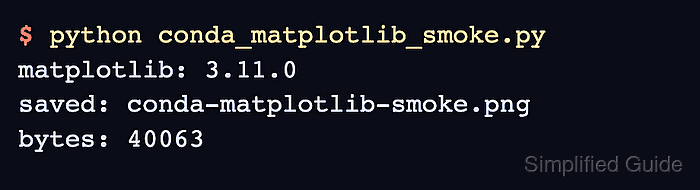
$ python conda_matplotlib_smoke.py
matplotlib: 3.11.0
saved: conda-matplotlib-smoke.png
bytes: 40063
The byte count can change with platform, fonts, backend, or Matplotlib version. A version line, the expected filename, and a nonzero byte count confirm that the active environment imported Matplotlib and wrote the plot.
- Remove the temporary smoke-test files.
$ rm conda_matplotlib_smoke.py conda-matplotlib-smoke.png

Mohd Shakir Zakaria is a cloud architect with deep roots in software development and open-source advocacy. Certified in AWS, Red Hat, VMware, ITIL, and Linux, he specializes in designing and managing robust cloud and on-premises infrastructures.


