A plot becomes useful outside Python only after its Figure is rendered to a durable file. Reports, web pages, papers, and scheduled jobs can all consume the same saved image without keeping the plotting session open.
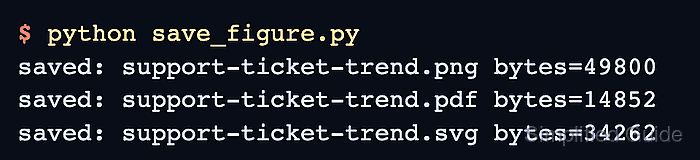
The Figure object owns the canvas and every Axes, label, and artist drawn on it. Calling fig.savefig() therefore exports the intended figure directly, which is clearer than relying on whichever figure pyplot currently considers active.
The filename extension selects PNG, PDF, SVG, or another supported format when format is not supplied. For raster output, the figure size and dpi determine pixel dimensions; a 6.4 by 3.6 inch figure saved at 160 dpi produces a 1024 by 576 pixel PNG.
Steps to save a Matplotlib figure:
- Create save_figure.py with the plotting inputs and Figure state.
- save_figure.py
from pathlib import Path

import matplotlib.pyplot as plt


months = ["Jan", "Feb", "Mar", "Apr", "May", "Jun"]
tickets = [128, 104, 91, 76, 63, 58]
output = Path("support-ticket-trend.png")

fig, ax = plt.subplots(figsize=(6.4, 3.6), layout="constrained")
A relative Path writes into the script's working directory; an absolute path or project directory directs the output elsewhere.
- Append the labelled line chart to save_figure.py.
ax.plot(months, tickets, marker="o", linewidth=2.2, color="tab:blue")
ax.fill_between(months, tickets, [50] * len(tickets), color="tab:blue", alpha=0.12)
ax.set_title("Support tickets waiting for triage")
ax.set_xlabel("Month")
ax.set_ylabel("Open tickets")
ax.grid(True, alpha=0.25)
- Append the PNG export block to save_figure.py.
fig.savefig(output, dpi=160)
plt.close(fig)
The .png extension selects PNG output, while .pdf or .svg selects a vector format supported by the active Matplotlib backend.
- Run the completed script from the directory that should contain the PNG.
$ python3 save_figure.py
- Inspect the saved PNG metadata.
$ file support-ticket-trend.png
support-ticket-trend.png: PNG image data, 1024 x 576, 8-bit/color RGBA, non-interlaced
A missing file, a zero-byte file, or dimensions other than 1024 by 576 means the export did not match this Figure size and dpi combination.
- Open support-ticket-trend.png in an image viewer.
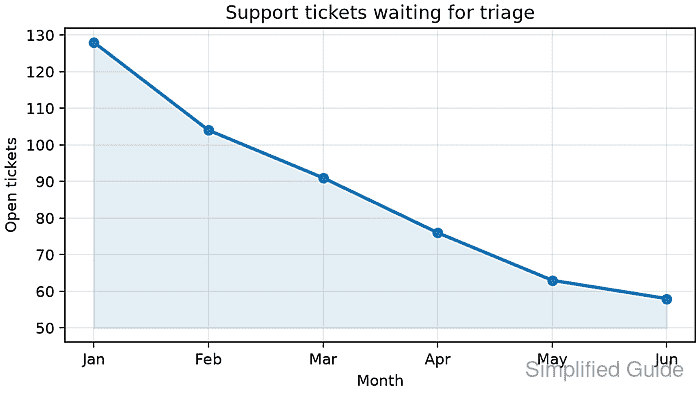
The saved image should show the blue line falling from Jan through Jun with the chart title, both axis labels, and unclipped tick labels.

Mohd Shakir Zakaria is a cloud architect with deep roots in software development and open-source advocacy. Certified in AWS, Red Hat, VMware, ITIL, and Linux, he specializes in designing and managing robust cloud and on-premises infrastructures.


