Retrieval in LlamaIndex depends on an embedding model that converts source text and questions into comparable vectors. A local Sentence Transformers model keeps that embedding call inside the Python process instead of sending text to a hosted embedding service.
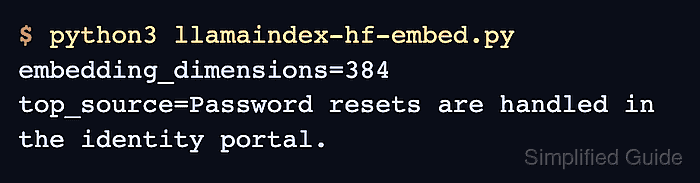
The HuggingFaceEmbedding class comes from llama-index-embeddings-huggingface and loads models that follow the Sentence Transformers format. Assigning it to Settings.embed_model supplies the process default, while passing the same object to VectorStoreIndex.from_documents() keeps this index tied to that model explicitly.
The sentence-transformers/all-MiniLM-L6-v2 model runs on CPU here, produces 384-dimensional vectors, and retrieves the matching source from two local documents. The first run downloads model files into the Hugging Face cache, so it takes longer and requires network access; later runs reuse the cached files.
Steps to use Sentence Transformers embeddings in LlamaIndex:
- Activate the project virtual environment at .venv.
$ source .venv/bin/activate
The virtual environment keeps these packages out of a shared system Python installation.
- Install the LlamaIndex core package and Hugging Face embedding integration in the active environment.
$ python -m pip install --upgrade \
  llama-index-core \
  llama-index-embeddings-huggingface
The integration installs sentence-transformers as a dependency. Pinned versions in the project dependency file provide reproducible application builds.
Related: How to install LlamaIndex with pip - Create hf_embed_check.py with the LlamaIndex imports and local model configuration.
- hf_embed_check.py
from llama_index.core import Document
from llama_index.core import Settings
from llama_index.core import VectorStoreIndex
from llama_index.embeddings.huggingface import HuggingFaceEmbedding


model_id = "sentence-transformers/all-MiniLM-L6-v2"
embed_model = HuggingFaceEmbedding(
    model_name=model_id,
    device="cpu",
)
Settings.embed_model = embed_model
The explicit device="cpu" setting avoids depending on automatic accelerator selection. A tested application device policy can select a different processor.
- Append the local document fixtures after the model configuration.
- hf_embed_check.py
documents = [
    Document(
        text="Password resets use the identity portal.",
        metadata={"source": "identity-playbook"},
    ),
    Document(
        text="VPN requests use the network playbook.",
        metadata={"source": "network-playbook"},
    ),
]
- Append the in-memory vector index construction after the document list.
- hf_embed_check.py
index = VectorStoreIndex.from_documents(
    documents,
    embed_model=embed_model,
)
The explicit embed_model argument keeps this index on the local model even if another part of the process later changes Settings.embed_model.
- Append a one-result retriever after the index construction.
- hf_embed_check.py
retriever = index.as_retriever(similarity_top_k=1)
- Append the password-reset retrieval query after the retriever.
- hf_embed_check.py
matches = retriever.retrieve(
    "Where are password resets handled?"
)
- Append a direct embedding probe after the retrieval query.
- hf_embed_check.py
embedding = embed_model.get_text_embedding("hello")
- Append fail-capable assertions for the vector size and retrieved source.
- hf_embed_check.py
assert len(embedding) == 384
assert matches[0].node.metadata["source"] == "identity-playbook"
The script stops if the model shape changes or retrieval ranks the unrelated VPN document first.
- Append the three observed-result print statements after the assertions.
- hf_embed_check.py
print(f"model={model_id}")
print(f"embedding_dimensions={len(embedding)}")
print(f"top_source={matches[0].node.metadata['source']}")
- Inspect the completed hf_embed_check.py file before execution.
- hf_embed_check.py
from llama_index.core import Document
from llama_index.core import Settings
from llama_index.core import VectorStoreIndex
from llama_index.embeddings.huggingface import HuggingFaceEmbedding


model_id = "sentence-transformers/all-MiniLM-L6-v2"
embed_model = HuggingFaceEmbedding(
    model_name=model_id,
    device="cpu",
)
Settings.embed_model = embed_model

documents = [
    Document(
        text="Password resets use the identity portal.",
        metadata={"source": "identity-playbook"},
    ),
    Document(
        text="VPN requests use the network playbook.",
        metadata={"source": "network-playbook"},
    ),
]

index = VectorStoreIndex.from_documents(
    documents,
    embed_model=embed_model,
)
retriever = index.as_retriever(similarity_top_k=1)
matches = retriever.retrieve(
    "Where are password resets handled?"
)
embedding = embed_model.get_text_embedding("hello")

assert len(embedding) == 384
assert matches[0].node.metadata["source"] == "identity-playbook"

print(f"model={model_id}")
print(f"embedding_dimensions={len(embedding)}")
print(f"top_source={matches[0].node.metadata['source']}")
- Run the completed script to verify the local embedding and retrieved source.
$ python hf_embed_check.py
model=sentence-transformers/all-MiniLM-L6-v2
embedding_dimensions=384
top_source=identity-playbook
The retained script can be rerun after dependency or model updates; either assertion fails before these lines print when the embedding shape or top source changes.

Mohd Shakir Zakaria is a cloud architect with deep roots in software development and open-source advocacy. Certified in AWS, Red Hat, VMware, ITIL, and Linux, he specializes in designing and managing robust cloud and on-premises infrastructures.


