Applications cannot compare the meaning of plain text until the text is mapped into a shared numeric space. Sentence Transformers performs that conversion with a pretrained bi-encoder and returns one dense vector for every input string.
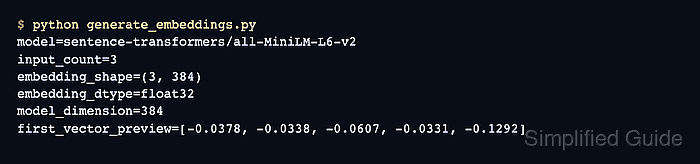
By default, passing a list of strings to SentenceTransformer.encode() returns a two-dimensional NumPy array. Each output row stays aligned with the input at the same list position, so application records can retain a direct text-to-vector mapping.
The sentence-transformers/all-MiniLM-L6-v2 model produces 384-dimensional vectors for sentences and short paragraphs. It truncates text beyond 256 word pieces, so select a model with a suitable input limit before applying the same code to longer documents.
Steps to generate Sentence Transformers embeddings:
- Create generate_embeddings.py with the model selection and input text.
- generate_embeddings.py
import numpy as np
from sentence_transformers import SentenceTransformer


model_id = "sentence-transformers/all-MiniLM-L6-v2"
texts = [
    "Reset a user password",
    "Create a private S3 bucket",
    "Rotate an SSH key",
]
model = SentenceTransformer(model_id)
- Append the encode() call after the model setup.
- generate_embeddings.py
embeddings = model.encode(texts, show_progress_bar=False)
show_progress_bar=False keeps progress-bar control characters out of short script output.
- Append the embedding checks and result summary after the encoding call.
- generate_embeddings.py
embedding_dimension = model.get_embedding_dimension()
vector_norms = np.linalg.norm(embeddings, axis=1)

assert embeddings.shape == (len(texts), embedding_dimension)
assert embeddings.dtype == np.float32
assert np.isfinite(embeddings).all()
assert (vector_norms > 0).all()

print(f"model: {model_id}")
print(f"input texts: {len(texts)}")
print(f"embedding shape: {embeddings.shape}")
print(f"embedding dtype: {embeddings.dtype}")
print(f"finite values: {np.isfinite(embeddings).all()}")
print(f"minimum vector norm: {vector_norms.min():.6f}")
The assertions stop the script if the model returns the wrong row count or dimension, a different numeric type, a non-finite value, or an empty vector.
- Run the completed embedding script to verify the generated vectors.
$ python generate_embeddings.py
model: sentence-transformers/all-MiniLM-L6-v2
input texts: 3
embedding shape: (3, 384)
embedding dtype: float32
finite values: True
minimum vector norm: 1.000000
The first run downloads the selected model when it is not already in the local cache. The output proves that all three inputs produced finite, nonzero vectors with the model's 384-value dimension.

Mohd Shakir Zakaria is a cloud architect with deep roots in software development and open-source advocacy. Certified in AWS, Red Hat, VMware, ITIL, and Linux, he specializes in designing and managing robust cloud and on-premises infrastructures.


