LlamaIndex projects depend on a Python package set that wires the framework, integrations, and data readers into the interpreter that runs the application. Installing it inside a project virtual environment keeps those packages away from the operating-system Python and gives notebooks, scripts, and services the same import path.
The current llama-index package on PyPI requires Python 3.10 or newer and lower than Python 4. The quickstart package installs llama-index-core plus the default OpenAI LLM and embedding integrations and the file reader package; narrower llama-index-* packages can be installed later when a project uses a different provider.
A package metadata check and a tiny import smoke test prove that the active interpreter sees the installed distribution without calling an external model API. Configure provider credentials separately before running query engines, agents, or workflows that use hosted LLMs.
Steps to install LlamaIndex with pip:
- Check that Python 3 is new enough for LlamaIndex.
$ python3 --version
Python 3.14.4
LlamaIndex currently requires Python 3.10 or newer and lower than Python 4. If python3 is missing or too old, install a current Python runtime before creating the project environment.
- Create a project directory for the LlamaIndex environment.
$ mkdir -p ~/llamaindex-project
- Change to the project directory.
$ cd ~/llamaindex-project
- Create a virtual environment named .venv.
$ python3 -m venv .venv
The command normally returns no output when the environment is created.
Related: Create a Python virtual environment - Activate the virtual environment.
$ source .venv/bin/activate
On Windows PowerShell, activate the same environment with .\.venv\Scripts\Activate.ps1.
Related: Activate a Python virtual environment - Confirm the active python binary comes from .venv.
(.venv) $ command -v python
/home/analyst/llamaindex-project/.venv/bin/python
- Upgrade pip inside the virtual environment.
(.venv) $ python -m pip install --upgrade pip
Requirement already satisfied: pip in ./.venv/lib/python3.14/site-packages (25.1.1)
Collecting pip
##### snipped #####
Successfully installed pip-26.1.2
Use python -m pip from the activated environment instead of a standalone pip command when several Python runtimes are installed.
- Install the LlamaIndex quickstart package.
(.venv) $ python -m pip install --upgrade llama-index
Collecting llama-index
Collecting llama-index-core<0.15.0,>=0.14.23 (from llama-index)
Collecting llama-index-embeddings-openai<0.7,>=0.6.0 (from llama-index)
Collecting llama-index-llms-openai<0.8,>=0.7.0 (from llama-index)
##### snipped #####
Successfully installed llama-index-0.14.23 llama-index-core-0.14.23 llama-index-embeddings-openai-0.6.0 llama-index-llms-openai-0.7.9
The exact dependency versions change as PyPI releases move. The important signal is that llama-index and llama-index-core install into the active virtual environment.
- Confirm that pip recorded llama-index in the virtual environment.
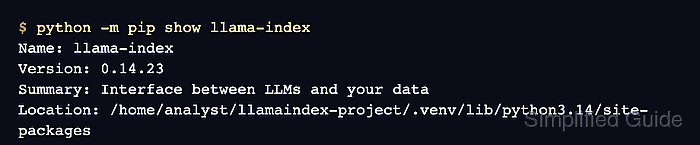
(.venv) $ python -m pip show llama-index
Name: llama-index
Version: 0.14.23
Summary: Interface between LLMs and your data
Home-page: https://llamaindex.ai
##### snipped #####
Location: /home/analyst/llamaindex-project/.venv/lib/python3.14/site-packages
Requires: llama-index-core, llama-index-embeddings-openai, llama-index-llms-openai, nltk
- Check the installed dependency metadata.
(.venv) $ python -m pip check
No broken requirements found.
If pip check reports a conflict, recreate the virtual environment or pin compatible package versions before using the environment for application code.
- Run an import smoke test through the active interpreter.
(.venv) $ python - <<'PY'
from importlib.metadata import version
from llama_index.core import Document

doc = Document(text="LlamaIndex is installed.")
print(f"llama-index: {version('llama-index')}")
print(f"document text: {doc.text}")
PY
llama-index: 0.14.23
document text: LlamaIndex is installed.

Mohd Shakir Zakaria is a cloud architect with deep roots in software development and open-source advocacy. Certified in AWS, Red Hat, VMware, ITIL, and Linux, he specializes in designing and managing robust cloud and on-premises infrastructures.


