Some hardware drivers and optional kernel subsystems stay unavailable until their loadable module is inserted into the running kernel. Loading the matching module lets a Linux system add hardware, storage, network, or test support without rebooting.
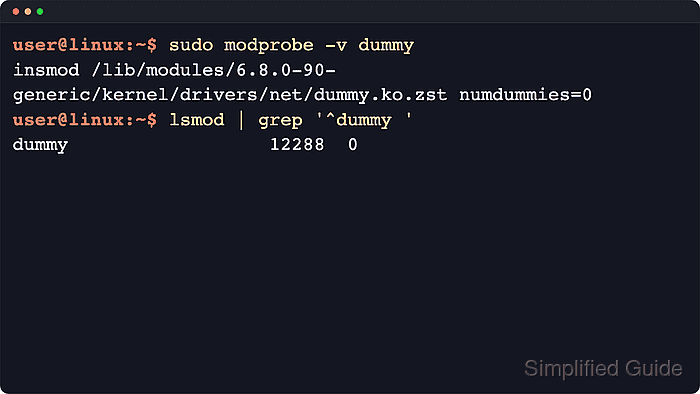
Most distributions use the kmod toolset, where modprobe looks up the target module under /lib/modules for the running kernel, applies aliases and modprobe.d rules, and loads any dependencies recorded by depmod. That makes modprobe the normal entry point for routine module loads, while the kernel itself reports lower-level failures such as missing symbols, version mismatches, or signature rejection.
Loading a module requires administrative privileges, and the module must exist for the current kernel rather than just another kernel package installed on disk. Some systems block runtime loading with /proc/sys/kernel/modules_disabled, and Secure Boot or other signature-enforcing setups can reject unsigned external modules even when the file is present, so inspect the module and loading policy before changing kernel state.
Steps to load a kernel module with modprobe:
- Inspect the module metadata before loading it.
$ modinfo dummy
filename:       /lib/modules/6.8.0-90-generic/kernel/drivers/net/dummy.ko.zst
alias:          rtnl-link-dummy
description:    Dummy netdevice driver which discards all packets sent to it
license:        GPL
##### snipped #####
name:           dummy
vermagic:       6.8.0-90-generic SMP preempt mod_unload modversions aarch64
signer:         Build time autogenerated kernel key
Replace dummy with the module you actually need. If modinfo says the module is not found, the feature may be unavailable for this kernel or built directly into the kernel instead of shipped as a separate loadable module.
- Check whether runtime module loading is still allowed.
$ cat /proc/sys/kernel/modules_disabled
0
0 means explicit module loading is allowed. 1 means modules can neither be loaded nor unloaded until the next boot.
- Preview the dependency-aware load plan before making the change.
$ modprobe --dry-run --verbose dummy
insmod /lib/modules/6.8.0-90-generic/kernel/drivers/net/dummy.ko.zst numdummies=0
modprobe accepts a module name or alias, resolves dependencies automatically, and treats hyphens and underscores as equivalent in module names.
- Load the module after the dry run looks correct.
$ sudo modprobe dummy
A successful load is usually silent. If the module is already active, modprobe exits successfully without changing anything unless you add --first-time.
- Confirm that the kernel now shows the module as loaded.
$ lsmod
Module                  Size  Used by
dummy                  12288  0
bridge                421888  1 br_netfilter
##### snipped #####
Look for the target module name in the first column. The second column is the module size, and the third is the usage count, which can stay at 0 until a device or another module starts using it.
- Review the kernel log when the module file exists but modprobe still returns an error.
$ sudo dmesg
##### snipped #####
[  412.391492] Lockdown: modprobe: Loading of unsigned module is restricted; see man kernel_lockdown.7
##### snipped #####
Look for messages about unknown symbols, version magic mismatches, lockdown restrictions, or signature rejection. On systemd hosts you can use journalctl -k to read the same kernel log stream.

Mohd Shakir Zakaria is a cloud architect with deep roots in software development and open-source advocacy. Certified in AWS, Red Hat, VMware, ITIL, and Linux, he specializes in designing and managing robust cloud and on-premises infrastructures.


