Free-form model replies are awkward to feed into application code when downstream logic expects named fields. LangChain structured output lets an agent return a Pydantic object, dataclass, TypedDict, or JSON-shaped dictionary so the caller can read values such as an email address without parsing prose.
The current LangChain agent API uses create_agent with response_format. Passing ToolStrategy(ContactInfo) asks a tool-calling chat model to call a generated schema tool, and LangChain validates the returned arguments before placing the parsed object in structured_response.
Use a real model key for the provider call and keep the schema narrow enough that validation failures point to a field the application actually needs. The contact extraction script uses the OpenAI integration package, a Pydantic schema, and a final smoke test that prints the returned object type and JSON payload.
Steps to return structured output in LangChain:
- Install LangChain, the OpenAI integration package, and the email validation extra for Pydantic.
$ python3 -m pip install --upgrade langchain langchain-openai "pydantic[email]"
Related: How to install LangChain with pip
- Set the OpenAI API key in the shell session that will run the script.
$ export OPENAI_API_KEY="sk-proj-REPLACE_WITH_YOUR_KEY"
Do not save production keys inside source files, shell history snippets, screenshots, or committed task notes. Use a deployment secret manager for long-running services.
- Create structured_contact.py with a schema and an agent response format.
- structured_contact.py
from pydantic import BaseModel, EmailStr, Field
from langchain.agents import create_agent
from langchain.agents.structured_output import ToolStrategy
from langchain_openai import ChatOpenAI


class ContactInfo(BaseModel):
    """Contact details extracted from a message."""

    name: str = Field(description="The person's full name")
    email: EmailStr = Field(description="The person's email address")
    phone: str = Field(description="The person's phone number")


model = ChatOpenAI(model="gpt-5-nano")

agent = create_agent(
    model=model,
    tools=[],
    response_format=ToolStrategy(ContactInfo),
)

result = agent.invoke(
    {
        "messages": [
            {
                "role": "user",
                "content": (
                    "Extract contact details for Jane Doe, "
                    "jane.doe@example.com, +1-202-555-0147."
                ),
            }
        ]
    }
)

contact = result["structured_response"]
print(type(contact).__name__)
print(contact.model_dump_json(indent=2))
ToolStrategy asks LangChain to use tool calling for the structured response. Passing ContactInfo directly to response_format lets LangChain choose a provider-native strategy when the selected model profile supports it.
- Run the script and check the returned object type.
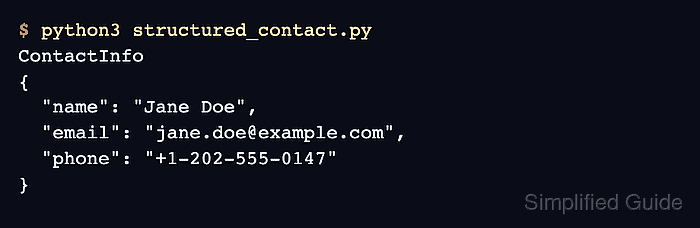
$ python3 structured_contact.py
ContactInfo
{
  "name": "Jane Doe",
  "email": "jane.doe@example.com",
  "phone": "+1-202-555-0147"
}
structured_response is a ContactInfo object, so application code can use contact.email or contact.model_dump() without parsing a natural-language reply.

Mohd Shakir Zakaria is a cloud architect with deep roots in software development and open-source advocacy. Certified in AWS, Red Hat, VMware, ITIL, and Linux, he specializes in designing and managing robust cloud and on-premises infrastructures.


