Chat models sit at the model boundary of a LangChain application, whether the next layer is an agent, retriever, or custom service. A direct call keeps that boundary visible before additional orchestration hides provider, credential, or message-format errors.
The current Python API can initialize standalone chat models with init_chat_model from langchain.chat_models. Provider packages such as langchain-openai supply the concrete integration, and a provider-prefixed model string such as openai:gpt-5-nano selects the provider without changing the call shape.
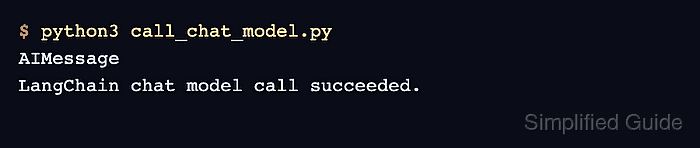
The script asks for a fixed response, prints the returned message class, and prints response.text. Use a throwaway prompt while confirming credentials because real provider calls can bill the account and missing or invalid keys fail before LangChain returns an AIMessage.
Related: How to install LangChain with pip
Related: How to format chat messages in LangChain
Related: How to enable streaming in LangChain
Steps to call a LangChain chat model:
- Open an activated Python project environment.
- Install LangChain and the OpenAI provider integration.
$ python3 -m pip install --upgrade langchain langchain-openai
langchain-openai provides the concrete OpenAI chat model implementation used by the provider-prefixed model string.
- Set the provider API key in the shell that will run the script.
$ export OPENAI_API_KEY="sk-..."
Use a real key only in your local shell, secret manager, or CI secret store. Do not paste provider keys into source files or saved transcripts.
- Create the chat model call script.
$ cat > call_chat_model.py <<'PY'
import os

from langchain.chat_models import init_chat_model


model_name = os.environ.get("LANGCHAIN_CHAT_MODEL", "openai:gpt-5-nano")

model = init_chat_model(
    model_name,
    temperature=0,
    max_retries=0,
)

response = model.invoke(
    "Reply with exactly: LangChain chat model call succeeded."
)

print(type(response).__name__)
print(response.text)
PY
Set LANGCHAIN_CHAT_MODEL to another provider-prefixed model after installing that provider package. Set OPENAI_API_BASE only when your environment routes OpenAI-compatible requests through a gateway.
Related: How to set an OpenAI-compatible base URL in LangChain - Run the script.
$ python3 call_chat_model.py
AIMessage
LangChain chat model call succeeded.
AIMessage confirms that the chat model interface returned a LangChain message object. The second line confirms that the response text is available through response.text.
- Remove the temporary script after the smoke test.
$ rm call_chat_model.py

Mohd Shakir Zakaria is a cloud architect with deep roots in software development and open-source advocacy. Certified in AWS, Red Hat, VMware, ITIL, and Linux, he specializes in designing and managing robust cloud and on-premises infrastructures.


