LangChain projects usually start inside an isolated Python environment because the framework and its integrations change independently of system packages. The core langchain distribution supplies the v1 agent and model initialization namespace used by current examples.
The official package command is pip install -U langchain. Using python -m pip keeps the install tied to the active interpreter, which matters when a workstation has several Python versions or virtual environments.
Provider packages such as langchain-openai and langchain-anthropic stay separate, so the core install does not require an API key. A completed setup should show a Python 3.10 or newer interpreter, package metadata for langchain in the project environment, and imports for the current langchain.agents and langchain.chat_models namespaces.
Steps to install LangChain with pip:
- Open an activated Python project environment.
Use a virtual environment so pip writes LangChain packages into the project instead of the system Python installation.
- Confirm the active interpreter is Python 3.10 or newer.
$ python --version
Python 3.14.4
LangChain requires Python 3.10+. Use the python command from the activated environment for the install and checks.
- Install or upgrade the core LangChain package.
$ python -m pip install --upgrade langchain
Collecting langchain
  Downloading langchain-1.3.11-py3-none-any.whl.metadata (6.0 kB)
Collecting langchain-core<2.0.0,>=1.4.7 (from langchain)
Collecting langgraph<1.3.0,>=1.2.5 (from langchain)
Collecting pydantic<3.0.0,>=2.7.4 (from langchain)
##### snipped #####
Successfully installed langchain-1.3.11 langchain-core-1.4.8 langgraph-1.2.7 pydantic-2.13.4
Exact dependency versions change as pip resolves newer releases. Install provider integrations separately only when a later project needs a hosted model, vector store, loader, or embedding provider.
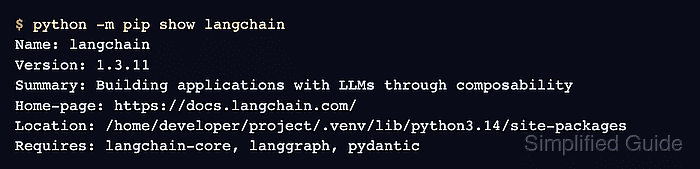
- Confirm the installed package metadata.
$ python -m pip show langchain
Name: langchain
Version: 1.3.11
Summary: Building applications with LLMs through composability
Home-page: https://docs.langchain.com/
##### snipped #####
Location: /home/developer/project/.venv/lib/python3.14/site-packages
Requires: langchain-core, langgraph, pydantic
Required-by:
- Run a no-key import smoke test.
$ python - <<'PY'
import langchain
from langchain.agents import create_agent
from langchain.chat_models import init_chat_model
from langchain_core.prompts import PromptTemplate

prompt = PromptTemplate.from_template("Write one sentence about {topic}.")
print(f"langchain: {langchain.__version__}")
print(f"agent factory: {create_agent.__name__}")
print(f"chat model initializer: {init_chat_model.__name__}")
print(prompt.format(topic="a verified install"))
PY
langchain: 1.3.11
agent factory: create_agent
chat model initializer: init_chat_model
Write one sentence about a verified install.

Mohd Shakir Zakaria is a cloud architect with deep roots in software development and open-source advocacy. Certified in AWS, Red Hat, VMware, ITIL, and Linux, he specializes in designing and managing robust cloud and on-premises infrastructures.


