OpenAI-compatible chat endpoints let a LangChain application reach a local model server, provider gateway, or service emulator through the same chat model interface used for hosted OpenAI calls. Setting the base URL keeps the application code on the ChatOpenAI integration while changing where the HTTP request is sent.
The current Python integration lives in langchain-openai. Pass an explicit base_url to ChatOpenAI when one component needs a custom endpoint, or use environment variables only when the whole process should share the same routing decision.
Most OpenAI-compatible chat-completions servers expect a base URL ending in /v1 and a model name that the endpoint itself recognizes. Use a provider-specific LangChain package instead when the provider adds non-standard response fields or features that the official OpenAI API shape does not carry.
Steps to set a LangChain OpenAI-compatible base URL:
- Open an activated Python project environment.
- Install LangChain and the OpenAI provider integration.
$ python3 -m pip install --upgrade langchain langchain-openai
langchain-openai supplies ChatOpenAI and the current OpenAI Python client dependency.
Related: How to install LangChain with pip - Check the compatible endpoint model list.
$ curl --silent http://127.0.0.1:8765/v1/models
{"object": "list", "data": [{"id": "local-chat", "object": "model", "created": 1783353600, "owned_by": "local"}]}
Replace the sample loopback URL with the local server, proxy, or gateway base URL. Keep /v1 in the base URL when the endpoint serves OpenAI-style paths under that prefix.
- Set the compatible endpoint base URL for the current shell.
$ export OPENAI_COMPATIBLE_BASE_URL="http://127.0.0.1:8765/v1"
- Set the endpoint model name.
$ export OPENAI_COMPATIBLE_MODEL="local-chat"
Use the id returned by /v1/models when the server exposes model IDs through that endpoint.
- Set the endpoint API key value.
$ export OPENAI_COMPATIBLE_API_KEY="sk-local-test"
Use a real key only in your local shell, secret manager, or deployment environment. Some local servers ignore the value, but the client still expects an API-key string.
- Create the base URL smoke-test script.
$ cat > configure_openai_base_url.py <<'PY'
import os

from langchain_openai import ChatOpenAI


model = ChatOpenAI(
    model=os.environ["OPENAI_COMPATIBLE_MODEL"],
    base_url=os.environ["OPENAI_COMPATIBLE_BASE_URL"],
    api_key=os.environ["OPENAI_COMPATIBLE_API_KEY"],
    temperature=0,
    max_retries=0,
    timeout=10,
    use_responses_api=False,
)

response = model.invoke("Reply with exactly: custom base URL reached")

print(type(response).__name__)
print(response.text)
PY
use_responses_api=False keeps the request on the Chat Completions path used by many compatible endpoints. Remove it only when the target endpoint explicitly supports the OpenAI Responses API.
- Run the smoke-test script.
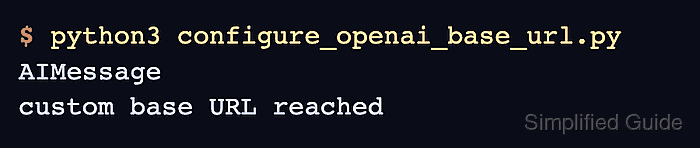
$ python3 configure_openai_base_url.py
AIMessage
custom base URL reached
AIMessage confirms that LangChain received a chat-model response. The response text confirms the selected endpoint answered the prompt.
- Check the endpoint request log or gateway request view.
POST /v1/chat/completions
model=local-chat
authorization=Bearer sk-...
The path confirms the base URL routed ChatOpenAI to the compatible chat-completions endpoint. A missing /v1 prefix, a wrong model name, or a 401 response points to endpoint, model, or credential configuration rather than LangChain message formatting.
- Remove the temporary smoke-test script.
$ rm configure_openai_base_url.py

Mohd Shakir Zakaria is a cloud architect with deep roots in software development and open-source advocacy. Certified in AWS, Red Hat, VMware, ITIL, and Linux, he specializes in designing and managing robust cloud and on-premises infrastructures.


