Joining a Hyperledger Fabric peer to a channel gives that peer a local ledger for the channel and lets its organization endorse, query, and gossip channel data. The task is usually done after the ordering service has created the channel and the peer administrator has access to the channel genesis block.
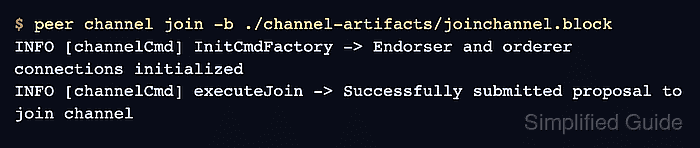
The peer channel join command reads a channel block file and sends a join proposal to the peer named by CORE_PEER_ADDRESS. The admin shell must also point at the peer organization's MSP, TLS root certificate, and FABRIC_CFG_PATH so the CLI signs the proposal as the correct organization admin.
Use block 0 when the peer needs to replay the ledger from the start. For a large existing channel, a recent ledger snapshot can be a better onboarding source because it includes current channel configuration without requiring the peer to replay every historical block.
Steps to join a Hyperledger Fabric peer to a channel:
- Set the channel, orderer, and target peer values in the admin shell.
$ export CHANNEL_ID=mychannel
$ export ORDERER_ADDRESS=orderer.example.com:7050
$ export ORDERER_HOST=orderer.example.com
$ export ORDERER_CA=/etc/hyperledger/fabric/tls/orderer-ca.crt
$ export FABRIC_CFG_PATH=/etc/hyperledger/fabric
$ export CORE_PEER_TLS_ENABLED=true
$ export CORE_PEER_LOCALMSPID=Org1MSP
$ export CORE_PEER_MSPCONFIGPATH=/etc/hyperledger/fabric/org1/admin/msp
$ export CORE_PEER_TLS_ROOTCERT_FILE=/etc/hyperledger/fabric/org1/peer0/tls/ca.crt
$ export CORE_PEER_ADDRESS=peer0.org1.example.com:7051
The peer organization must already be a channel member. Add the organization to the channel configuration before joining its peers.
Related: How to add an organization to a Hyperledger Fabric channel - Create a local directory for the channel block file.
$ mkdir -p channel-artifacts
- Fetch the channel genesis block when a trusted copy is not already available.
$ peer channel fetch 0 ./channel-artifacts/mychannel.block \
  -o "$ORDERER_ADDRESS" \
  --ordererTLSHostnameOverride "$ORDERER_HOST" \
  -c "$CHANNEL_ID" \
  --tls --cafile "$ORDERER_CA"
INFO [channelCmd] InitCmdFactory -> Endorser and orderer connections initialized
INFO [channelCmd] readBlock -> Received block: 0
Use the block 0 file created during channel creation when it is already available from a trusted channel-admin workspace. Fetching block 0 from the orderer is a recovery path for a missing local copy.
- Join the target peer with the channel block file.
$ peer channel join -b ./channel-artifacts/mychannel.block
INFO [channelCmd] InitCmdFactory -> Endorser and orderer connections initialized
INFO [channelCmd] executeJoin -> Successfully submitted proposal to join channel
Change CORE_PEER_ADDRESS, CORE_PEER_MSPCONFIGPATH, CORE_PEER_LOCALMSPID, and the peer TLS root certificate before joining another peer.
- List the channels joined by the target peer.
$ peer channel list
INFO [channelCmd] InitCmdFactory -> Endorser and orderer connections initialized
Channels peers has joined:
mychannel
- Check the peer ledger height for the joined channel.
$ peer channel getinfo -c "$CHANNEL_ID"
INFO [channelCmd] InitCmdFactory -> Endorser and orderer connections initialized
Blockchain info: {"height":1,"currentBlockHash":"4qyk9XwYLA6UCIQrFVOCM3CvBVTZc7UvOnXhm2J3x5g="}
A height of 1 immediately after the join means the peer has the channel genesis block. The height increases as the peer receives later config and transaction blocks.

Mohd Shakir Zakaria is a cloud architect with deep roots in software development and open-source advocacy. Certified in AWS, Red Hat, VMware, ITIL, and Linux, he specializes in designing and managing robust cloud and on-premises infrastructures.


