Joining a Hyperledger Fabric peer from a ledger snapshot onboards the peer to an existing channel without replaying every historical block from the genesis block. This path fits large channels where the organization needs a new peer to start from a trusted current state.
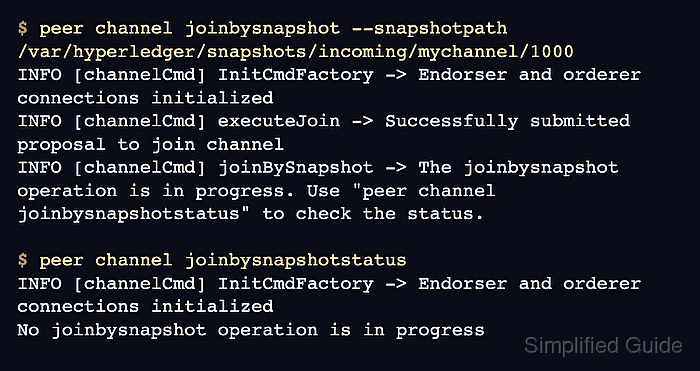
The peer channel joinbysnapshot command tells the target peer to read a snapshot directory that is already available on that peer's filesystem. The snapshot includes current public state, transaction ID data, private-data hashes, collection configuration history, and metadata for the snapshot block.
Use a snapshot taken after the organization is a member of the channel and, preferably, after the latest channel configuration block the new peer needs. A peer joined from a snapshot cannot query blocks, transactions, or key history before the snapshot height, so keep at least one full-history peer when applications or audits need older ledger data.
Steps to join a Hyperledger Fabric peer from a snapshot:
- Set the target peer and snapshot values in the admin shell.
$ export CHANNEL_ID=mychannel
$ export SNAPSHOT_PATH=/var/hyperledger/snapshots/incoming/mychannel/1000
$ export FABRIC_CFG_PATH=/etc/hyperledger/fabric
$ export CORE_PEER_TLS_ENABLED=true
$ export CORE_PEER_LOCALMSPID=Org2MSP
$ export CORE_PEER_MSPCONFIGPATH=/etc/hyperledger/fabric/org2/admin/msp
$ export CORE_PEER_TLS_ROOTCERT_FILE=/etc/hyperledger/fabric/org2/peer0/tls/ca.crt
$ export CORE_PEER_ADDRESS=peer0.org2.example.com:9051
The organization must already belong to the channel. The snapshot path must be readable by the target peer process, not only by the administrator workstation.
Related: How to add an organization to a Hyperledger Fabric channel - Confirm the target peer has not already joined the channel.
$ peer channel list
INFO [channelCmd] InitCmdFactory -> Endorser and orderer connections initialized
Channels peers has joined:
Do not run peer channel join or peer channel joinbysnapshot for a channel that already appears in this list.
- Check the received snapshot directory.
$ sudo ls "$SNAPSHOT_PATH"
_snapshot_additional_metadata.json
_snapshot_signable_metadata.json
public_state.data
public_state.metadata
txids.data
txids.metadata
Channels that have private data collections can include additional private-data hash and collection-history files. Missing collection files are not a problem when the channel has no collections.
- Inspect the signable snapshot metadata.
$ sudo cat "$SNAPSHOT_PATH/_snapshot_signable_metadata.json"
{
    "channel_name": "mychannel",
    "last_block_number": 1000,
    "last_block_hash": "0A6a9zqR2vWkXGV3tb4xuEGC3bt29xUD4Qn8fH0GJrE=",
    "previous_block_hash": "9YcKV76vTzgb0PcdPr7jWfUkPq9MZP55yP9mR4mRYtQ=",
    "state_db_type": "CouchDB",
    "snapshot_files_raw_hashes": {
        "public_state.data": "8e71db1ffdb9a4d96d5b2e74b2c7c9d6b68e9c0a5d1a47fb285d26d2ac40c2a4",
        "txids.data": "6f4f4e3c59ff9bf87b32a4bf278ab7f0bb05c5c3c6d02af680f8b4a260a712a8"
    }
}
The channel_name and last_block_number must match the channel and snapshot height selected for the join.
- Check the snapshot hash metadata.
$ sudo cat "$SNAPSHOT_PATH/_snapshot_additional_metadata.json"
{
    "snapshot_hash": "1390f5af8947640cad08b4bbe4e310bb628fb4ba9afedde442d8dbd12b8e21ce",
    "last_block_commit_hash": "5f88b61407b149a48413433f4670c46531e5c4a8febdc339a9536ff8716a559e"
}
When several organizations provide snapshots for the same channel height, compare their snapshot_hash values before using one to join a peer. A mismatch means the snapshots do not represent the same ledger state.
- Start the snapshot join on the target peer.
$ peer channel joinbysnapshot --snapshotpath "$SNAPSHOT_PATH"
INFO [channelCmd] InitCmdFactory -> Endorser and orderer connections initialized
INFO [channelCmd] executeJoin -> Successfully submitted proposal to join channel
INFO [channelCmd] joinBySnapshot -> The joinbysnapshot operation is in progress. Use "peer channel joinbysnapshotstatus" to check the status.
Only one channel join or snapshot join can run on the peer at a time.
- Check the snapshot join status.
$ peer channel joinbysnapshotstatus
INFO [channelCmd] InitCmdFactory -> Endorser and orderer connections initialized
No joinbysnapshot operation is in progress
If the command reports an in-progress snapshot join, wait for it to finish before checking channel state or starting another join.
- List the channels joined by the target peer.
$ peer channel list
INFO [channelCmd] InitCmdFactory -> Endorser and orderer connections initialized
Channels peers has joined:
mychannel
- Check the peer ledger height after the join.
$ peer channel getinfo -c "$CHANNEL_ID"
INFO [channelCmd] InitCmdFactory -> Endorser and orderer connections initialized
Blockchain info: {"height":1001,"currentBlockHash":"0A6a9zqR2vWkXGV3tb4xuEGC3bt29xUD4Qn8fH0GJrE=","previousBlockHash":"9YcKV76vTzgb0PcdPr7jWfUkPq9MZP55yP9mR4mRYtQ=","bootstrappingSnapshotInfo":{}}
The height should be at least one block higher than the snapshot's last_block_number after the peer has completed the join and caught up to available channel blocks.
- Run an application query through the joined peer.
$ peer chaincode query -C "$CHANNEL_ID" -n asset-transfer -c '{"Args":["ReadAsset","asset1"]}'
{"ID":"asset1","color":"blue","size":5,"owner":"Tom","appraisedValue":300}
Install required chaincode packages on the new peer before using it for endorsements or queries. A new organization may also need to approve existing chaincode definitions before invoking them.
Related: How to query Hyperledger Fabric chaincode

Mohd Shakir Zakaria is a cloud architect with deep roots in software development and open-source advocacy. Certified in AWS, Red Hat, VMware, ITIL, and Linux, he specializes in designing and managing robust cloud and on-premises infrastructures.


