Adding an organization to a Hyperledger Fabric channel changes the channel configuration so a new MSP can participate in the channel. The change is used when a consortium member, business unit, or operator-owned peer organization needs channel access without recreating the ledger.
Fabric stores channel membership in a protobuf channel config block. A channel admin fetches the current config, adds the new organization definition under Channel/Application, computes the config update, collects the required admin signatures, and submits the signed envelope to the orderer.
The new organization must already have valid MSP material, TLS root certificates, peer configuration, and an admin identity before the channel update is submitted. Default channel policies usually require a majority of existing organization admins to approve membership changes, and the new peer still needs to join the channel after the update is committed.
Steps to add a Hyperledger Fabric organization to a channel:
- Set the channel and orderer values in the admin shell.
$ export CHANNEL_ID=channel1
$ export ORDERER_ADDRESS=orderer.example.com:7050
$ export ORDERER_HOST=orderer.example.com
$ export ORDERER_CA=/etc/hyperledger/fabric/tls/orderer-ca.crt
$ export FABRIC_CFG_PATH=/etc/hyperledger/fabric
$ export CONFIGTX_PATH=/etc/hyperledger/fabric/configtx
$ export NEW_ORG_MSP=Org3MSP
$ export NEW_ORG_JSON=channel-artifacts/org3.json
- Load the proposing organization admin identity.
$ export CORE_PEER_TLS_ENABLED=true
$ export CORE_PEER_LOCALMSPID=Org1MSP
$ export CORE_PEER_MSPCONFIGPATH=/etc/hyperledger/fabric/org1/admin/msp
$ export CORE_PEER_TLS_ROOTCERT_FILE=/etc/hyperledger/fabric/org1/peer0/tls/ca.crt
$ export CORE_PEER_ADDRESS=peer0.org1.example.com:7051
The active admin identity signs the config update. Use an admin MSP that can satisfy the channel modification policy.
- Create a local directory for channel update artifacts.
$ mkdir -p channel-artifacts
- Print the new organization definition from configtx.yaml.
$ FABRIC_CFG_PATH="$CONFIGTX_PATH" \
  configtxgen -printOrg "$NEW_ORG_MSP" > "$NEW_ORG_JSON"
The configtx.yaml entry for Org3MSP must point at the new organization's real MSP directory and TLS root certificates. cryptogen is suitable for disposable labs; production networks normally create MSP material through Fabric CA or an existing certificate authority.
- Check that the organization definition contains the expected policies.
$ jq -r '.policies | keys[]' "$NEW_ORG_JSON"
Admins
Endorsement
Readers
Writers
- Fetch the latest channel config block from an existing orderer.
$ peer channel fetch config channel-artifacts/config_block.pb \
  -o "$ORDERER_ADDRESS" \
  --ordererTLSHostnameOverride "$ORDERER_HOST" \
  -c "$CHANNEL_ID" \
  --tls --cafile "$ORDERER_CA"
INFO [channelCmd] InitCmdFactory -> Endorser and orderer connections initialized
INFO [cli.common] readBlock -> Received block: 3
INFO [channelCmd] fetch -> Retrieving last config block: 3
INFO [cli.common] readBlock -> Received block: 3
- Decode the config block into JSON.
$ configtxlator proto_decode \
  --input channel-artifacts/config_block.pb \
  --type common.Block \
  --output channel-artifacts/config_block.json
- Extract the channel config object.
$ jq '.data.data[0].payload.data.config' \
  channel-artifacts/config_block.json > channel-artifacts/config.json
- Add the new organization under the channel application group.
$ jq -s --arg org "$NEW_ORG_MSP" \
  '.[0] * {"channel_group":{"groups":{"Application":{"groups": {($org): .[1]}}}}}' \
  channel-artifacts/config.json \
  "$NEW_ORG_JSON" \
  > channel-artifacts/modified_config.json
Do not edit the original config file in place. configtxlator computes the update by comparing the original config with the modified config.
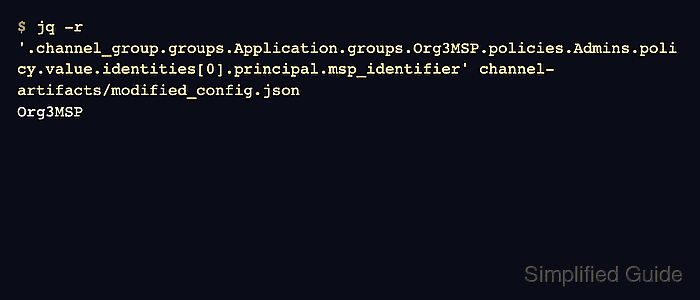
- Verify that the modified config contains the new organization MSP.
$ jq -r --arg org "$NEW_ORG_MSP" \
  '.channel_group.groups.Application.groups[$org].policies.Admins.policy.value.identities[0].principal.msp_identifier' \
  channel-artifacts/modified_config.json
Org3MSP
- Encode the original channel config as protobuf.
$ configtxlator proto_encode \
  --input channel-artifacts/config.json \
  --type common.Config \
  --output channel-artifacts/config.pb
- Encode the modified channel config as protobuf.
$ configtxlator proto_encode \
  --input channel-artifacts/modified_config.json \
  --type common.Config \
  --output channel-artifacts/modified_config.pb
- Compute the channel config update.
$ configtxlator compute_update \
  --channel_id "$CHANNEL_ID" \
  --original channel-artifacts/config.pb \
  --updated channel-artifacts/modified_config.pb \
  --output channel-artifacts/org_update.pb
- Decode the config update for review.
$ configtxlator proto_decode \
  --input channel-artifacts/org_update.pb \
  --type common.ConfigUpdate \
  --output channel-artifacts/org_update.json
- Confirm that the update write set includes the new organization.
$ jq -r '.write_set.groups.Application.groups | keys[]' \
  channel-artifacts/org_update.json
Org1MSP
Org2MSP
Org3MSP
The existing organizations can appear in the write set as version pointers. The important new member is Org3MSP.
- Wrap the config update in a channel envelope JSON document.
$ jq -n \ --arg channel "$CHANNEL_ID" \ --slurpfile update channel-artifacts/org_update.json \ '{"payload":{"header":{"channel_header":{"channel_id":$channel,"type":2}},"data":{"config_update":$update[0]}}}' \ > channel-artifacts/org_update_in_envelope.json - Encode the channel update envelope as protobuf.
$ configtxlator proto_encode \
  --input channel-artifacts/org_update_in_envelope.json \
  --type common.Envelope \
  --output channel-artifacts/org_update_in_envelope.pb
- Sign the update envelope with each required existing organization admin.
$ peer channel signconfigtx \
  -f channel-artifacts/org_update_in_envelope.pb
INFO [channelCmd] InitCmdFactory -> Endorser and orderer connections initialized
Load each required admin MSP before running the signing command. In a real consortium, pass the envelope to each admin out of band so they can inspect and sign it from their own admin environment.
- Load the final submitting admin identity.
$ export CORE_PEER_LOCALMSPID=Org2MSP
$ export CORE_PEER_MSPCONFIGPATH=/etc/hyperledger/fabric/org2/admin/msp
$ export CORE_PEER_TLS_ROOTCERT_FILE=/etc/hyperledger/fabric/org2/peer0/tls/ca.crt
$ export CORE_PEER_ADDRESS=peer0.org2.example.com:9051
peer channel update adds the final submitter's signature before sending the envelope to the orderer.
- Submit the signed config update to the orderer.
$ peer channel update \
  -f channel-artifacts/org_update_in_envelope.pb \
  -c "$CHANNEL_ID" \
  -o "$ORDERER_ADDRESS" \
  --ordererTLSHostnameOverride "$ORDERER_HOST" \
  --tls --cafile "$ORDERER_CA"
INFO [channelCmd] InitCmdFactory -> Endorser and orderer connections initialized
INFO [channelCmd] update -> Successfully submitted channel update
- Load the new organization peer admin identity.
$ export CORE_PEER_LOCALMSPID=Org3MSP
$ export CORE_PEER_MSPCONFIGPATH=/etc/hyperledger/fabric/org3/admin/msp
$ export CORE_PEER_TLS_ROOTCERT_FILE=/etc/hyperledger/fabric/org3/peer0/tls/ca.crt
$ export CORE_PEER_ADDRESS=peer0.org3.example.com:11051
The new peer must be able to receive blocks from the ordering service while it catches up to the config block that added its organization. Use the peer's configured static organization leader or leader election settings for the new organization.
- Fetch block 0 for the new peer.
$ peer channel fetch 0 channel-artifacts/channel1.block \
  -o "$ORDERER_ADDRESS" \
  --ordererTLSHostnameOverride "$ORDERER_HOST" \
  -c "$CHANNEL_ID" \
  --tls --cafile "$ORDERER_CA"
INFO [channelCmd] InitCmdFactory -> Endorser and orderer connections initialized
INFO [cli.common] readBlock -> Received block: 0
Use a ledger snapshot instead of block 0 when onboarding a peer to a large existing channel.
Related: How to join a Hyperledger Fabric peer from a ledger snapshot - Join the new organization peer to the channel.
$ peer channel join -b channel-artifacts/channel1.block
INFO [channelCmd] InitCmdFactory -> Endorser and orderer connections initialized
INFO [channelCmd] executeJoin -> Successfully submitted proposal to join channel
- Check the new peer's channel ledger height.
$ peer channel getinfo -c "$CHANNEL_ID"
INFO [channelCmd] InitCmdFactory -> Endorser and orderer connections initialized
Blockchain info: {"height":4,"currentBlockHash":"yclwrdzBu80EjIoJgXEkCMSwGqrpn3vTnuTFBFcbTfE=","previousBlockHash":"2WtLN0J8lsNx1eMvkAtPeuo9cBdxq+OFi1hDm4FmUA8="}
A height greater than 1 shows that the peer has moved beyond the genesis block and received later channel blocks, including the configuration update that added the organization.
- Update the new organization's anchor peer when other organizations need gossip discovery for the new peer.
- Remove temporary channel update files after verification.
$ rm -f channel-artifacts/config_block.pb \
  channel-artifacts/config_block.json \
  channel-artifacts/config.json \
  channel-artifacts/modified_config.json \
  channel-artifacts/config.pb \
  channel-artifacts/modified_config.pb \
  channel-artifacts/org_update.pb \
  channel-artifacts/org_update.json \
  channel-artifacts/org_update_in_envelope.json \
  channel-artifacts/org_update_in_envelope.pb

Mohd Shakir Zakaria is a cloud architect with deep roots in software development and open-source advocacy. Certified in AWS, Red Hat, VMware, ITIL, and Linux, he specializes in designing and managing robust cloud and on-premises infrastructures.


