HTML pages often carry navigation, footers, and layout markup that should not become search text. Haystack uses HTMLToDocument to turn saved web pages into Document objects, so indexing pipelines can work with extracted article text instead of raw tags.
A small saved HTML file, collection metadata, and a short smoke script are enough to confirm the converted content before adding splitters, cleaners, or document writers. The converter returns a documents list, and each document keeps source metadata that downstream components can use for filtering and traceability.
HTMLToDocument depends on Trafilatura for HTML extraction. Install that optional package in the same Python environment as haystack-ai, then keep store_full_path disabled unless downstream logs or audit records need absolute source paths.
Related: How to install Haystack with pip
Related: How to convert multiple file types in Haystack
Related: How to clean documents in Haystack
Steps to convert HTML files to Haystack documents:
- Install the HTML extraction dependency in the active Haystack Python environment.
$ python -m pip install trafilatura
Collecting trafilatura
##### snipped #####
Successfully installed trafilatura-2.1.0
HTMLToDocument imports trafilatura when the converter is created. Install it in the same virtual environment that imports haystack.
- Save a representative HTML file in the project directory.
- sample.html
<!doctype html>
<html lang="en">
  <head>
    <meta charset="utf-8">
    <title>Support search notes</title>
  </head>
  <body>
    <header>Docs</header>
    <article>
      <h1>Support search notes</h1>
      <p>Billing articles now appear in search.</p>
      <p>Login help keeps owner metadata.</p>
      <p>Password reset notes stay under review.</p>
    </article>
    <footer>Internal docs</footer>
  </body>
</html>
Use a saved page that represents the HTML structure being indexed. A page export with real headings and body copy exposes extraction issues earlier than a one-line fixture.
- Create the converter script.
- convert_html.py
from pathlib import Path
from textwrap import wrap

from haystack.components import converters

source = Path("sample.html")
converter = converters.HTMLToDocument(
    store_full_path=False,
)
result = converter.run(
    sources=[source],
    meta={
        "collection": "support-portal",
        "source_format": "html",
    },
)

documents = result["documents"]
document = documents[0]

print(f"documents: {len(documents)}")
print("content:")
for line in wrap(document.content, width=48):
    print(line)
print("source:", document.meta["file_path"])
print("collection:", document.meta["collection"])
print("format:", document.meta["source_format"])
The meta values are added to every Document produced from the supplied source. Keep source labels specific enough for later filtering in retrievers or document stores.
- Run the converter script.
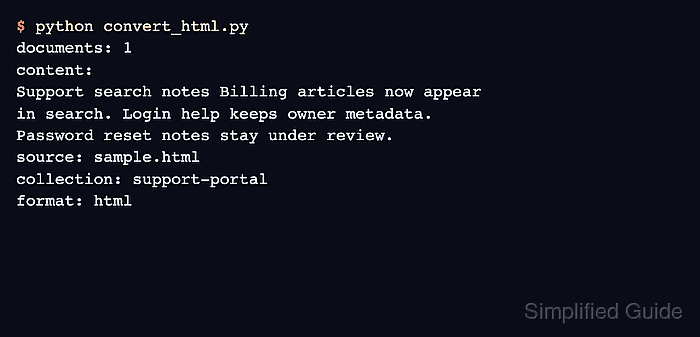
$ python convert_html.py
documents: 1
content:
Support search notes Billing articles now appear
in search. Login help keeps owner metadata.
Password reset notes stay under review.
source: sample.html
collection: support-portal
format: html
The output should include readable page text, the HTML source filename, and the metadata values passed to run().
- Remove the temporary smoke-test files after the converter behavior is confirmed.
$ rm convert_html.py sample.html

Mohd Shakir Zakaria is a cloud architect with deep roots in software development and open-source advocacy. Certified in AWS, Red Hat, VMware, ITIL, and Linux, he specializes in designing and managing robust cloud and on-premises infrastructures.


